14-inch M5 MacBook Pro vs. 16-inch M1 Max: Portability, Performance, and Upgrade Recommendations for Creative Professionals
The speaker explores replacing his 16-inch M1 Max MacBook Pro with a 14-inch M5 MacBook Pro due to portability issues during travel.




Motivation for Considering a Smaller MacBook Pro [00:00:43]
The speaker, a long-time user of the 16-inch M1 Max MacBook Pro, explains his reasons for contemplating a switch to the newer, smaller 14-inch M5 MacBook Pro.
- Travel Inconvenience:
- Experiences editing for 6 hours straight on flights (to Uganda, then Bali) with the 16-inch model were "painful." [00:00:57]

A small airplane tray table, highlighting the challenge of using a large laptop during flights [ 00:02:06 ] - The large size makes it awkward to use on airplane tray tables [00:02:05] and "annoying" to set up in coffee shops. [00:01:07]
- Experiences editing for 6 hours straight on flights (to Uganda, then Bali) with the 16-inch model were "painful." [00:00:57]
- Objective: To see if the 14-inch M5 can handle the heavy workloads he typically performs on his M1 Max. [00:01:40]
Unboxing and First Impressions of the 14-inch M5 MacBook Pro [00:02:12]
The speaker details his experience purchasing and unboxing the new M5 MacBook Pro.
- Purchase Journey:
- Had to rush to an Apple store in Melbourne, nearly missing the closing time. [00:02:14]
- Color Choice:
- Initial Reactions:
Portability and User Experience [00:03:13]
The speaker shares his real-world experience using the 14-inch M5 MacBook Pro over several days on a business trip.
- Enhanced Portability:
- "Absolutely love the size and weight of this thing." [00:03:19]
- Feels "so much better" to take out of the bag and place on tables compared to the 16-inch M1 Max. [00:03:26]
Side-by-side comparison of the 14-inch M5 (left) and 16-inch M1 Max (right) MacBook Pro [ 00:00:45 ] 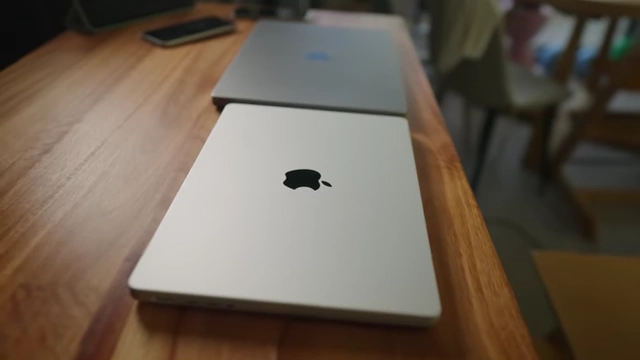
Thickness comparison between the 14-inch M5 and 16-inch M1 Max MacBook Pro [ 00:01:08 ]
The 14-inch M5 MacBook Pro's compact size, ideal for small coffee shop tables [ 00:01:20 ]
- Weight Comparison:
- Screen Size Adjustment:
- The 2-inch difference in screen size (16-inch vs. 14-inch) is a "big deal" for screen real estate. [00:04:56]
- Recommends activating the "more space" display setting to maximize screen usage, as the default feels "crammed." [00:05:05]
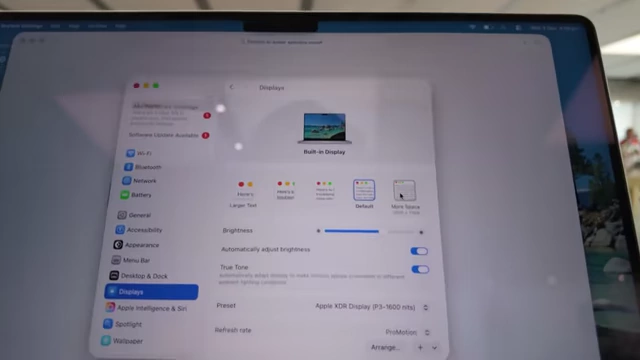
Display settings showing the 'More Space' option for maximizing screen real estate on the 14-inch MacBook Pro [ 00:05:08 ]
Performance Benchmarks: M5 vs. M1 Max [00:08:16]
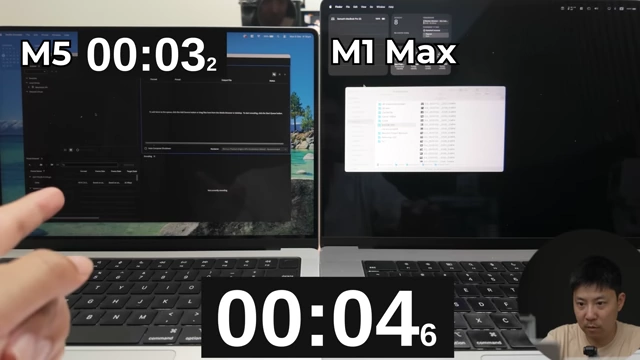
The speaker conducts several real-life tests comparing the base M5 MacBook Pro against his M1 Max, aiming to push the M5 to its limits.
- Media Encoder Test (Encoding):
- Application Launch: M5 loaded "ages ago" compared to the M1 Max, showcasing its faster launch time. [00:08:49]
- Encoding Speed:
- M1 Max finished encoding a project in 7 minutes and 7 seconds. [00:09:17]
- M5 finished in 9 minutes and 53 seconds, taking an extra 2 minutes and 45 seconds. [00:09:17]
Media Encoder performance: M1 Max finishes in 7:07, while M5 takes 9:53 [ 00:09:19 ] - Reason: Max chips (like M1 Max) have two video encoders, while base chips (like M5) have one, giving the M1 Max an advantage in encoding tasks. [00:09:03]
- Premiere Pro Test:
- After Effects Playback & Render:
- Playback: Despite the M5 having less RAM (16GB vs. 64GB on M1 Max), it rendered in real-time while the M1 Max experienced frame drops. [00:09:59]
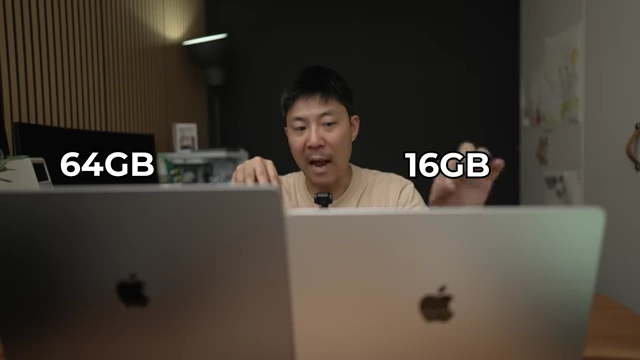
RAM comparison: 64GB on M1 Max (left) vs. 16GB on M5 (right) [ 00:10:04 ]
After Effects playback shows M5 rendering in real-time while M1 Max drops frames [ 00:10:19 ] - Rendering: Both finished rendering at "the same time." [00:10:37]
- Conclusion: Playback and rendering on After Effects were "better on the M5" than the M1 Max, which was "wild to think." [00:10:24]
- Playback: Despite the M5 having less RAM (16GB vs. 64GB on M1 Max), it rendered in real-time while the M1 Max experienced frame drops. [00:09:59]
- 8K Video Playback Stress Test:
- Both laptops played 8K footage without dropping frames, even after adding multiple effects and layers. [00:10:44]
- The speaker "give[s] up" trying to make the M5 struggle with video editing tasks, noting it performs exceptionally well for a base model. [00:11:30]
- For users who don't create content for a living, the base M5 is "overkill" and a MacBook Air would suffice. [00:11:53]
- For those "dabbling in content creation," the M5 is "the best laptop you could get right now for the money." [00:12:03]

Pricing and configurations for the 14-inch M5 MacBook Pro, starting at $1,599 [ 00:12:00 ]
M1 Max Advantages (Downgrades from M1 Max to M5) [00:12:16]
Despite the M5's impressive performance, the M1 Max still holds some key advantages for heavy professional workflows.
- Video Encoders:
- M1 Max (and all Max variants) feature two video encoders, allowing for faster video encoding compared to the single encoder on the base M5. [00:12:34]
- GPU Power:
- Memory Bandwidth:
- M1 Max boasts 400 GB/s memory bandwidth, significantly higher than the M5's 153 GB/s. [00:12:53]

Memory bandwidth comparison: M1 Max at 400 GB/s vs. M5 at 153 GB/s [ 00:13:00 ] - However, the speaker admits he doesn't fully understand the practical implications of this difference for his day-to-day work, and the M5 "feels a lot faster" for general use. [00:13:03]
- M1 Max boasts 400 GB/s memory bandwidth, significantly higher than the M5's 153 GB/s. [00:12:53]
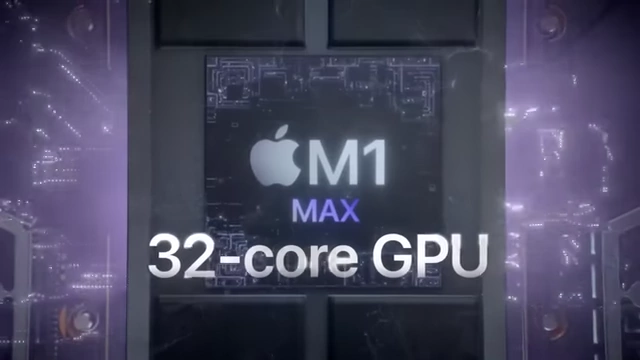
M5 Upgrades (Upgrades from M1 Max to M5) [00:13:13]
The newer M5 MacBook Pro introduces several significant improvements over the M1 Max.
- Display Brightness:
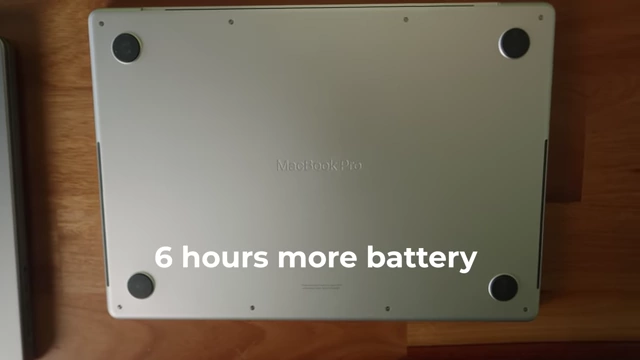
- Battery Life:
- Camera:
- Ports:
- Wireless Connectivity:
- Wi-Fi 6E (M5) vs. Wi-Fi 6 (M1 Max). [00:13:59]
- Bluetooth 5.3 (M5) vs. Bluetooth 5.0 (M1 Max). [00:14:02]
- Bluetooth 5.3 is a "big deal" due to the M1 Max's issues with multiple connected Bluetooth devices (AirPods, mouse), which often required disconnecting devices for smooth operation. [00:14:04]
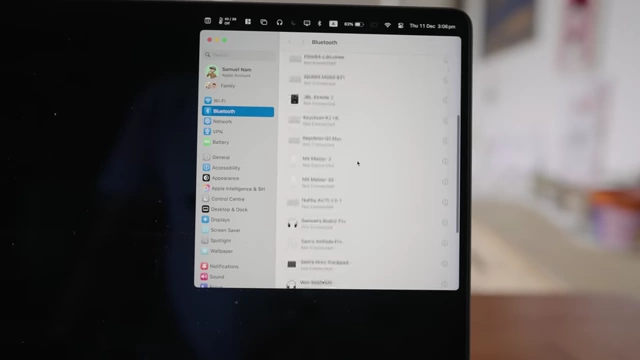
Bluetooth settings on the M1 Max, showing multiple connected devices which caused connection issues [ 00:14:10 ] - M5 offers more reliable connections and less latency for editing with AirPods. [00:14:22]
- Bluetooth 5.3 is a "big deal" due to the M1 Max's issues with multiple connected Bluetooth devices (AirPods, mouse), which often required disconnecting devices for smooth operation. [00:14:04]


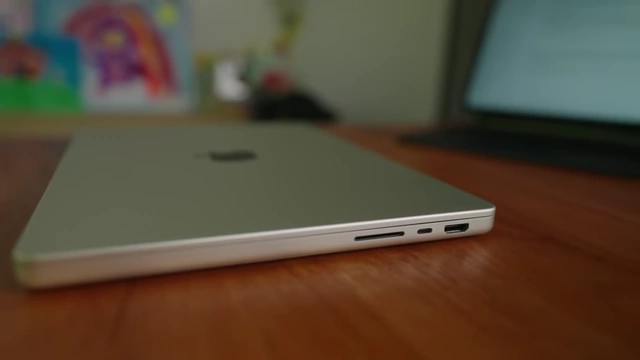
Conclusion and Future Plans [00:14:30]
The speaker reflects on the comparison and makes a decision regarding his potential upgrade.
- Decision: No immediate replacement of the 16-inch M1 Max with the 14-inch base M5. [00:14:41]
- Reason: He plans to wait for the M5 Pro chip, expected in a "month or two," which he believes will offer the best combination of portability and high-end performance. [00:14:45]
- Enduring Quality of M1 Max: The M1 Max MacBook Pro, released in 2021, remains an exceptionally good machine, still preferred over "any modern Windows laptop today." [00:14:55]