MKBHD Team's Comprehensive Guide to High-Quality Video Production
This video offers an in-depth look into the MKBHD team's process for creating high-quality videos, framed by the "octopus analogy" where the creator delegates tasks while maintaining core creative control. It breaks down video production into several key areas:
- Scripting: Emphasizing a clear thesis, thorough context, and unearthing details through research and interviews.
- Lighting & Set Design: Showcasing how consistent aesthetics are achieved through intentional lighting (e.g., CRI, softboxes) and color palettes (e.g., Bauhaus primaries), even with challenging travel sets.
- Editing: Highlighting principles like distraction-free presentation, clean B-roll, and effective talking head segments, while also demonstrating how to creatively break formula for unique narratives.
- Audio: Providing practical advice on microphone selection (cardioid vs. omni patterns), proper placement (distance, proximity effect), and the importance of recording dialogue in mono for clarity.
- Thumbnails: Explaining how design choices like visual simplicity, focal points, complementary colors, and clear visual flow contribute to successful thumbnails, using A/B testing examples.
- Brand Deals: Offering ethical guidelines for evaluating sponsorships, focusing on maintaining journalistic integrity, avoiding audience fatigue, and ensuring brand alignment.
- Storage Management: Briefly touching upon the large data requirements for high-quality video (1-7TB per project) and the need for robust, redundant storage solutions that scale with a creator's growth.
- Career Path: Introducing the new head producer, Harper, who shares her diverse career journey in media and content creation, emphasizing that there's no single path in the volatile creator industry.
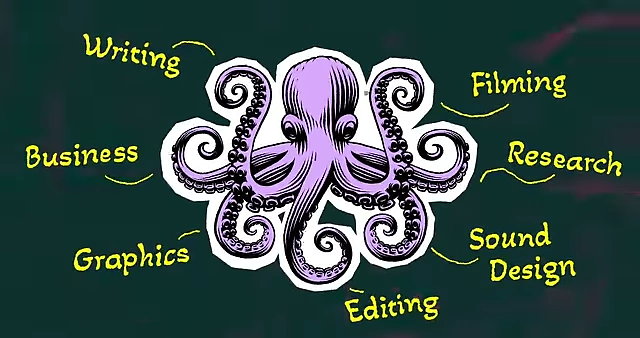
Building a Video Production Team: The Octopus Analogy [00:00]
Marques Brownlee introduces his "octopus analogy" for content creation, where new team members (arms) take over specialized tasks, allowing them to perfect details beyond what a single creator could achieve. The creator retains the "three hearts"—core, non-delegable aspects of the channel.
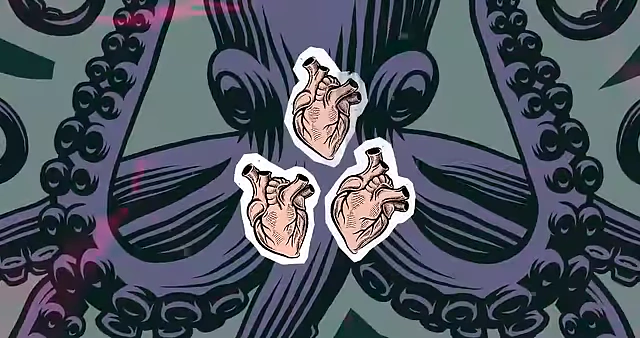
- Creator's three core "hearts" (non-delegable):
- Being on camera for reviews.
- Actually reviewing and testing technology.
- Making editorial decisions about video topics and overall channel direction.
3 Steps to Writing Videos [02:15]
David, the writer and researcher, explains the MKBHD team's storytelling checklist applicable to various video types (reviews, video essays, long-form documentaries).
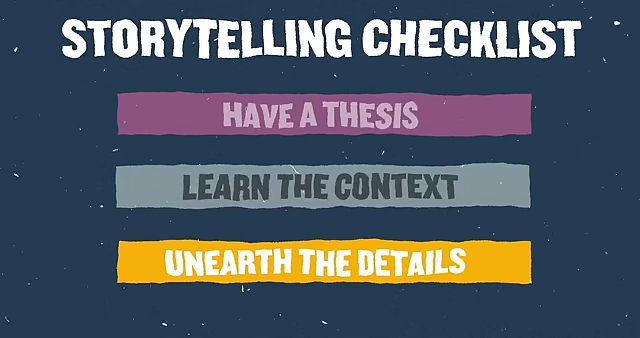
- 1. Have a Thesis [02:32]: Every video needs a clear point or argument to remain engaging.
- Example: Humane AI Pin Review
- The thesis was that current AI hardware products are not ready for mainstream use and not worth buying.
- The review focused on whether the product delivered on its claims and its market fit.
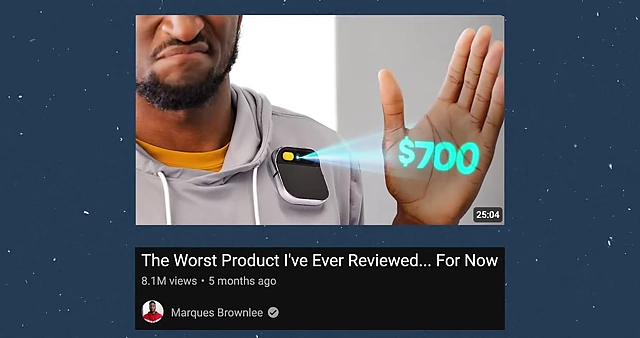
The YouTube thumbnail for the Humane AI Pin review, illustrating a clear thesis [ 00:03:09 ]
- Example: Humane AI Pin Review
- 2. Learn the Context [04:35]: Immerse yourself in the subject matter to understand its full background.
- Example: Apple versus The Paradox of Choice (AirTags)
- Understanding the pre-existing Tile ecosystem and Apple's entry revealed a deeper story about market dynamics and competition.
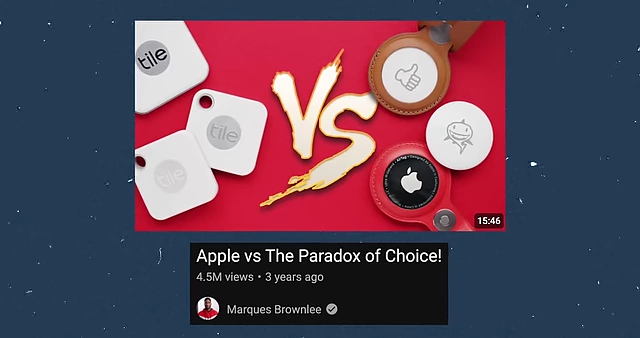
The YouTube thumbnail for "Apple vs The Paradox of Choice," a video essay exploring context [ 00:04:52 ] 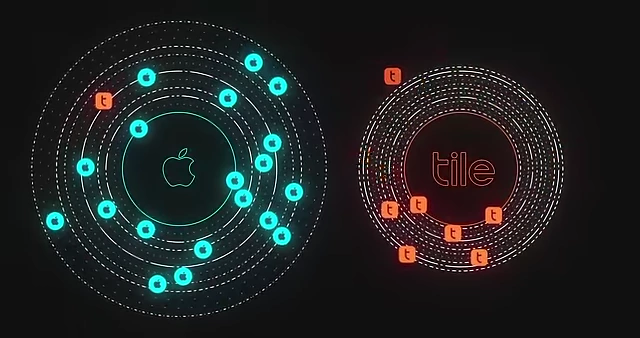
A visual comparison of the Apple Find My and Tile tracking ecosystems [ 00:05:32 ] - Consuming extensive information helps uncover non-obvious narratives.
- Understanding the pre-existing Tile ecosystem and Apple's entry revealed a deeper story about market dynamics and competition.
- Example: Apple versus The Paradox of Choice (AirTags)
- 3. Unearth the Details [07:26]: For long-form content, deep research and primary sources are crucial.
- Example: Boosted Boards Documentary
- Knowing the end (Boosted Boards went out of business) required detailed research to find out why.
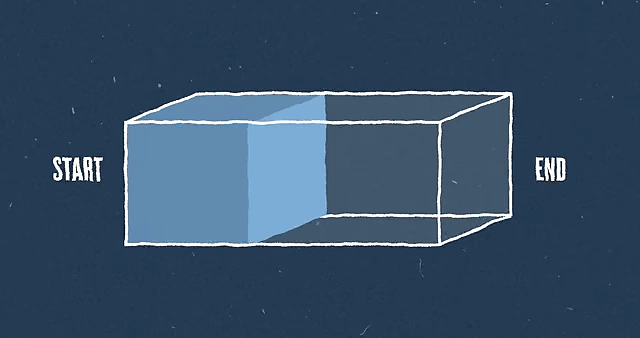
A diagram illustrating how to fill a narrative with details between a known start and end point [ 00:08:36 ] - Contacting primary sources (via social media, email) for interviews provides the rich details that make a story engaging.
- Transcribing interviews allows for easy keyword searching and story construction.
- Knowing the end (Boosted Boards went out of business) required detailed research to find out why.
- Example: Boosted Boards Documentary
- David's final advice: Have a passion for the subject to drive deeper exploration and better storytelling.
MKBHD Lighting & Set Design Breakdown [09:28]
Brandon, the Creative Director, and Vinh, the Art Director, discuss creating visual consistency and engaging sets.
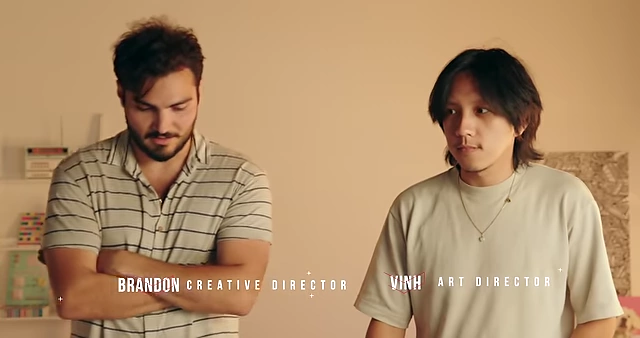
- Evolution of Set Design
- Over six years, their approach has evolved significantly, focusing on consistency and experimentation.
- Pixel 3 Review Set [10:17]
- First video shot in 2:1 aspect ratio, utilizing the full sensor size of cameras.
- Many phones at the time were adopting 2:1, providing a full-screen viewing experience.
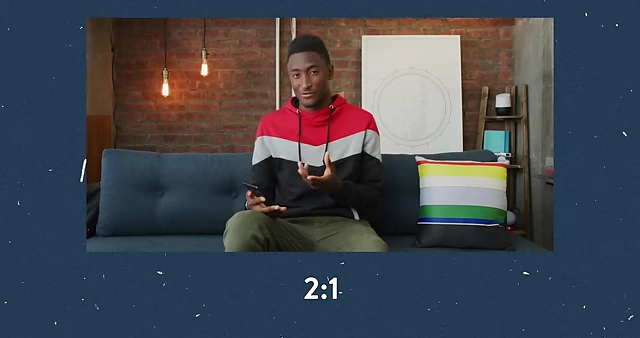
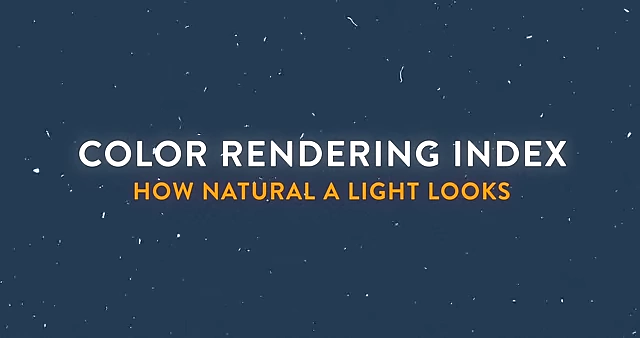
Comparison of 2:1 and 16:9 aspect ratios, showing 2:1 utilizes the full camera sensor [ 00:10:27 ] - Key light: Westcott Flex Light, chosen for its natural, soft output and high Color Rendering Index (CRI).
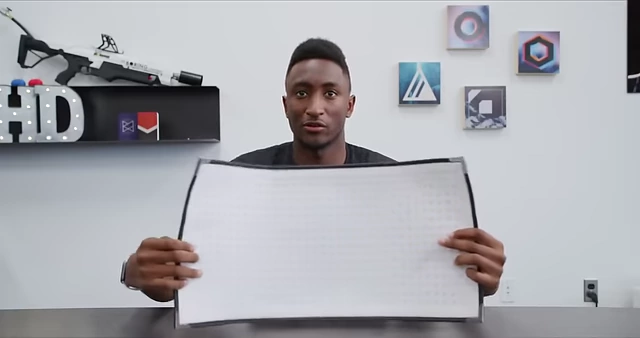
The Westcott Flex Light, noted for its natural, soft output and high Color Rendering Index (CRI) [ 00:10:57 ] - Incorporated Bauhaus color design (red, blue, yellow primaries) as an homage to older MKBHD top-down videos.

The Bauhaus primary color palette (black, red, yellow, white, blue) used in set design [ 00:11:40 ]
- Apple WWDC Recap (Traveling Set) [12:12]
- Shot late at night in a hotel, requiring adaptation to ambient lighting.
- Used a portable Aputure Light Dome Mini for softness and an Amaran light.
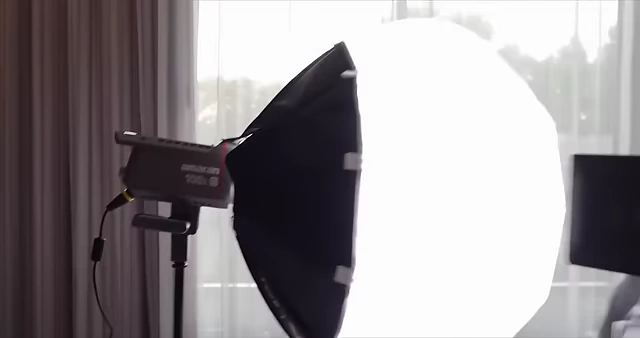
The portable Aputure Light Dome Mini, used for soft lighting in travel sets [ 00:13:00 ] - Challenges of travel sets require working with available resources.
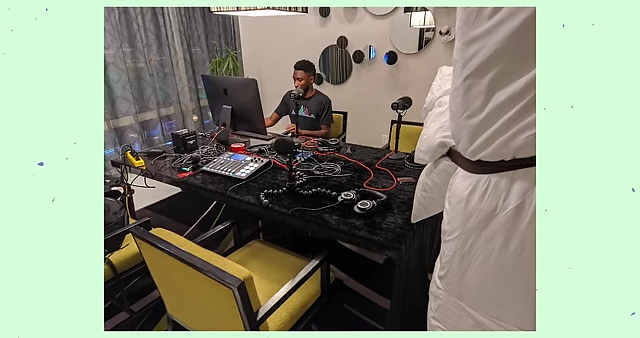
A makeshift sound setup in a hotel, using a bed cot as a sound blanket for acoustic dampening [ 00:13:51 ]
- iPhone vs. Android Set [14:04]
- Utilized RGB lighting for a vibrant, tech-focused look (green for Android/PC, blue for Apple/iMac).
- Employed "flags" (dark surfaces) to control light spill and prevent color casting on Marques.
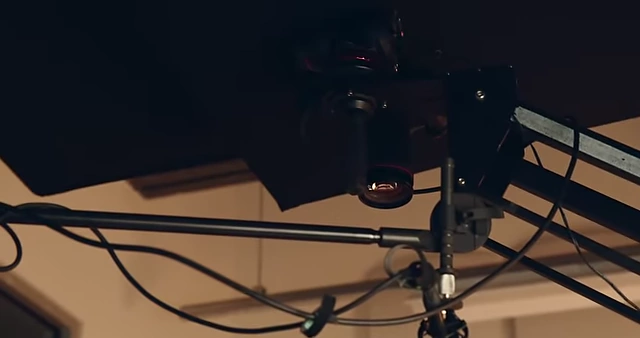
A "flag" positioned to control light spill and prevent color casting on the subject [ 00:14:52 ] - Aimed for a "checkerboard effect" in exposure, with bright and dark zones to guide the viewer's eye.
- Solar Power Video Set [15:48]
- Creative use of lighting to simulate sunlight through a window at night.
- Used a large, warm-colored key light and a Gobo projector (turret) to cast specific window shapes onto the wall.
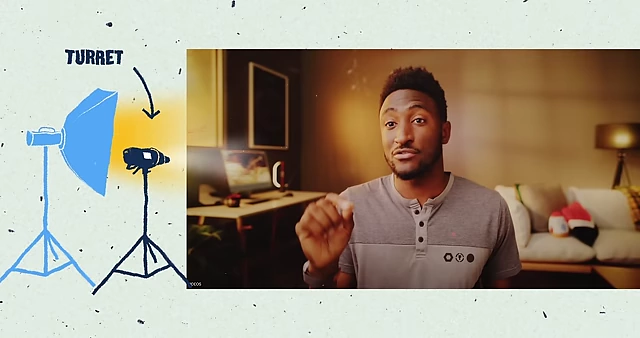
Diagrams illustrating a colorcast light (left) and a Gobo projector ("turret", right) used to create artificial window light [ 00:16:33 ] - Demonstrated the ability to create entirely artificial lighting environments.
- Overall Philosophy [17:51]
- Despite having professional gear, creativity and inventiveness remain paramount.
- Core concepts and stylistic elements from early videos are still carried forward.
MKBHD Editing Breakdown [18:17]
Mariah, an editor, discusses MKBHD's editing guidelines and how they are sometimes broken for creative effect.
- MKBHD Editing Guidelines [18:31]
- 1. Distraction-Free: Minimal music, not heavily relying on "retention editing" (frequent quick cuts).
- 2. Clean B-Roll: Crisp and high-quality supplementary footage.
- 3. Talking Head: Simple yet effective presentation style.
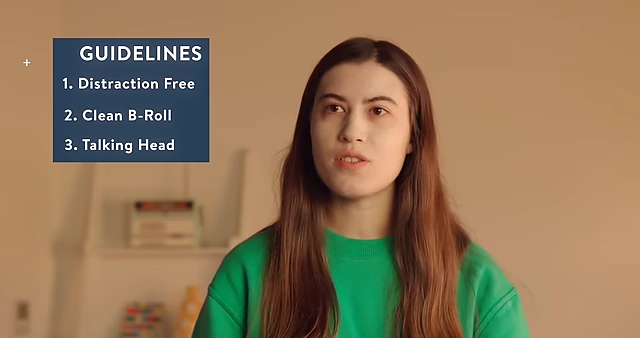
MKBHD's editing guidelines: distraction-free, clean B-roll, and effective talking head [ 00:18:50 ] - These guidelines establish audience expectations but also provide a framework for intentional deviation.
- Pixel 9 Impressions Video [19:03]
- Followed the typical formula due to time constraints, emphasizing quick turnaround.
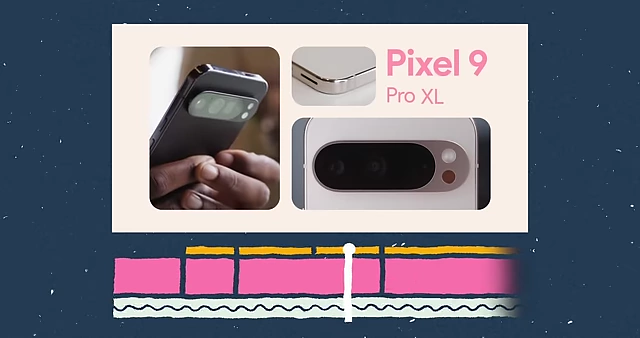
Visuals from the Pixel 9 Impressions video, showing how titles were added to differentiate similar phones [ 00:19:12 ] - Editing challenge: Differentiating visually similar Pixel 9 Pro and Pro XL models. Solved by adding subtle text and graphic changes.
- Color Correction: Significant green tint in original footage required extensive correction using raw camera settings (Kelvin, tint).
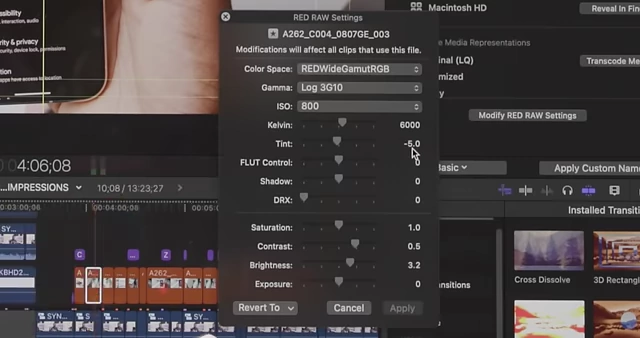
Raw camera settings for color correction, specifically adjusting Kelvin and Tint to remove green casts [ 00:20:20 ]
- Followed the typical formula due to time constraints, emphasizing quick turnaround.
- $20,000 vs. $2 Million Hybrid Car Video [20:33]
- Broke the usual fast-paced car video formula for a more playful tone.
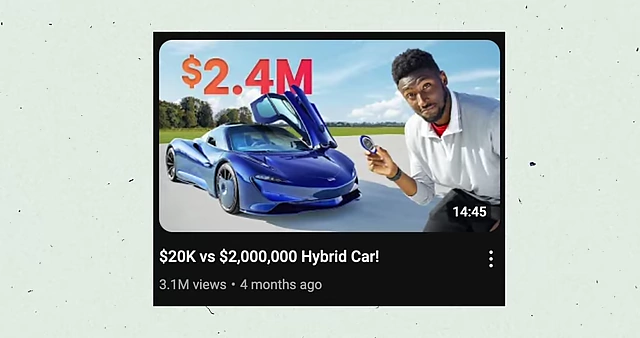
Thumbnail for the "$20,000 vs $2 Million Hybrid Car" video, showcasing a more playful editing approach [ 00:20:35 ] - Music cues: Music was dialed back during the intro, then punched up as Marques entered the car, creating an engaging shift.
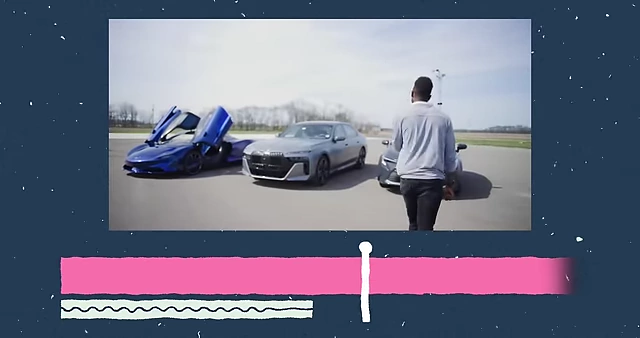
An editing timeline showing music cues and car B-roll for a playful tone [ 00:20:43 ] - Chapter markers with animated text for each car make the video digestible and help audience navigation.
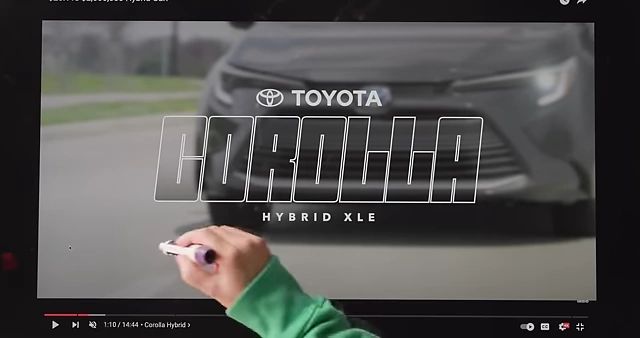
Animated text revealing the Toyota Corolla Hybrid XLE chapter marker [ 00:22:22 ] - Visual transition: Cars literally drive out of frame to signify the end of a segment, a subtle psychological cue.
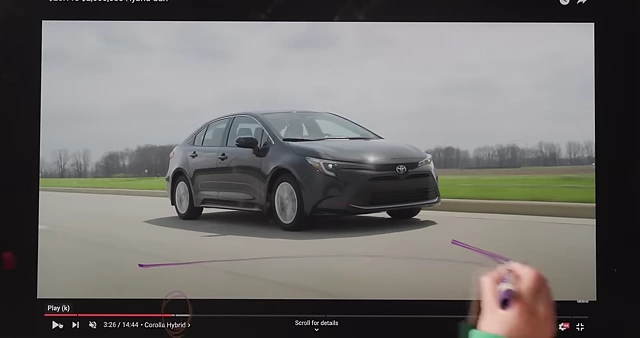
The visual transition of a car driving out of frame to signify a scene ending [ 00:23:00 ]
- Broke the usual fast-paced car video formula for a more playful tone.
- "I Said Yes to Every Email for a Month" Video [23:12]
- Completely unscripted and breaking every rule.
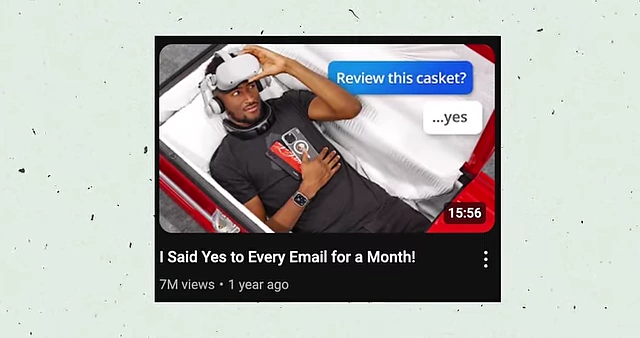
Thumbnail for the "I Said Yes to Every Email for a Month" video, featuring Marques in a casket [ 00:23:15 ] - Ominous music in the intro sets a mysterious tone, building anticipation for unusual products (e.g., a casket).
- Minimal text and long, uncut shots (no traditional retention editing) relied on the intriguing topic as the primary hook.
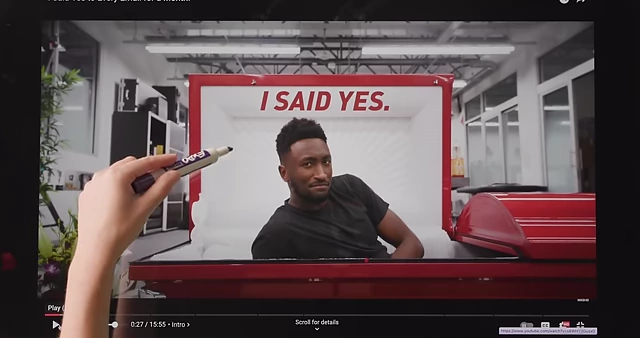
Text overlay "I SAID YES." in the casket scene, marking the video's premise [ 00:24:33 ] - Creative transitions: A "bloom effect" made the white background overwhelmingly bright, suggesting a fantastical shift (e.g., "seeing God").
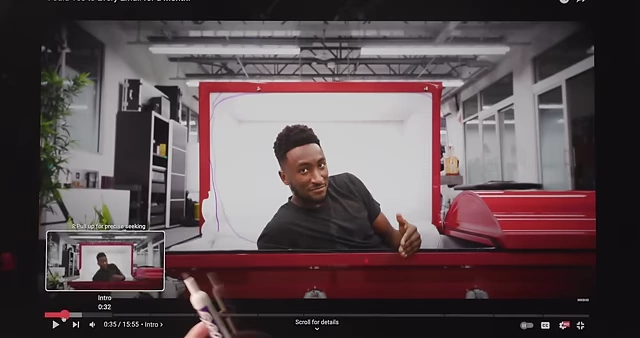
The "bloom effect" transition used to create a fantastical visual shift, suggesting "seeing God." [ 00:25:47 ] - Humor: Marques unable to cover the camera lens at the end due to being in a casket, leading to an alternative ending.
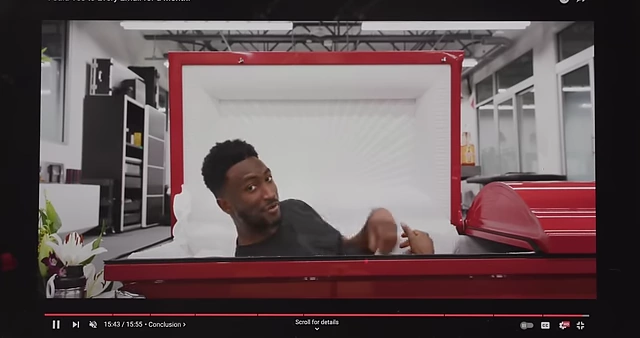
Marques laying in the casket and sealing it, a humorous alternative to the usual lens cover [ 00:27:34 ]
- Completely unscripted and breaking every rule.
- Video Project Sizes [27:37]
- Projects can be massive, ranging from 1 to 5 terabytes, with multi-camera 8K footage.
- The Pixel video alone was about 1.3 terabytes.
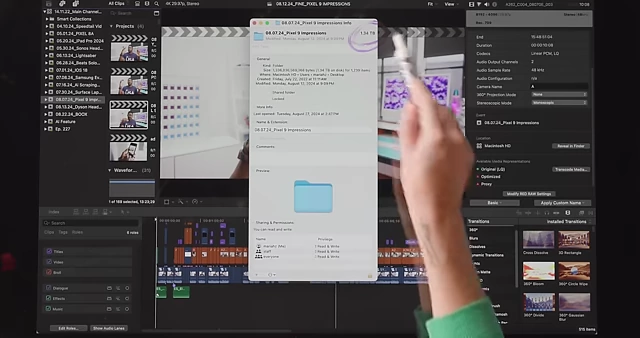
File size for a Pixel video project, illustrating large data volumes (1.34 TB) [ 00:27:50 ]
Storage Management for Creators [28:06]
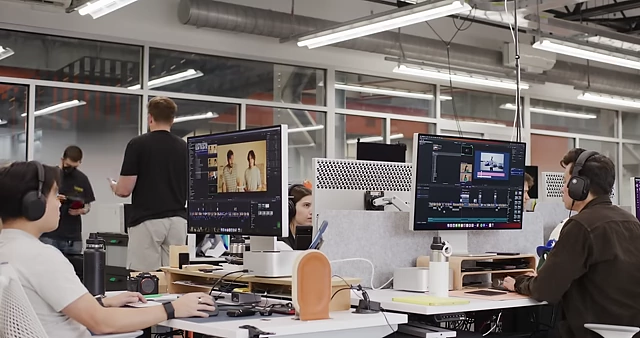
The video briefly touches upon the massive data requirements for high-quality video (projects ranging from 1 to 7 terabytes) and the necessity for robust, redundant storage solutions that can scale with a creator's growth. The team highlights the importance of infrastructure, like RAID-configured server arrays and 10-gigabit Ethernet connections, to enable multiple editors to work concurrently on large 8K multi-camera footage without data loss.
Make Your Videos Sound Good [29:52]
Ellis, the sound guy, shares essential audio advice for creators.
- 1. Choosing a Microphone [30:22]
- Price doesn't always equal quality; most modern microphones can produce decent audio.
- Focus on polar patterns: how a microphone picks up sound directionally.
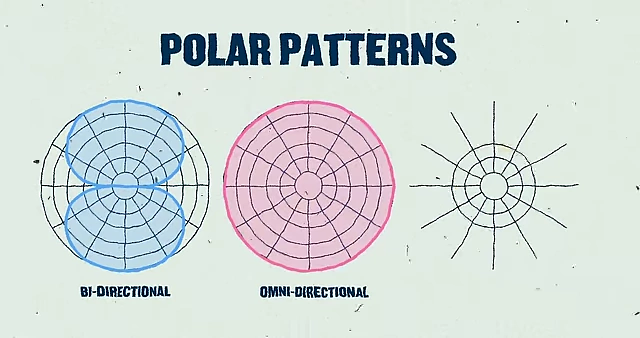
A diagram illustrating different microphone polar patterns: bi-directional, omni-directional, and shotgun [ 00:31:05 ] - Cardioid [31:06]: Listens primarily from the front, rejecting sound from the back and sides (e.g., Shure SM7B). Ideal for isolating dialogue and minimizing room noise.
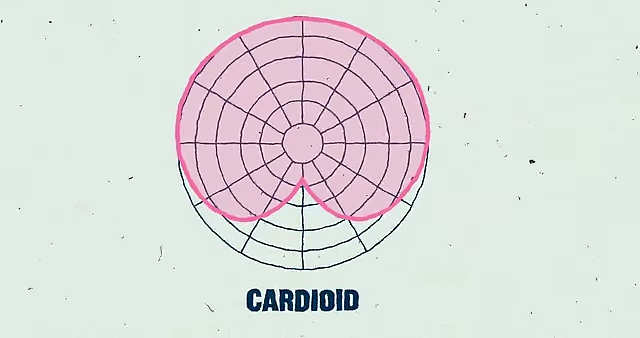
A diagram of a cardioid microphone's pick-up pattern, showing sound rejection from the rear [ 00:31:10 ] - Omni-directional (Omni) [31:30]: Hears equally from all directions (e.g., Sanken COS 11-D lavalier). Provides a consistent signal but picks up more room ambiance.
- Recommendation: For dialogue in a YouTube video, a cardioid or shotgun mic is usually preferred over an omni to reduce room reflections.
- Cardioid [31:06]: Listens primarily from the front, rejecting sound from the back and sides (e.g., Shure SM7B). Ideal for isolating dialogue and minimizing room noise.
- A Quick PSA: Record in Mono [33:04]
- While many things sound great in stereo, dialogue is not one of them.
- Recording dialogue in mono provides a clearer, more focused sound.
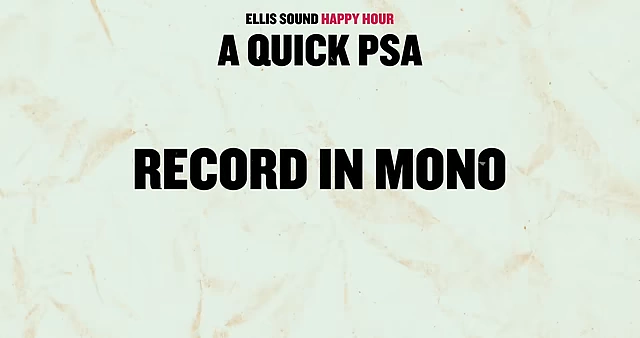
A public service announcement advising to record dialogue in mono for clarity [ 00:33:10 ]
- 2. Microphone Placing [33:58]
- Even a high-quality microphone will sound bad if placed incorrectly.
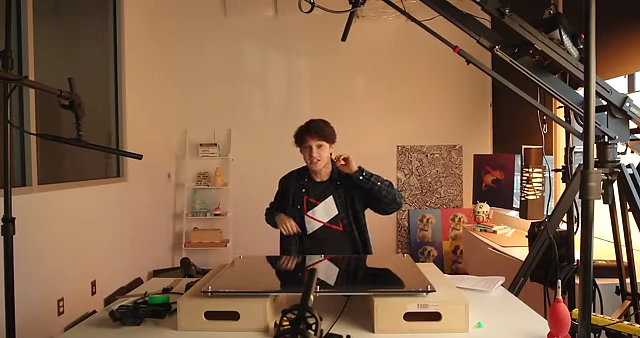
Multiple Sennheiser 416 microphones positioned differently, demonstrating how placement affects sound [ 00:34:18 ] - Distance [34:39]:
- The farther the mic is from the mouth, the more room sound it picks up, and the more sensitive it becomes to reflections.
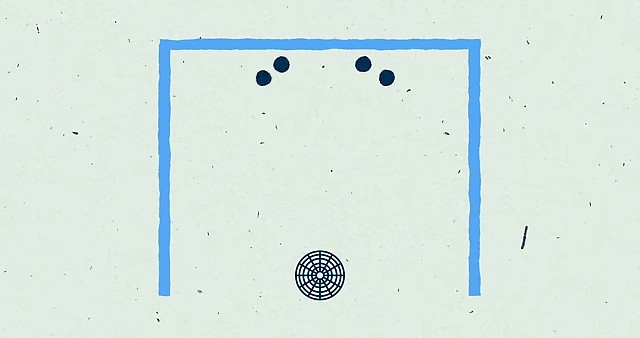
An illustration of sound waves bouncing off room surfaces before reaching the microphone [ 00:32:23 ] - Proximity Effect [35:08]: A phenomenon in cardioid mics where closer placement to the source results in increased bass frequencies. This is used to create warm, rich vocal tones (e.g., "NPR sound"). Omni mics are immune to this effect.
- The farther the mic is from the mouth, the more room sound it picks up, and the more sensitive it becomes to reflections.
- Pointing Direction (On-axis vs. Off-axis) [35:50]:
- On-axis micing: Pointing the mic directly at the sound source.
- Off-axis micing: Pointing the mic slightly away from the sound source.
- Frequency Dispersion Rule: High frequencies "beam" (are directional), while low frequencies "spread."
- Application: If audio is too bright/harsh, move the mic slightly off-axis to pick up more spreading low frequencies. If it's too muddy/bassy, move it more on-axis for beaming high frequencies.
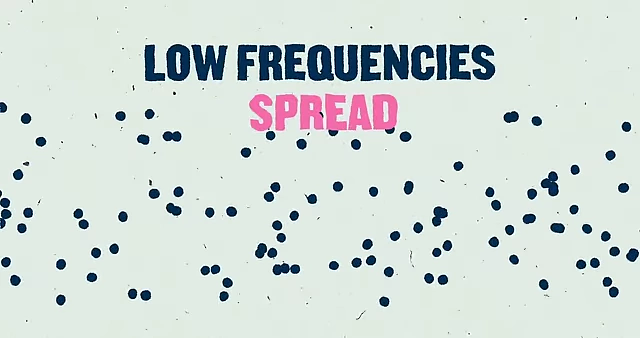
Visualizing how low frequencies spread while high frequencies beam (indicated by a tight beam) [ 00:36:30 ]
- Even a high-quality microphone will sound bad if placed incorrectly.
- Post-production [37:21]
- If proper mic selection and placement are done during recording, post-production should be minimal, only making the final 10% of improvement.
- Advanced AI audio tools can help, but foundational recording techniques are key.
MKBHD Thumbnails Breakdown [38:27]
Tim, the graphic designer, explains the design principles behind successful MKBHD thumbnails.
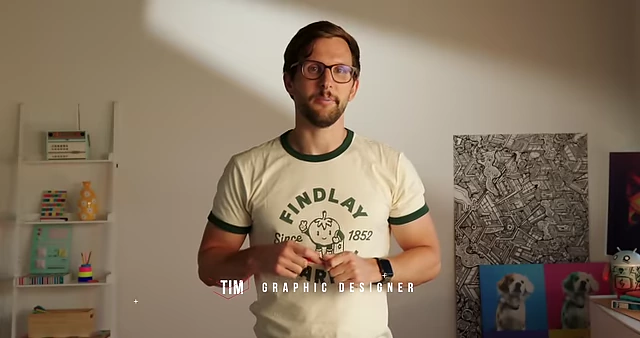
- Boox Thumbnail [38:35]
- Goal: Ensure legibility at small scales.
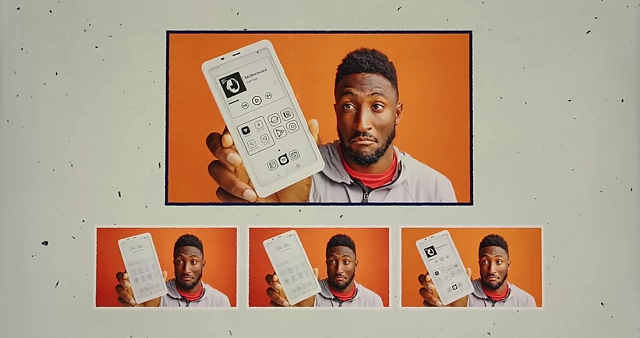
Drafts for the Boox thumbnail, showing initial concept and refinements for legibility [ 00:38:31 ] - Enhancements: Marques's hand cut out and twisted, phone enlarged by 10-15%.
- Screen UI simplified: Artwork enlarged, apps blown up, text labels removed, lines thickened for clarity.
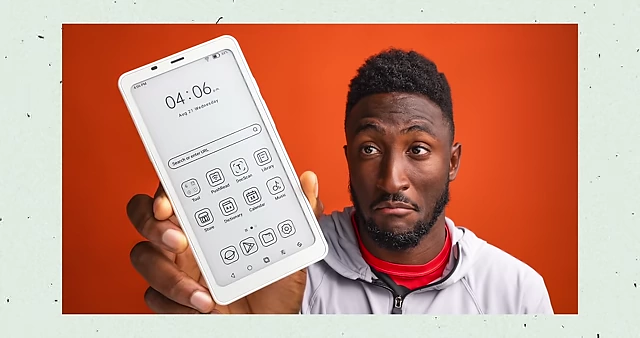
The final Boox thumbnail, optimized for legibility at small scales with an enlarged phone [ 00:38:53 ]
- Goal: Ensure legibility at small scales.
- Dyson Headphones Thumbnail [39:27]
- A/B test showed "simple is better" as the winning strategy.

A/B test results for Dyson headphones thumbnails, showing the simpler design (Thumbnail 2) as the winner [ 00:39:40 ] - Winning thumbnail: Marquez holding the headphone cup, simple complementary purple background (to yellow cup), price point prominently displayed, and a clear arrow guiding the eye to the key feature.
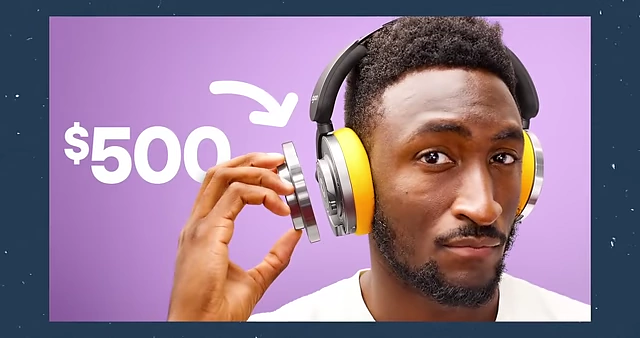
The winning Dyson headphones thumbnail, featuring a clear product, price, and guiding arrow [ 00:41:40 ] - Losing thumbnail: Too many elements, visual complexity, unclear focal point.
- A/B test showed "simple is better" as the winning strategy.
- Holti 360° Treadmill Thumbnail [41:42]
- Challenge: Limited assets (Marques's self-shot footage).
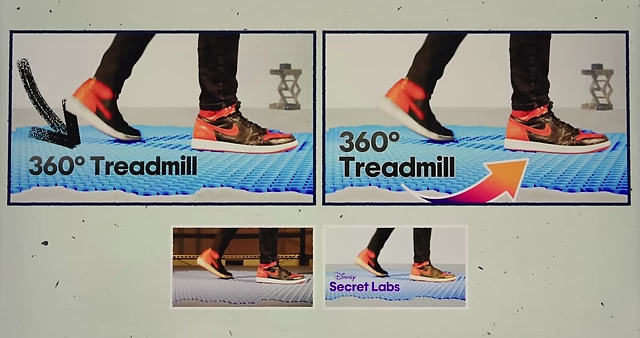
Holti 360° Treadmill thumbnail drafts, showing early concepts and motion [ 00:41:45 ] - Solution: Stitched two frames from the video (back leg moving, front leg static) to create a single dynamic image.
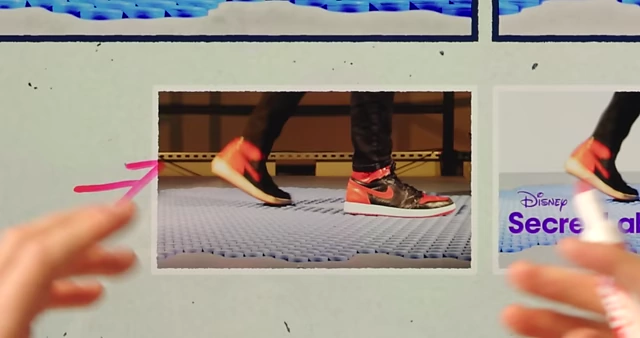
Two frames from the Holti 360° treadmill video stitched together to create a single dynamic thumbnail image [ 00:42:04 ] - Design flow: Arrows and text arranged to create a clear visual path for the eye, guiding it through the composition.
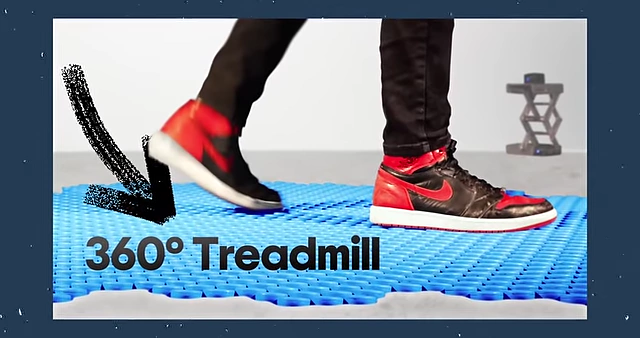
The final Holti 360° Treadmill thumbnail, showcasing a clear visual flow despite limited assets [ 00:43:00 ]
- Challenge: Limited assets (Marques's self-shot footage).
- F1 Video Thumbnail [43:08]
- Initial challenge: Limited official F1 footage.
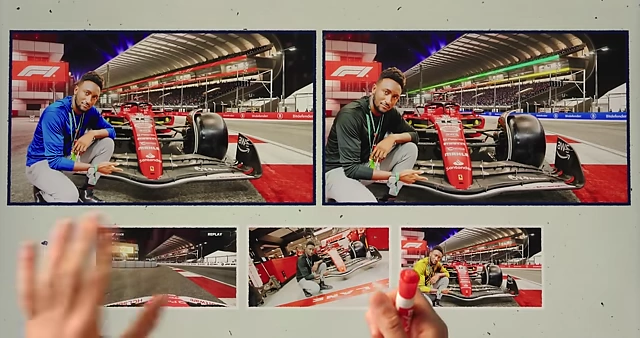
F1 video thumbnail drafts, featuring Marques with a race car, illustrating challenges with limited footage [ 00:43:12 ] - Creative solution: Used screenshots from the F1 video game to match perspective with real footage of Marques touring the facility.
- Initial design (A version) had too much visual complexity and colors, making objects difficult to discern.
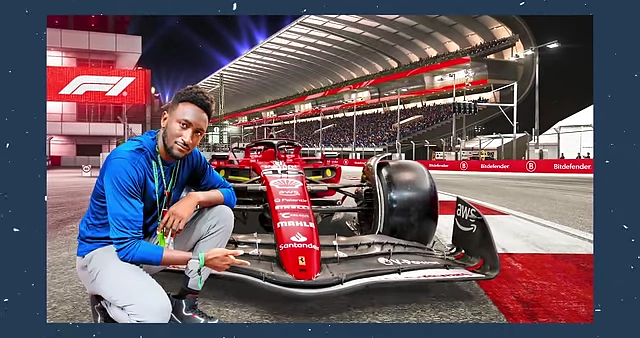
The F1 video thumbnail version A, illustrating visual noise and difficulty discerning objects due to complexity [ 00:44:53 ] - Winning alternate thumbnail: Prioritized clarity with separated elements, a limited color palette (black, red, white with Marques in blue as a focal point), and leading lines pointing to Marques and the car.
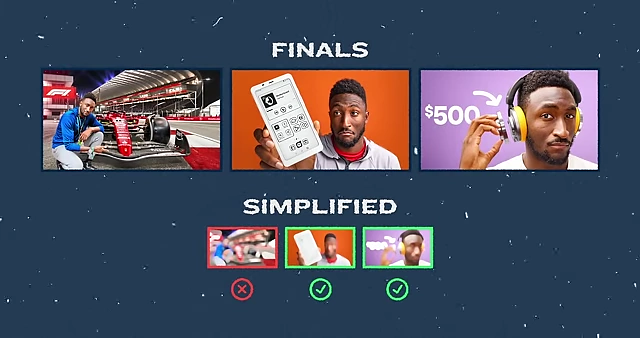
A summary comparing final thumbnail designs, highlighting simplified and successful versions versus complex ones [ 00:45:04 ] 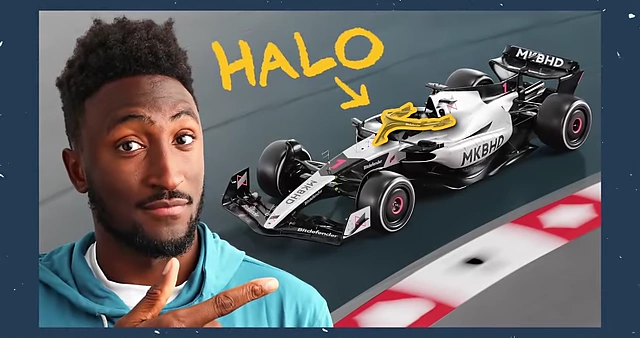
The winning F1 video thumbnail, featuring Marques next to a race car with "HALO" indicated by an arrow [ 00:45:20 ]
- Initial challenge: Limited official F1 footage.
Should You Take These Brand Deals? [45:45]
Jono, the business and special projects lead, discusses ethical considerations and practical advice for evaluating brand deals.
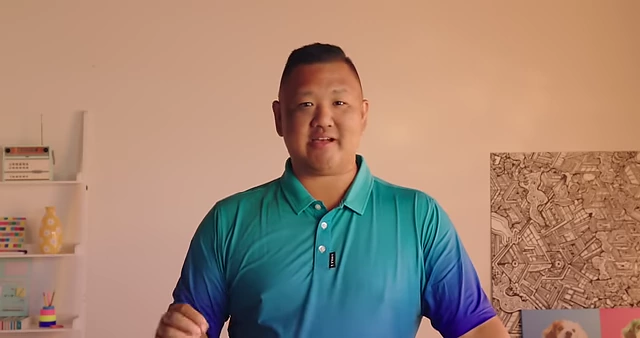
- 1. Paying for a review [46:01]:
- Bad Deal: Violates journalistic integrity, compromises trust. Reviews should be objective and based on genuine product experience.
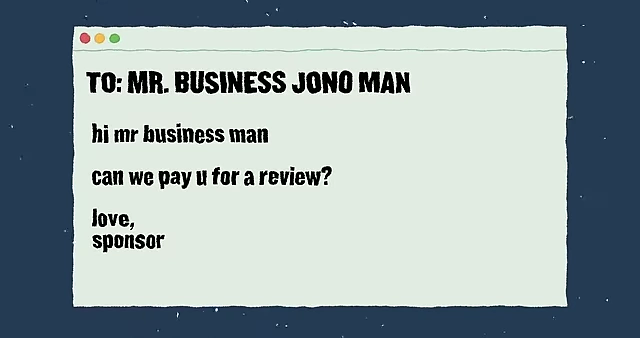
An email showing a brand offering to pay for a review, an example of an unethical "bad deal." [ 00:46:03 ]
- Bad Deal: Violates journalistic integrity, compromises trust. Reviews should be objective and based on genuine product experience.
- 2. Brand asks for review then offers payment [46:24]:
- Bad Deal: Never promise a review for products sent. Accepting payment for a review after product consideration is unethical.
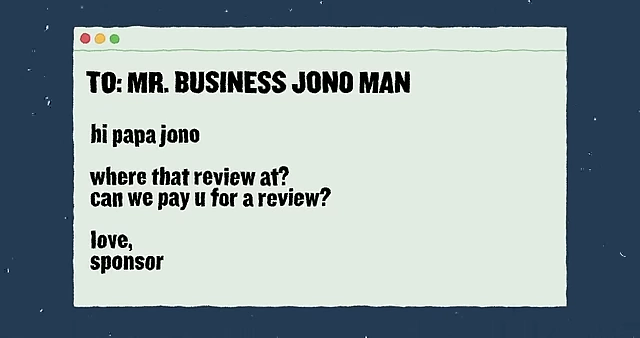
An email from a brand asking for a review and offering payment after product consideration [ 00:46:29 ]
- Bad Deal: Never promise a review for products sent. Accepting payment for a review after product consideration is unethical.
- 3. Brand wants to use your content for their ads [46:54]:
- Good Deal (with caveats): Can be beneficial, but review details carefully.
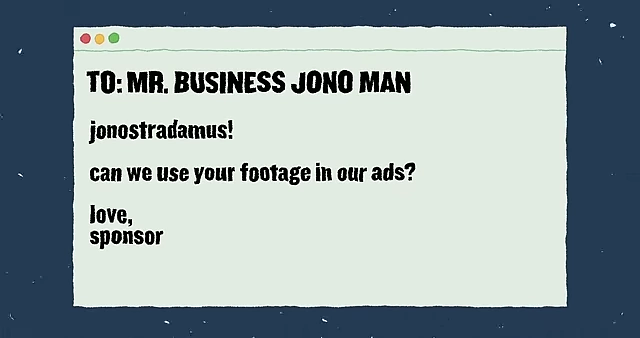
An email from a brand requesting to use creator content for their ads [ 00:46:58 ] - Consider audience fatigue: How long and where will your likeness be used?
- Negotiate rights to cut, pause, stop, or remove content if needed.
- Good Deal (with caveats): Can be beneficial, but review details carefully.
- 4. Brand deal for a product you no longer use [47:34]:
- Depends:
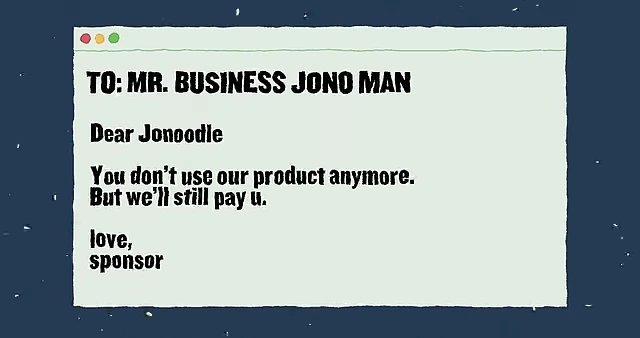
An email from a brand offering payment for a product no longer used by the creator [ 00:47:38 ] - Bad Deal: If you've found a better product, sponsoring an inferior one compromises authenticity.
- Good Deal: If you haven't found a better alternative and genuinely still endorse the product. Focus on actively using and believing in the sponsored product.
- Depends:
- 5. Make content for their social channels instead of your own [48:16]:
- Depends:
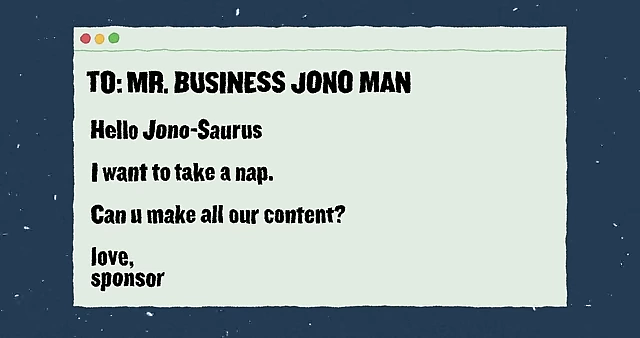
An email from a brand asking the creator to make content for their social channels instead of their own [ 00:48:20 ] - Good Deal: For very large channels (10M+ subscribers) or for substantial compensation (e.g., six-figure deals), as your own growth might not be the primary focus.
- Bad Deal: For smaller channels (e.g., 100K subscribers) where growth of your own platform should be the priority, unless the compensation is exceptionally high.
- Depends:
- 6. Company offers shares/equity instead of cash [48:59]:
- Risky, but potentially Good Deal: Taking on risk for potential higher returns if the company succeeds.
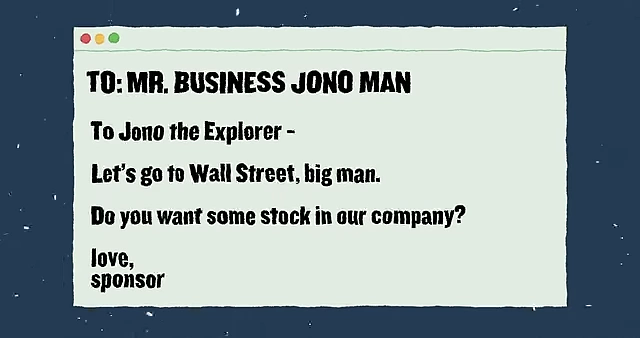
An email offering company shares/equity instead of cash for a brand deal [ 00:49:02 ] - Example (Ridge Wallet): Good fit because it's "everyday carry" not directly competing with their core tech review content, making the equity deal beneficial without compromising integrity.
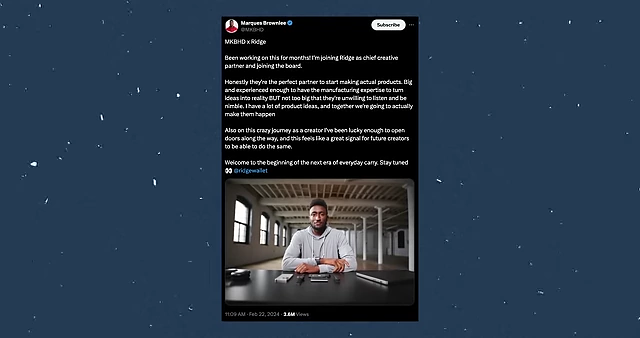
A tweet announcing a partnership involving equity, illustrating a beneficial brand deal when aligned with content [ 00:49:16 ] - Example (Designing a smartphone): Terrible Idea for a tech reviewer, as it creates a clear conflict of interest and bad optics.
- Example (Ridge Wallet): Good fit because it's "everyday carry" not directly competing with their core tech review content, making the equity deal beneficial without compromising integrity.
- Risky, but potentially Good Deal: Taking on risk for potential higher returns if the company succeeds.
- Ethical Sponsorships for MKBHD [50:26]:
- They aim for sponsors they genuinely use and whose products align with their content. This ensures authenticity and value for both the audience and the brand.
Meet The Newest Studio Member [51:18]
Harper, the new Head Producer at MKBHD, shares her career journey.
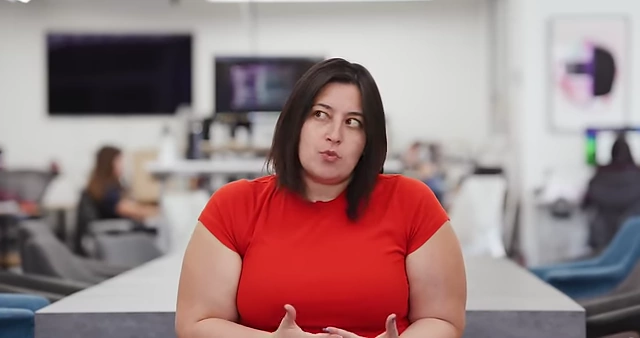
- Early Career & Education [51:27]
- Studied Psychology and Neuroscience in college, researching online communication.
- Started as an NBC Page (like Kenneth from 30 Rock), then worked at SNL (appearing in a digital short, running errands).
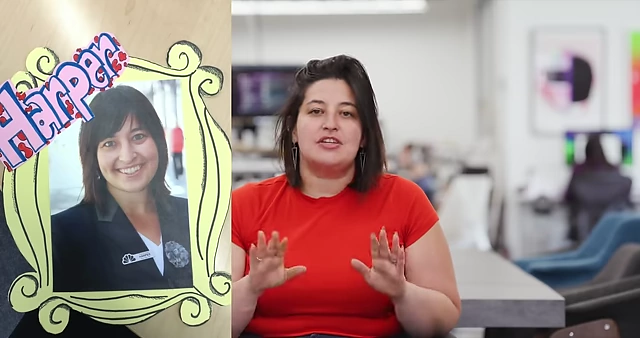
Harper as an NBC Page, holding a self-made frame with her photo [ 00:51:34 ] 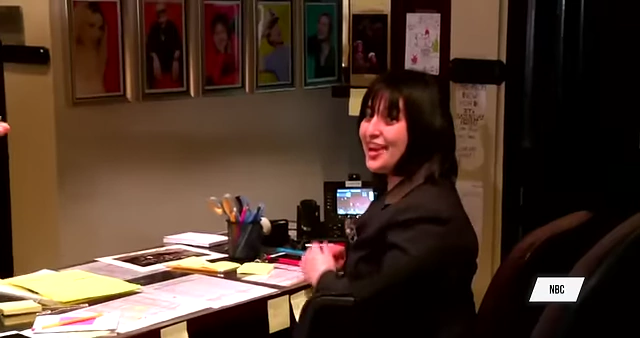
Harper at her desk at SNL, illustrating her early career in traditional media [ 00:51:43 ] - Realized she wanted to be more directly involved in the creative process rather than just adjacent to it.
- Transition to Digital & YouTube [52:00]
- Moved to MTV and MTV News, managing socials, audience analytics, and insights.
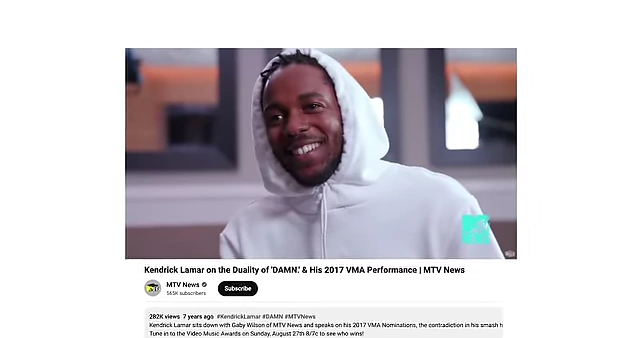
Screenshots of MTV News YouTube videos, where Harper helped transition their content strategy [ 00:52:01 ] - Successfully transitioned MTV News to YouTube, learning Photoshop, backend optimization, posting schedules, and audience engagement.
- Experienced layoffs but saw it as an an opportunity.
- Moved to MTV and MTV News, managing socials, audience analytics, and insights.
- Freelance & SiriusXM [52:25]
- Explored freelance work, editing scripts, giving notes, and producing shorts and a feature film.
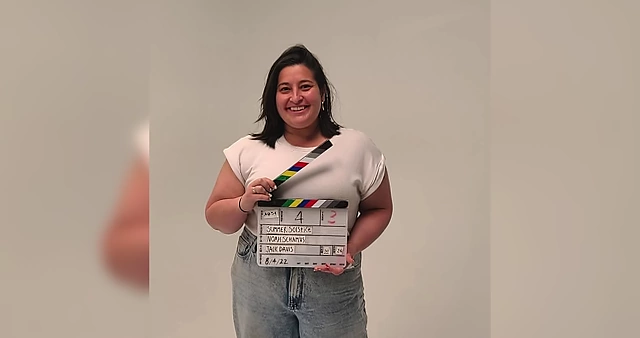
Harper holding a clapperboard, representing her freelance work producing shorts and feature films [ 00:52:36 ] 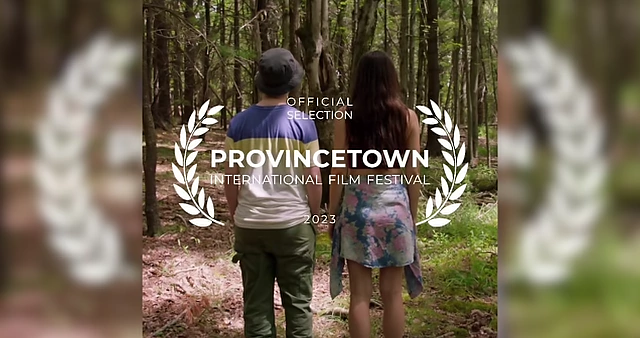
A graphic announcing "P-Town" as an official selection at the Provincetown International Film Festival [ 00:52:41 ] - Joined SiriusXM to produce digital content, revamped their YouTube strategy, leading to a Gold Play Button in under two years.
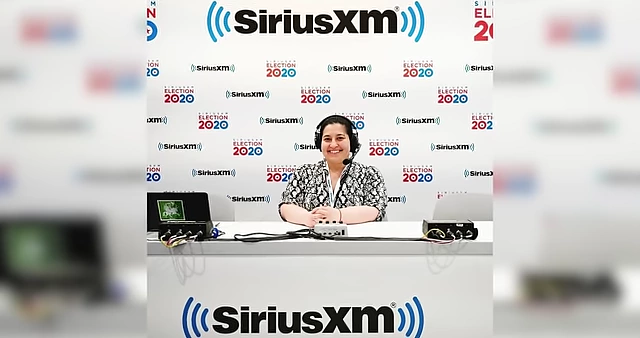
Harper at a SiriusXM setup for "Election 2020," showing her role in digital content [ 00:52:47 ] 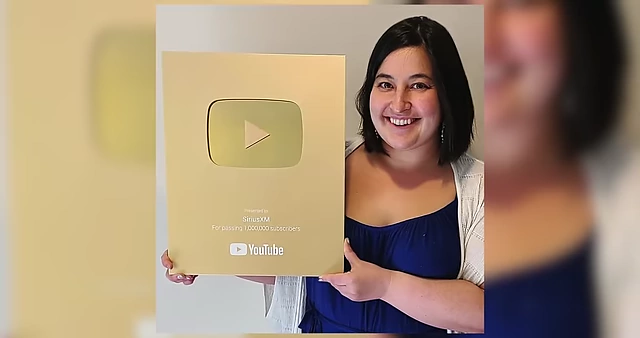
Harper proudly holding a Gold Play Button for SiriusXM's YouTube channel [ 00:52:54 ] - Became Head of YouTube for SiriusXM and its subsidiaries, but found herself moving further away from hands-on creative work.
- Explored freelance work, editing scripts, giving notes, and producing shorts and a feature film.
- Joining MKBHD [53:19]
- Experienced another layoff, which she viewed as an opportunity to find something exciting.
- Was recruited for a producer role for a "massive YouTuber," which involved intense production, negotiating contracts, building sets (like a laser maze), and burying a boss alive (a reference to the "I Said Yes to Every Email" video).
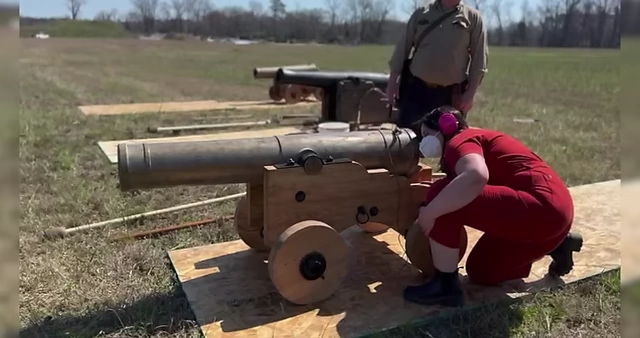
Scenes from a large-scale production, demonstrating Harper's experience with complex projects like firing cannons [ 00:53:31 ] 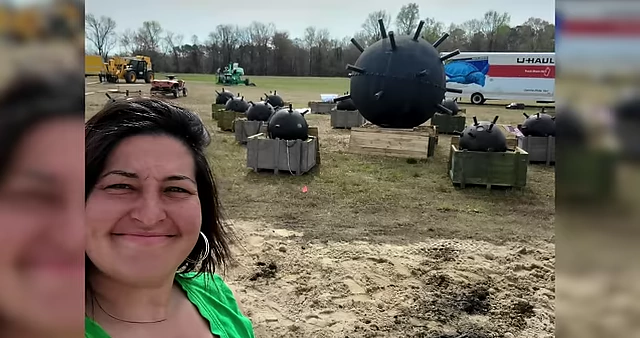
Harper taking a selfie in a field with large prop mines, showcasing her hands-on production experience [ 00:53:36 ] - Her journey from defending the importance of YouTube to working directly in the creator economy led her to MKBHD.
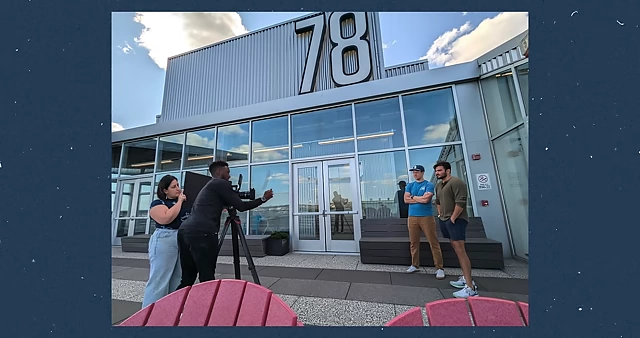
Harper collaborating with the MKBHD team on a production set [ 00:53:55 ] - Emphasizes that there's no single, predictable path in the volatile creator industry, but it's important to seek roles that allow for leading production, collaborating on strategy, contributing ideas, and working with great people.
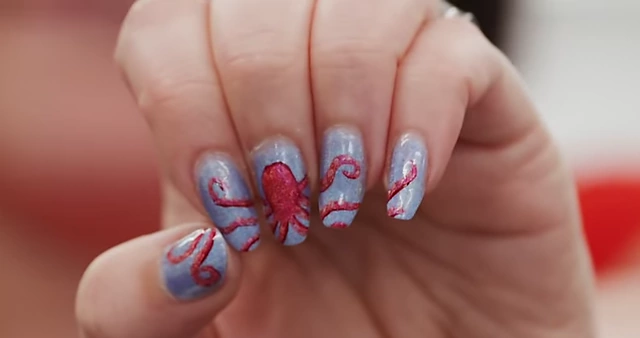
Harper's octopus-themed nail art, a nod to the team analogy and her new role [ 00:54:19 ]