20 Custom 3D Printed & DIY Upgrades to Transform a Minimalist Desk Setup
Scott Yu-Jan showcases 20 innovative upgrades to his minimalist desk setup, primarily utilizing custom 3D printed and DIY solutions for improved functionality and organization. Highlights include:
- Seamless Charging and Data Access: Integration of retractable charging cables and MagSafe mounts for iPhone and AirPods, strategically hidden for a clean look, alongside a card reader cleverly tucked into the monitor stand.
- Optimized Workspace: A laptop stand drilled directly into the desk for maximum space, and custom 3D printed ambient lamps, one of which cleverly doubles as a smart home lighting controller for the entire room.

Custom 3D printed ambient lamp on the desk, lit up with a warm glow [ 00:05:39 ] - Discreet Organization: An under-desk holder for two iPad cases ensuring they are always charged and accessible, and a "taco" style cable organizer that effectively conceals power strips and wiring.
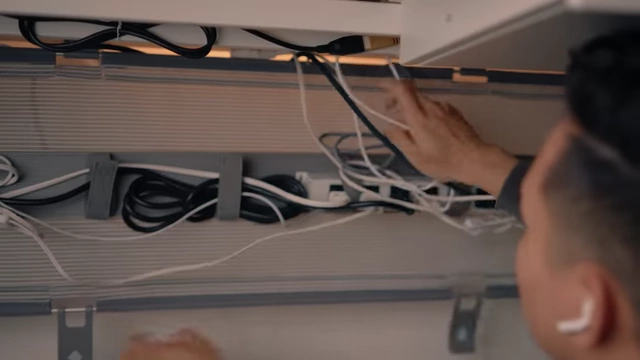
Efficient under-desk cable management [ 00:08:58 ] - Hidden Cleaning Solution: A magnetic under-desk trash bin that features a detachable 3D printed brush for effortless desktop cleanup.
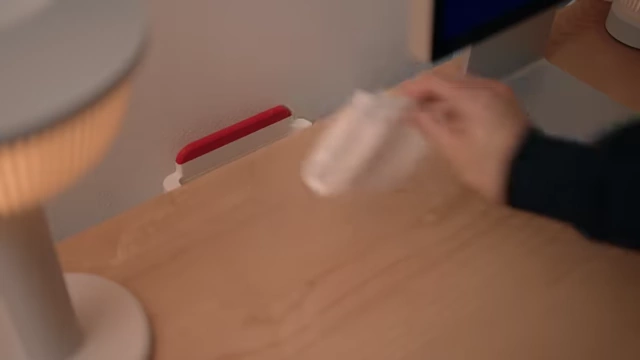
Magnetic under-desk trash bin with integrated brush [ 00:09:48 ] - Enhanced Drawer Utility: Alex drawers are upgraded with full-extension tracks and organized using the Gridfinity system for tools and various hardware, including a second-level tray for small items.
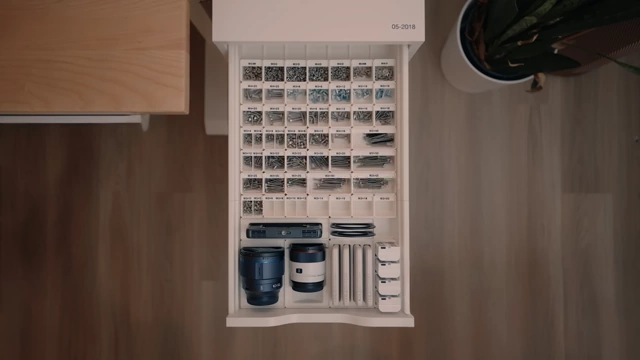
Gridfinity organization in Alex drawer [ 00:15:07 ] - Concealed Equipment Storage: A SKADIS pegboard is mounted discreetly behind the Alex drawers, featuring custom 3D printed holders for headphones, tapes, secure camera mounts, and an optimized battery charging and dispensing system.
These upgrades aim to make everyday tasks more efficient and enjoyable, fostering a more creative workspace.
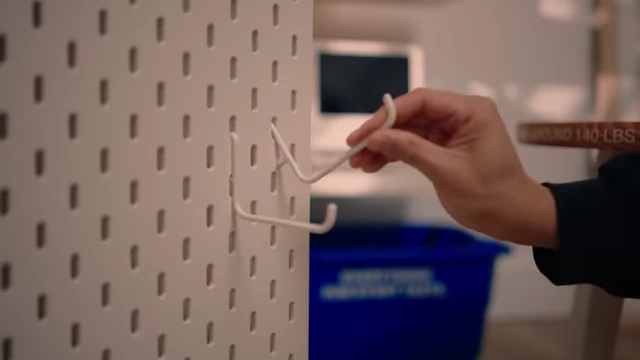
Hidden SKADIS pegboard for accessible storage [ 00:16:37 ]
Introduction to Desk Setup Philosophy [0:00]
The video begins with the presenter, Scott Yu-Jan, introducing his minimalist desk setup, which, despite its simple appearance, incorporates numerous carefully crafted, invisible features designed for hidden storage and enhanced functionality.
- Minimalist approach with hidden features [0:05]
- The setup prioritizes a clean aesthetic with hidden storage and functions.
- These features are designed to be largely unnoticeable to visitors.
- Inspiration from efficient tool organization [0:19]
- The inspiration for these desk upgrades came from a previous project focused on designing perfect drawer organizers for daily tool access.
- The goal was to maximize not just tool organization but the overall desk setup's efficiency.
- The video is part of a new "Dream Setups" series, encouraging viewer suggestions for future episodes.
Enhancing Desk Functionality with Custom Charging and Data Solutions [0:48]
The first set of upgrades focuses on improving charging capabilities and data access discreetly on and around the desk.
- 1. Ret retractable Charging Cables [0:48]
- The goal is to have cables easily accessible but never in the way.
- Easy adhesive option [0:52]
- A simple solution is an adhesive retractable charging cable that sticks under the desk.
- Custom 3D printed mount for a wall plug with USB outlet [1:04]
- The presenter opted for a cheaper wall plug with a USB outlet and designed a custom 3D printed mount.
- A short extension cable is plugged in, making it handy for USB-C powered tools like a soldering iron.
- Another mount is designed for the back of the desk to charge items like keyboards, with the plug oriented upwards.
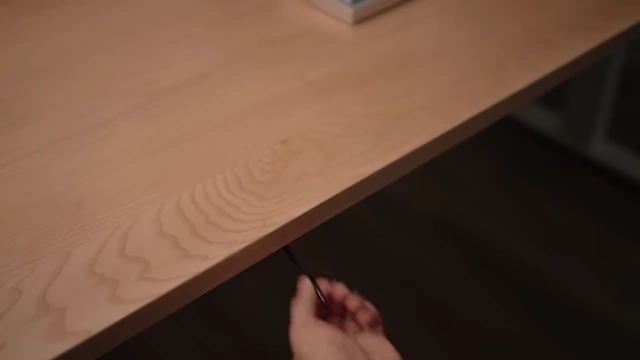
Retractable USB-C cable extended from under the desk [ 00:01:00 ]
- 2. iPhone MagSafe Charger + Mount [1:57]
- To keep the phone charging off the main desk surface, a mount is installed.
- Utilizing a mount initially designed for laptops, it still effectively holds the iPhone MagSafe charger.
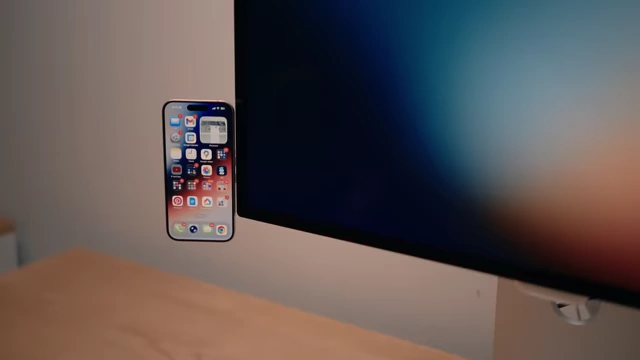
iPhone attached to a MagSafe charger mount on the side of a monitor [ 00:02:20 ]
- 3. AirPods charger [2:28]
- AirPods often get lost and uncharged if left loose.
- MagSafe compatibility allows upside-down charging [2:34]
- New AirPods are MagSafe compatible, and the magnets are strong enough for upside-down charging.
- Custom mount hidden behind the studio display [2:43]
- A custom 3D printed mount is created to hide the AirPods charger behind the studio display.
- Gummy double-sided tape is used for mounting to avoid residue.
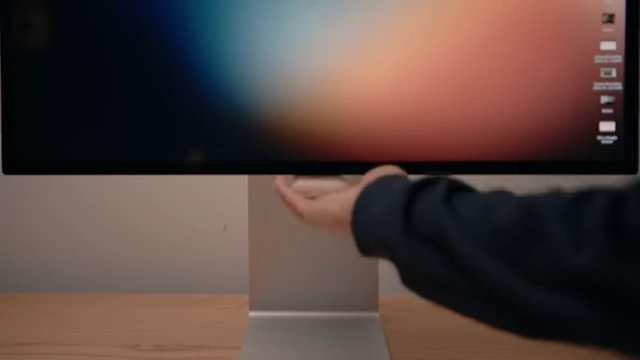
AirPods charging on a custom-designed MagSafe mount hidden behind a monitor [ 00:03:20 ]
- 4. Card Reader [3:21]
- The back of the monitor has a crevice that perfectly fits an SD card and CFexpress type A card reader.
- Secured with gummy double-sided tape, it provides extra functionality subtly built into the monitor stand.
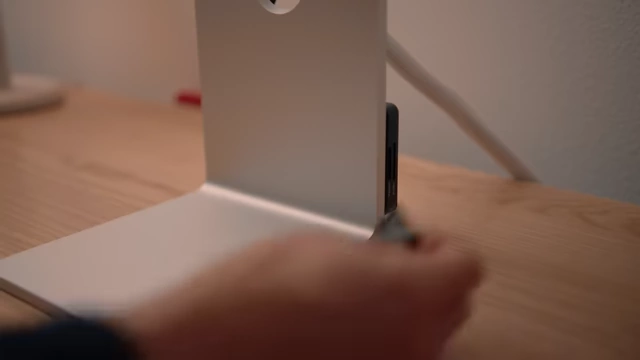
Card reader inserted into the monitor stand's crevice, secured with tape [ 00:03:40 ]
Optimizing Desk Space and Lighting [3:49]
This section details how the desk's physical space and ambient lighting are enhanced for better aesthetics and comfort.
- 5. Laptop stand [3:49]
- To maximize usable desk space and maintain a clean look, the presenter chose to integrate a laptop stand.
- Drilling the stand directly into the desk eliminates the need for a separate base plate, ensuring it doesn't get in the way.
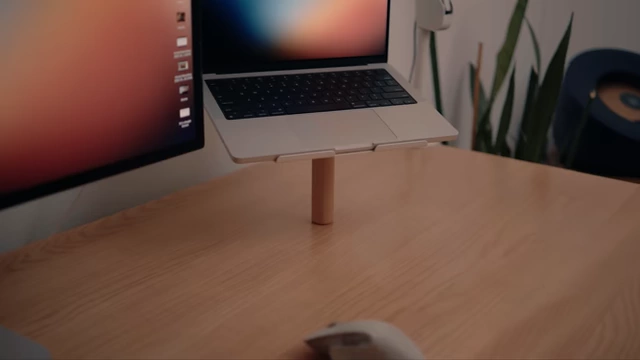
Laptop on a stand that is drilled directly into the desk, showcasing a clean setup [ 00:04:10 ]
- 6. Large Ambient Lamp Design [4:14]
- Ambient light is crucial for reducing eye strain and making a space cozy.
- 3D printing challenges with light diffusion [4:35]
- Traditional 3D printing often results in light shining through all plastic unless very thick walls are used.
- Multi-color printing for controlled light blocking [4:49]
- Using bone white filament for partial light diffusion and black filament for complete light blocking allows for precise light control.
- Inspired by architectural design, with a top lid diffuser [5:35]
- The lamp design is inspired by a building the presenter walks by.
- A lid diffuses the light upwards, creating a soft glow.
Custom 3D printed ambient lamp on the desk, lit up with a warm glow [ 00:05:39 ]
- 7. Small Ambient Lamp with Smart Home Controls [6:00]
- To avoid reaching for a switch, a second lamp is designed with smart home integration.
- Integrating a Hue Smart Bulb and button [6:05]
- A Hue smart bulb is used, making the lamp smart.
- The Hue Smart Switch is integrated into the lamp's design.
- Controlling all apartment lights and presets [7:21]
- Clicking the lampshade not only turns on the lamp but also controls all other lights in the living room.
- Multiple taps toggle between different light presets (filming, casual, focused work).
- Gestures on the lamp allow for brightness adjustment.
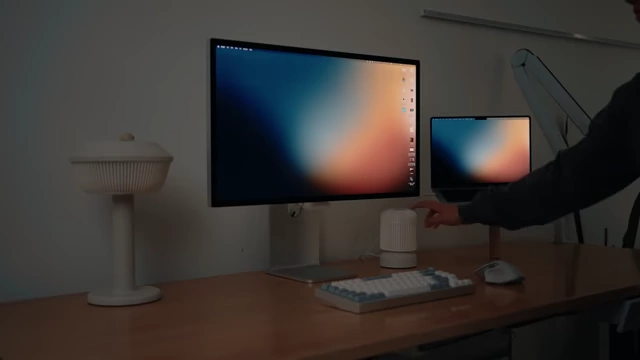
Desk setup with two custom lamps, showing one being tapped to control room lighting [ 00:07:29 ]
Streamlining iPad Access and Cable Management [7:40]
This part focuses on creating accessible storage for an iPad and tidying up desk cables.
- 8. iPad Holder [7:40]
- The presenter has a specific need for two iPad cases: a Magic Keyboard case for writing and an origami stand case for media consumption/drawing.
- Custom 3D printed shelves are created to hold both iPad cases, with or without the iPad inside.
- The charging cable is kept close by to ensure the iPad remains charged.
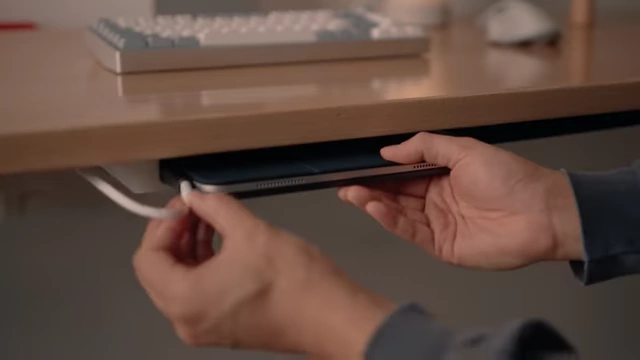
Hand inserting an iPad with a charging cable into an under-desk custom holder [ 00:08:09 ]
- 9. Cable Organizer [8:15]
- The presenter prefers a simple, clean, and quick cable management solution.
- Easy installation and capacity for a power strip [8:38]
- A "taco" shaped cable organizer is used, which is easy to install and can fit an entire power strip.
- Velcro straps for neatness and quick access [8:51]
- It features Velcro straps for neat cable routing but also allows for quick stuffing of cables when in a rush.
- The design ensures a tidy appearance from the outside once closed.
Under-desk cable management system with cables neatly tucked inside, secured by Velcro straps [ 00:08:58 ]
Innovative Desk Cleaning Solution [9:08]
A unique, integrated solution for keeping the desk clean and clutter-free.
- 10. Trash Can [9:08]
- This multi-component design aims to keep the desk clean effortlessly.
- Embedding magnets during 3D printing [9:13]
- Magnets are embedded into both the trash bin and its bracket during the 3D printing process.
- Under-desk bracket and magnetically attached bin [9:35]
- A bracket is mounted under the desk, and the bin attaches magnetically beneath it.
- Red line indicator on desk for trash disposal [9:41]
- A red line indicator on the desk shows where the trash can is, allowing debris to be pushed directly off.
Trash being pushed off the desk into a hidden bin, guided by a red line indicator [ 00:09:48 ]
- A red line indicator on the desk shows where the trash can is, allowing debris to be pushed directly off.
- Removable red indicator doubles as a 3D printed brush [9:53]
- The red indicator piece snaps off to reveal a fully 3D printed brush, used for sweeping up smaller debris or dust.
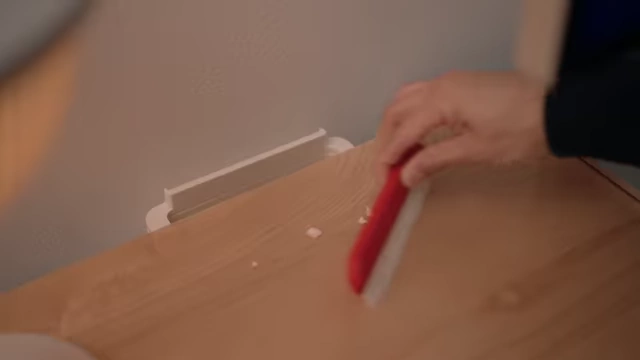
Hand using the red removable part of the trash bin system as a brush on the desk [ 00:09:58 ]
- The red indicator piece snaps off to reveal a fully 3D printed brush, used for sweeping up smaller debris or dust.
- Bin acts as a dustpan [10:13]
- The bin can also be removed and used as a dustpan.
- Both the bin and brush return magnetically to the bracket when done.
Alex Drawer Upgrades for Enhanced Organization [11:39]
Transforming the popular IKEA Alex drawers for maximum storage and accessibility.
- 11. Alex Drawer Upgraded Track [11:39]
- The original Alex drawers do not fully extend, making items at the back hard to reach.
- Addressing limited drawer extension [11:58]
- Custom 3D printed parts are designed to house and guide new full-extension tracks.
- Replacing original tracks for full access [12:04]
- The original tracks are removed, and new full-extension tracks are installed using the 3D printed components.
- Rethinking material choice for durability [13:15]
- Initial PLA prints for the track holders snapped under weight without proper reinforcement from the metal track.
- The parts were reprinted using carbon fiber reinforced PET plastic for increased rigidity and long-term durability, taking advantage of the enclosed 3D printer's stable temperature and fume control.
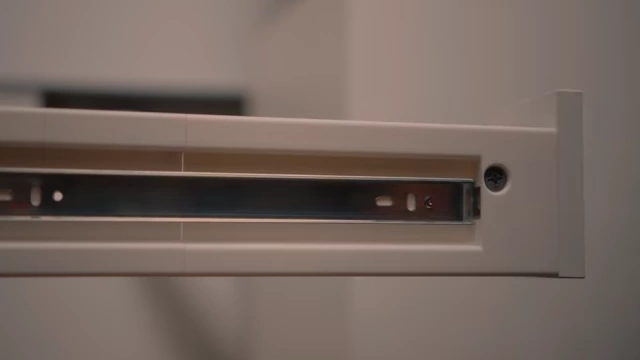
Detail view of the upgraded Alex drawer track, showing the full extension [ 00:12:57 ]
- 12. Alex drawer - Gridfinity [14:04]
- The Alex drawers are the exact width of six Gridfinity boxes, a modular organization system.
- This is used to organize less frequently used tools.
- Examples include camera lenses, extra MagSafe batteries, camera monitors, and lens adapters.
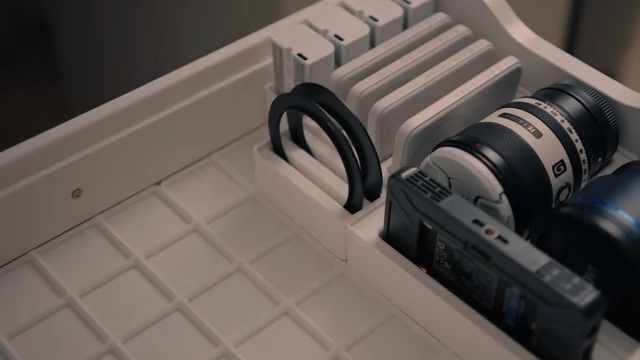
An Alex drawer organized with various Gridfinity bins holding camera lenses and accessories [ 00:14:37 ]
- 13. Alex drawer - Gridfinity 2nd Floor Drawer [15:15]
- To fully utilize the drawer's height, a second layer of Gridfinity organization is added.
- The top layer holds various hardware like nuts, washers, and other components.
- Different color filaments are used to label each bin with hardware size.
- Bins are designed with a small ramp inside for easy retrieval of small items.
Top-down view of an Alex drawer filled with Gridfinity bins containing sorted bolts and other hardware [ 00:15:07 ] 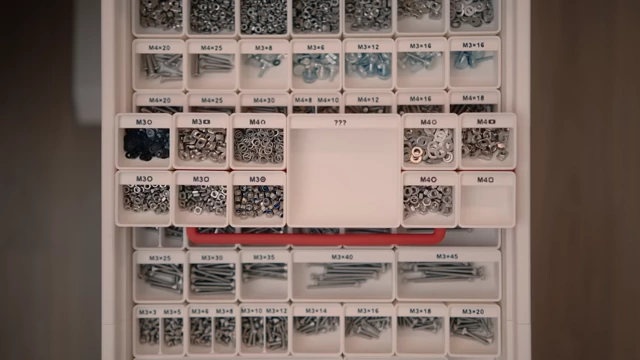
Second layer of Gridfinity bins in an Alex drawer, containing nuts and washers [ 00:15:27 ]
Integrating a Hidden SKADIS Pegboard for Equipment Storage [15:40]
A creative solution to incorporate a pegboard for equipment without affecting the living room aesthetic.
- 14. SKADIS - peg board [15:40]
- The presenter loves the IKEA SKADIS pegboard but doesn't want its "workshop" look in his living room office.
- He identifies a blind spot behind his Alex drawers where he typically hides messes.
- The SKADIS pegboard is mounted to the back of the Alex drawers, making it accessible but out of sight.
SKADIS pegboard attached to the side of an Alex drawer, out of direct view [ 00:16:37 ]
- 15. SKADIS - headphone holder [16:42]
- A 3D printed holder for headphones is attached to the pegboard.
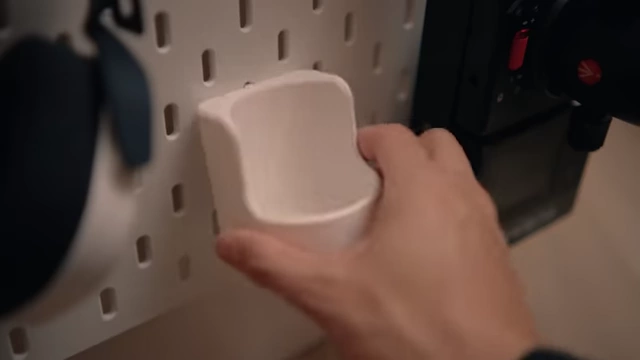
A 3D printed headphone holder attached to the SKADIS pegboard [ 00:16:46 ]
- A 3D printed holder for headphones is attached to the pegboard.
- 16. SKADIS - tape holder [16:42]
- A 3D printed holder for various types of tape is installed on the pegboard.
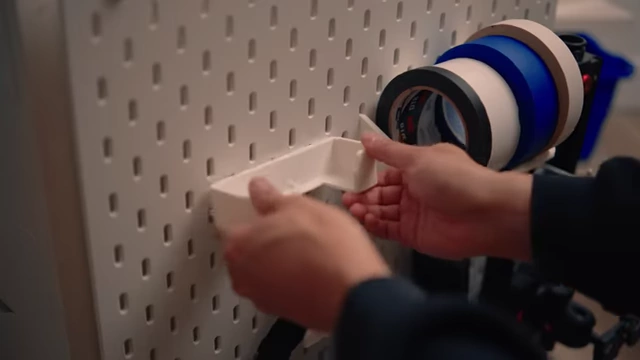
A 3D printed tape holder attached to the SKADIS pegboard, holding multiple rolls of tape [ 00:16:56 ]
- A 3D printed holder for various types of tape is installed on the pegboard.
- 17. SKADIS - camera holder [17:05]
- Since cameras are expensive, custom holders are designed with an additional locking print to prevent accidental unhooking.
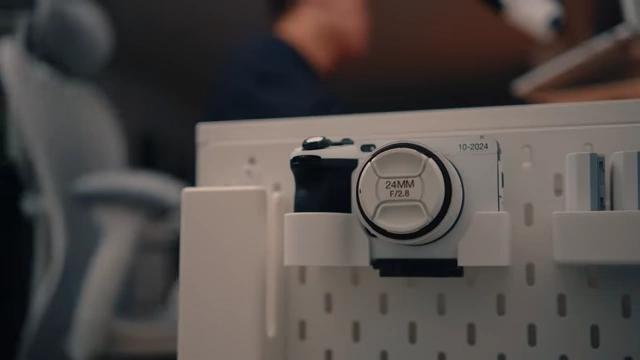
A camera securely mounted in a 3D printed holder on the SKADIS pegboard [ 00:19:46 ]
- Since cameras are expensive, custom holders are designed with an additional locking print to prevent accidental unhooking.
- 18. SKADIS - battery chargers [17:17]
- Unique holders are created to store and charge camera battery chargers directly on the pegboard.
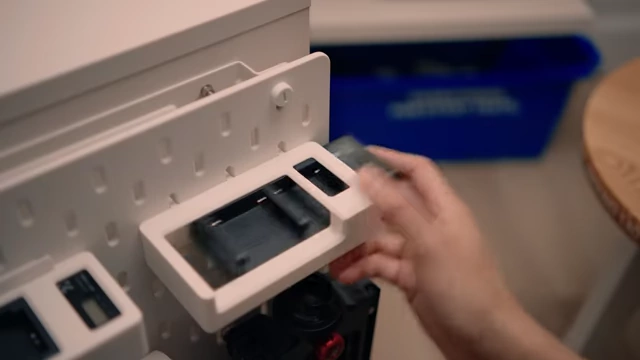
Camera battery chargers held in custom 3D printed holders on the SKADIS pegboard [ 00:17:26 ]
- Unique holders are created to store and charge camera battery chargers directly on the pegboard.
- 19. SKADIS - slider battery charger holder [17:27]
- A specific holder is made for a slider's battery charger, with enlarged holes for cable routing.
- This allows for convenient battery charging right by the desk.
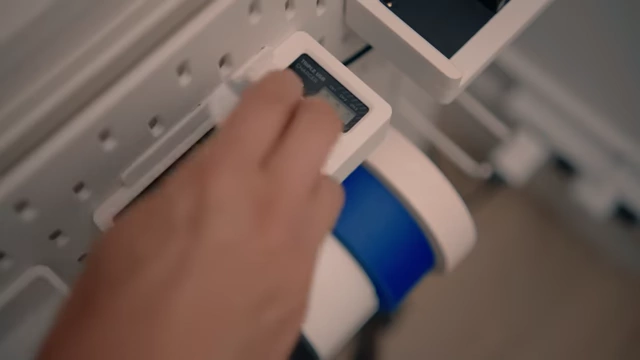
A slider battery charger being inserted into its custom 3D printed holder on the SKADIS pegboard [ 00:17:36 ]
- 20. SKADIS - battery holders [18:40]
- An initial spring-loaded battery dispenser design had problems: wasted space, "never-used" batteries at the bottom, and awkward front dispensing.
- Redesigned battery dispenser for easy side access [18:40]
- The dispenser is rotated to dispense from the side, easily reachable from the desk.
- Eliminating springs for maximized storage and FIFO [18:40]
- Springs are removed to maximize vertical storage space.
- Batteries are loaded from the top and dispense from the bottom, ensuring a "first-in, first-out" system.
- A second dispenser is added for larger slider batteries.
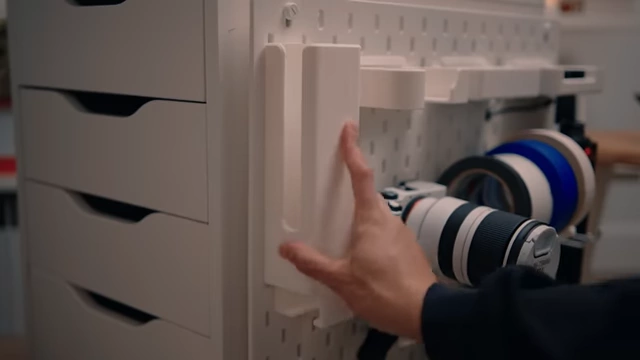
Improved battery dispenser on the SKADIS pegboard, showing batteries being loaded from the top [ 00:18:46 ]
Conclusion: The Impact of Thoughtful Design [19:11]
The video concludes with a reflection on the profound impact of these seemingly small upgrades.
- Long-term satisfaction with the upgrades [19:11]
- Living with these upgrades for months, the presenter expresses deep satisfaction and new ideas for future improvements.
- Transforming tedious tasks into enjoyable experiences [19:33]
- Small, tedious tasks like grabbing a camera, changing a battery, or cleaning up a mess are transformed from annoying chores into fun and satisfying actions.
- Fading barriers between thinking and creating [19:49]
- This transformation reduces mental barriers, encouraging more creative work.
- Well-designed spaces enhance productivity and job satisfaction [20:02]
- A good setup doesn't just make work easier, it makes it feel better, leading to increased presence, completion, and willingness to try new things.