How to Build Profitable Software as a Solo Founder Using Free and Low-Cost Tools
Summary:
- The video details the essential tools and strategies a solo founder can use to build and run profitable software businesses with minimal costs.
- The speaker emphasizes selecting tools with a clear return on investment (ROI), whether through direct revenue generation or significant time savings.
- He highlights the importance of "founder-tool fit" to avoid extensive learning curves and maximize cognitive energy for building and selling.
- The video provides a comprehensive list of tools for various aspects of software development, including sales demos, coding, design, deployment, ideation, backend, payments, marketing, and operations.
- The speaker shares his total estimated monthly fixed cost for running multiple software businesses is approximately $80, proving that profitable software can be built without large investments or employees.
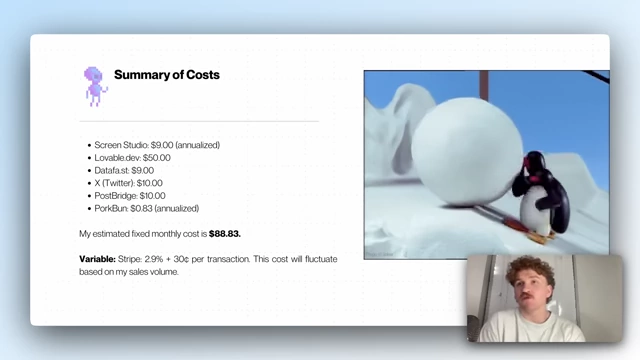
Summary of estimated fixed and variable costs for software development [ 00:17:23 ]
Optimizing Tool Selection for Solo Software Businesses [00:00:00]
The speaker, Oliver, discusses his approach to selecting tools for running a profitable solo software business. His ultimate goal is sustained profitability and extending his operational runway.
- The "Runway" Concept: [00:00:24]
- Defined as how long a business can operate without issues.
- For a one-person company, it includes financial health, operational efficiency, and personal well-being.
- Strategic Tool Selection: [00:00:40]
- Every tool, subscription, or line of code is a strategic decision.
- The focus is on tools that actively contribute to revenue, not just trending options.
- Return on Investment (ROI) Principle: [00:00:54]
- Every tool must demonstrate a clear ROI.
- ROI can be direct revenue generation or significant time savings that can be reinvested in building and selling.
- This aligns with sound unit economics: making more money from customers than the cost to acquire and serve them, including the founder's time.
- Avoiding Hidden Costs: [00:01:34]
- The learning curve for new tools is a significant hidden cost that can deplete a solo founder's cognitive energy.
- Adopting tools that don't align with existing skills forces more time on learning and less on building and selling.
- "Founder-Tool Fit" Concept: [00:01:57]
- This is an extension of the "founder-idea fit" concept.
- Founders should leverage their unique knowledge and skills to gain an unfair advantage.
- Tools should leverage what the founder already knows to allow faster progress with less friction.
Essential Tools for a Profitable Solo Software Business [02:27]
A comprehensive list of tools is presented, with a strong emphasis on free or low-cost options, demonstrating that most are not strictly necessary. The total estimated monthly cost for running multiple software companies is less than $70.
- The Sales Engine: High-Fidelity Demos with Screen Studio [02:51]
- Purpose: Creating professional product demos and app tours.
- Screen Studio: Costs around $9/month (annualized) or a one-time payment.
- Features: Adds smooth zooming, motion blur, and clean cursor movements to screen recordings.
- Benefit: Builds trust with potential customers by signaling high-quality and meticulous product development, increasing conversion rates.
- Usage: Demos are deployed at the point of sale (landing pages, demo pages, onboarding) rather than on YouTube to maximize direct impact on conversion.
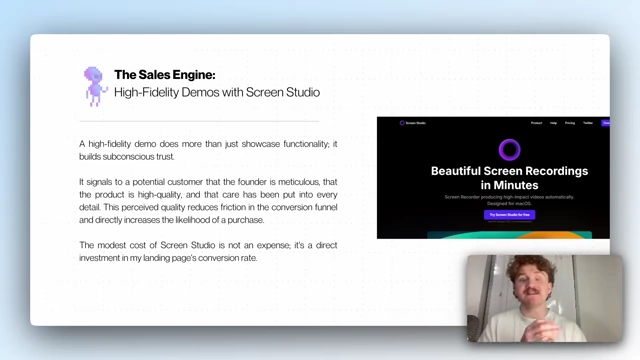
Screen Studio's beautiful screen recording interface [ 00:04:06 ]
- Canva: Used for static visuals on presentation slides.
- The Modern Engineer: Shipping High-Quality Software Solo [04:45]
- Primary Development Environment: Lovable.dev
- Cost: Around $25/month for Pro, but offers 5 free credits daily.
- Functionality: AI-powered platform for creating full-stack web applications using natural language.
- Advantage: Acts as an "agentic auto-pilot," allowing the user to describe desired outcomes and let the AI handle the implementation, reducing cognitive load.
- Alternative AI Code Editor: Cursor
- Cost: Pro plan starts around $20/month, but usage-based credits can lead to unpredictable costs.
- Usage: Used sparingly, as it requires more energy investment for file management compared to Lovable.
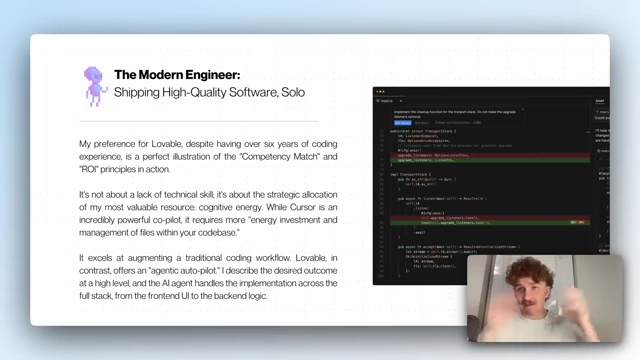
Code editor showing changes in a software project [ 00:05:48 ]
- Competency Match: Lovable is preferred despite 6 years of coding experience due to its ability to strategically allocate cognitive energy, allowing the speaker to operate at a higher level of abstraction.
- Primary Development Environment: Lovable.dev
- The Design "Hack": Becoming a Pseudo-Designer [06:15]
- Workflow: Simple and free.
- Find designs on Dribble that match desired aesthetics and functionality.
- Copy-paste these images directly into Lovable.dev while describing the desired build in natural language.
- The AI translates the visual input into design principles, layout, and style, generating functional code.
- Benefit: Allows non-designers to create good-looking interfaces by leveraging the expertise of world-class designers on Dribble.
- Workflow: Simple and free.
- The Deployment Pipeline: Simple and Free [07:21]
- GitHub (Free):
- Stores all code generated by Lovable in a private repository.
- Serves as the version control system and single source of truth for the codebase.
- Porkbun (Approx. $10/year):
- Domain registrar with transparent pricing and no hidden fees.
- ROI-driven choice for affordability and ease of setup.
- Netlify (Free Tier):
- Deploys applications live using its generous free tier.
- Seamless integration with GitHub: automatically builds and deploys sites from connected repositories.
- Free tier provides sufficient bandwidth and build minutes for profitable businesses.
- GitHub (Free):
- The Ideation Engine: Strategic Use of Free-Tier LLMs [08:21]
- Purpose: Ideation, brainstorming, and creating formal Product Requirement Documents (PRDs) and design briefs.
- Free-Tier LLMs Used: Gemini, Claude, and GPT.
- Strategy: Pragmatic rotation between tools based on mood or usage limits.
- Gemini: Smartest for contextual understanding and research-heavy tasks, fed by Google's index. Excellent for PRDs requiring market awareness.
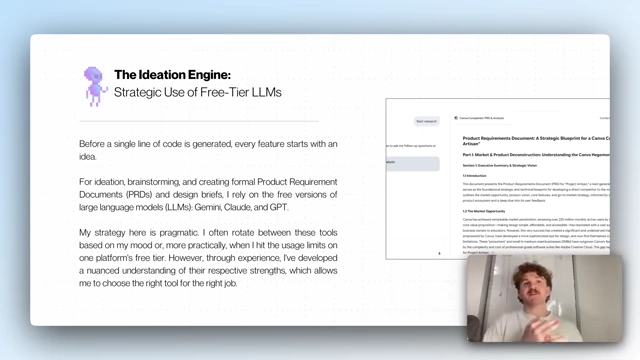
Example of a Product Requirements Document (PRD) generated by an LLM [ 00:08:19 ] - Claude: Has a "design brain" for creating design briefs and brainstorming UI/UX concepts, demonstrating an intuitive grasp of aesthetics.
- GPT: Serves as a reliable all-rounder and backup when limits are exhausted on other LLMs.
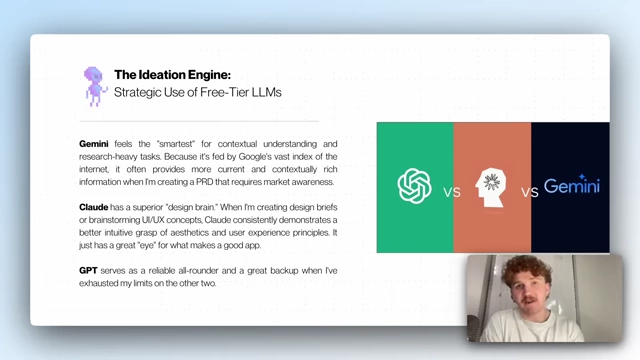
Comparison of GPT, Claude, and Gemini for ideation and design [ 00:08:56 ]
- The Backend: De-risking Infrastructure with Supabase [09:41]
- Supabase (Free Tier):
- Complete backend-as-a-service built on open-source PostgreSQL database.
- Offers authentication, file storage, and serverless functions.
- Free Tier Generosity: Provides 500 MB database, 1 GB file storage, and support for up to 50,000 monthly active users.
- Benefit: Eliminates the need to manage servers, configure databases, or scale backend infrastructure.
- Integration with Lovable: AI can automatically generate both frontend components and necessary backend Supabase tables and authentication logic.
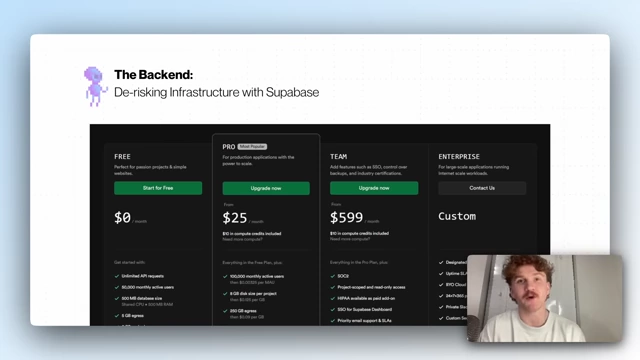
Supabase pricing plans highlighting the generous free tier [ 00:10:27 ]
- Overall Stack: Lovable (frontend/logic), Dribble (design), Supabase (backend), Netlify (deployment), all managed via GitHub, forming a cohesive cognitive load management system.
- Comparison to Traditional Development: Abstracts away complexity, allowing the founder to focus on desired outcomes rather than low-level implementation (e.g., React, Node, SQL, Figma, AWS).
- Supabase (Free Tier):
- The Financial Engine: Tracking Revenue & Growth with Stripe [11:45]
- Stripe (Payment Processing):
- Free to use, with a standard pay-as-you-go transaction fee (typically 2.9% + $0.30 per transaction).
- Reliability: Bulletproof tool with developer-friendly APIs and comprehensive documentation.
- AI Integration: Easily understood by AI tools like Supabase and Lovable for seamless setup.
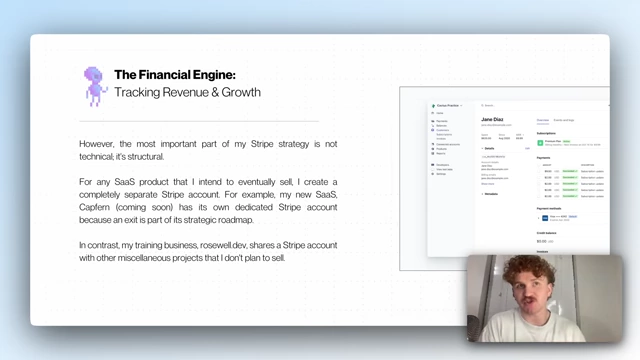
Stripe dashboard interface for managing payments and subscriptions [ 00:12:25 ]
- Structural Strategy for Exits:
- Create a completely separate Stripe account for each SaaS product intended for eventual sale.
- Benefit: Provides a pristine, auditable record of revenue, subscriptions, churn, and customer data for that specific product, simplifying due diligence for potential buyers and increasing valuation/faster closing.
- Projects not intended for sale (e.g., training businesses) can share a single Stripe account.
- Stripe (Payment Processing):
- Closing the Loop: Revenue Attribution with DataFast [13:29]
- Purpose: Answers how, why, and where revenue is coming from (unlike Stripe, which only shows "that I'm making money").
- DataFast: Analytics tool costing $9/month.
- Benefit: Provides immediate, actionable insights by showing specific revenue sources (e.g., tweets, blog posts, YouTube videos).
- Eliminates guesswork in marketing efforts, allowing the founder to double down on effective channels and re-evaluate underperforming ones.
- Ensures marketing time is spent on activities directly contributing to the bottom line.
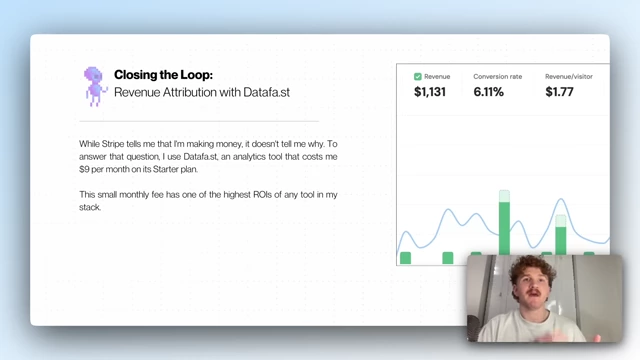
DataFast dashboard displaying revenue and conversion rate analytics [ 00:13:24 ]
- Social Engine: Building an Audience and Driving Traffic [14:55]
- X (formerly Twitter): Primary channel for audience building and traffic generation.
- X Premium: $8/month subscription, improves reach and views on tweets. Not essential but helps as a "force multiplier."
- Strategy: Long-term approach focused on adding value, engaging in conversations, and establishing authority in the niche.
- PostBridge:
- Purpose: Automates consistency in social media marketing.
- Functionality: Batch-create content and schedule tweets months in advance.
- Benefit: Transforms social media marketing from a daily chore into a strategic, high-leverage activity, freeing up time for other tasks.
- Keeps the marketing funnel full without daily attention, with DataFast verifying traffic and conversions.
- X (formerly Twitter): Primary channel for audience building and traffic generation.
- The Operations Hub: Running the Business for (Almost) Free [15:57]
- Google Drive and Google Sheets (Free):
- Used for all business documents, from PRDs to financial tracking spreadsheets.
- Offers simple storage and full functionality of a powerful office suite.
- Forwarded Support Email (Free):
- Utilizes free email forwarding service from Porkbun.
- Creates a professional-looking support channel (e.g., support@myapp.com) that forwards directly to a personal inbox, at no cost.
- Structured Customer Support (Alternative):
- For founders desiring a more structured approach or to centralize support conversations.
- Crisp: A cheaper alternative to Intercom. Used previously for Response AI.
- Google Drive and Google Sheets (Free):
- Other Powerful Tools & To-Do Lists [16:34]
- Apify (Paid - $50/month tier available):
- Web scraping and automation platform.
- Used to extract specific data from websites or interact with APIs for software applications. (Speaker notes he doesn't use it currently for his main software).
- Todoist (Free):
- For personal task and day-to-day management.
- Simple, clean, and effective to-do list application for organizing tasks.
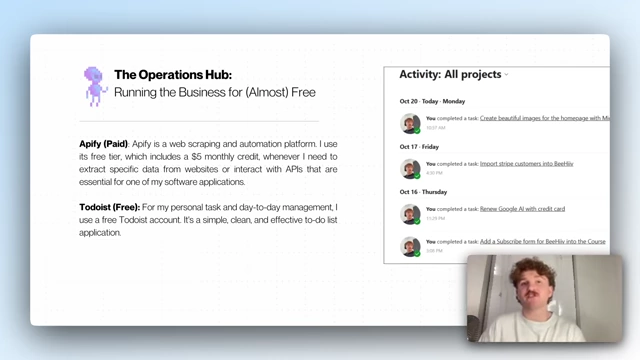
Todoist activity overview for personal task management [ 00:16:33 ]
- Apify (Paid - $50/month tier available):
Final Costs & Breakdown [17:00]
The speaker provides a summary of his estimated monthly costs.
- Fixed Monthly Costs (Estimated $88.83):
- Screen Studio: $9.00 (annualized)
- Lovable.dev: $50.00
- DataFast: $9.00
- X (Twitter) Premium: $10.00
- PostBridge: $10.00
- Porkbun: $0.83 (annualized, based on $10/year)
- Variable Costs:
- Stripe: 2.9% + $0.30 per transaction (fluctuates based on sales volume).
Summary of estimated fixed and variable costs for software development [ 00:17:23 ]
- Stripe: 2.9% + $0.30 per transaction (fluctuates based on sales volume).