DaVinci Resolve Wedding Video Color Grading and Editing Walkthrough
Summary:

The creator reviews the video footage and how it needs to be updated
[
00:00:10
]

A shot of the groom shedding a tear during the ceremony, which was important not to cut.
[
00:04:20
]
Here is a summary of the video:
- Setting up the live stream and initial project overview [00:00:00]
- Briefly reviews the timeline with raw footage [00:03:13]
- Quick color grading and AI stabilization [00:24:57]
- Corrects the audio in Twitch [00:31:52]
- Stabilizes shots [00:38:20]
- Adjusts for jello effect [00:45:08]
- Trimming and adjusting [00:51:29]
- Finalizing color grades and addressing green tint [01:20:45]
- A7S3 vs A7IV ISO performance discussion [01:22:38]
- Color grading the final product using window and glow effect. [01:25:28]
- Explains the split tones effect and how to match photography [01:39:21]
- End [01:57:50]
Project Setup [00:00:00]
- Checking if the stream is live and starting DaVinci Resolve.
- Sets up and checks the fancy new camera and microphone.
Initial Timeline Review [00:03:13]
- Reviews the timeline in DaVinci Resolve to assess what needs to be done, noting that music and grading still need to be completed.

DaVinci Resolve timeline view for the wedding video project. [ 00:00:57 ] - Footage is log footage, as seen in the raw clips of the bride.

Raw log footage of the bride before any color grading. [ 00:01:59 ]
Initial Color Grading and Stabilization [00:07:55]
- Starts the color grading process with the new log footage in the video.
- Wishes there were two camera angles.
- Uses the stabilizer tool to fix camera shake.
- Discusses how the built-in DaVinci stabilizer is bad.
Twitch Audio Check and Follower Shoutout [00:24:57]
- Checks Twitch stream and sees that Messy Jessie says the stream is frozen.
- Notes that you can also view the live stream on YouTube.
- Shoutout to Messy Jessie.
- Someone says, "Don't cut the guy shedding a tear in the background." [00:27:50]
- The clip of the guy crying a tear in the background is important and should not be cut.
- On Twitch you are frozen.
- Thanks everyone for the birthday wishes, shoutout to all new followers and supporters.
Continued Stabilization and Refinements [00:31:52]
- Turns on stabilization in parts, as seen in the DaVinci Resolve timeline.

DaVinci Resolve timeline showing a clip with stabilization being applied. [ 00:07:44 ]
Addressing Common Color Grading Issues [00:45:08]
- Notes the "jello effect" [00:47:19].
Cutting and J Cut Explanation [00:52:14]
- Shorten clips with J cuts.
- J cut demonstrated.
Final Color Grades [00:56:50]
- Reviews and sets out to find the bird clip [01:06:46].
- "One thing about Courtney that I love about her the most..."
Camera ISO Settings Discussion [01:19:58]
- Discusses request for more lens flares [01:08:54].
- "That's Dimitri, man, good to see you."
- 12,000 ISO is surprisingly usable and good in the new camera A7IV.
- A7S3 is even better but it's like 3000 dollars.
- Image stabilization is much better on the A7IV.
Final Workflow Explanation [01:25:28]
- Aims to take the dead grass and make it look less dead [01:26:50]
- Aims to warm things up with a split tone and a bit of grain, plus film emulation.
- Film Log is 20%, with a grain amount [01:29:51].
- Here is a wedding ceremony before the final color grade.

The wedding ceremony arch setup with white flowers, showing the original footage before color grading. [ 00:04:19 ] - Here is the same wedding ceremony after the final color grade.

The wedding ceremony arch setup with white flowers, showing the footage after color grading. [ 00:04:32 ] - The creator enhances the overall lighting of the reception area.

The outdoor wedding reception area with tables and a tent is brightly lit. [ 00:15:48 ] - A key emotional moment shows the bride walking towards the camera.
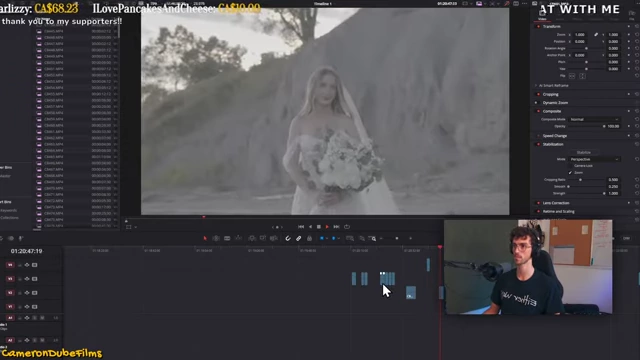
The bride walks towards the camera, looking happy and emotional, holding a bouquet. [ 00:16:05 ] - A moment showing the bride's dog.

The bride interacts with her dog at the outdoor wedding. [ 00:16:10 ] - The groom is seen giving a speech at the reception.

The groom stands at a podium with a microphone, giving a speech at the reception. [ 00:20:37 ] - The outdoor wedding setup with a white tent.

A wide shot of the outdoor wedding setup, featuring a large white tent, an archway, and rows of white chairs. [ 00:25:16 ] - An ungraded shot of wind turbines in the field.

A wide shot of several wind turbines in a green field, before color grading. [ 00:32:58 ] - A wedding sign with the couple's names.

A wedding sign on a tree reads "SAMUEL & COURTNEY". [ 00:40:04 ] - The creator shows the initial color grade adjustments for the reception.

The DaVinci Resolve color grading interface shows color wheels and waveform for an ungraded reception shot. [ 00:47:00 ] - The creator demonstrates a refined color grade for the groom.

The DaVinci Resolve color grading interface shows color wheels and waveform with a color-graded shot of the groom. [ 01:15:29 ] - Another shot of the outdoor wedding setup, highlighting the archway and tent.
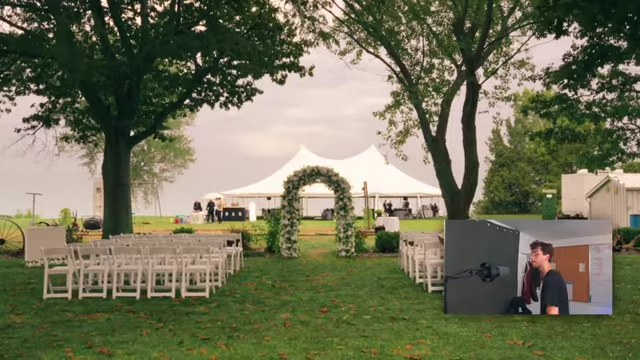
A wider shot of the outdoor wedding setup, with a white archway and a large tent in the background. [ 01:16:02 ] - A shot of wind turbines and cars in a field.

Several wind turbines stand tall in a green field, with cars on a nearby road. [ 01:16:03 ] - A custom wine bottle label for the wedding.
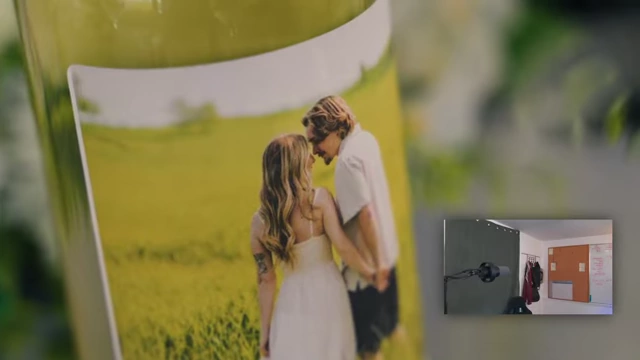
A wine bottle with a personalized label featuring a picture of the couple and the wedding date. [ 01:16:07 ] - A wedding sign with the couple's names.

A white sign with "SAMUEL & COURTNEY" in elegant script hangs from a tree. [ 01:16:10 ] - The wedding ceremony after final color grading.
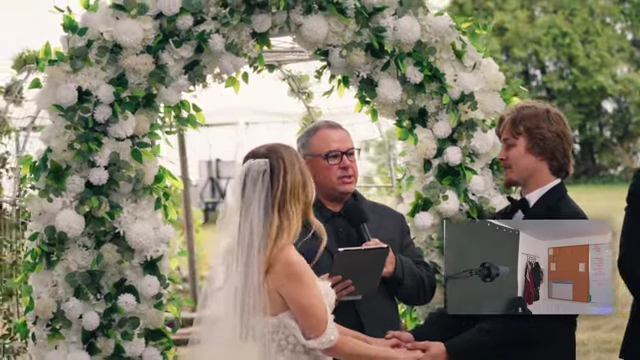
The officiant presides over the wedding ceremony under a floral arch, after final color grading. [ 01:16:13 ] - A telephone booth prop for guests to leave messages.

A white telephone booth prop with a "Leave a Message" neon sign and a vintage telephone inside. [ 01:16:15 ] - A closer view of the "Leave a Message" sign.
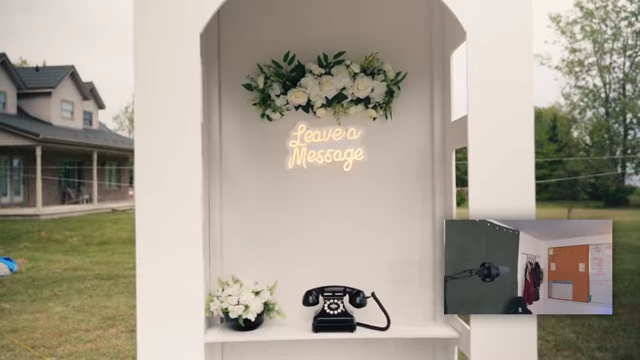
A close-up shot of the "Leave a Message" neon sign inside the white telephone booth prop. [ 01:16:16 ] - A memorial sign for loved ones.

A black half-circle sign reads "IN LOVING MEMORY OF THOSE WHO ARE FOREVER IN OUR HEARTS today & always". [ 01:16:18 ] - Framed pictures of deceased loved ones are displayed.
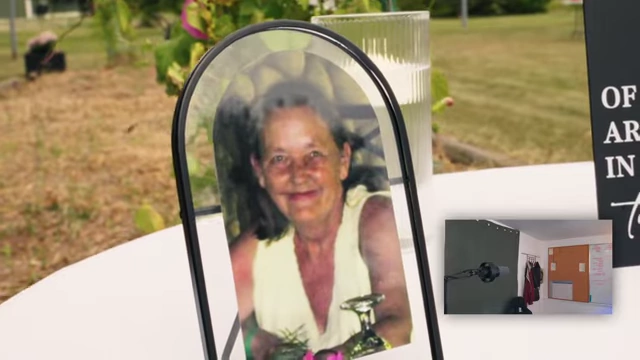
A framed picture of a smiling elderly woman with a drink. [ 01:16:20 ] 
A framed picture of a man with long hair and a beard. [ 01:16:21 ] - A wedding guest lint-rolls his suit.
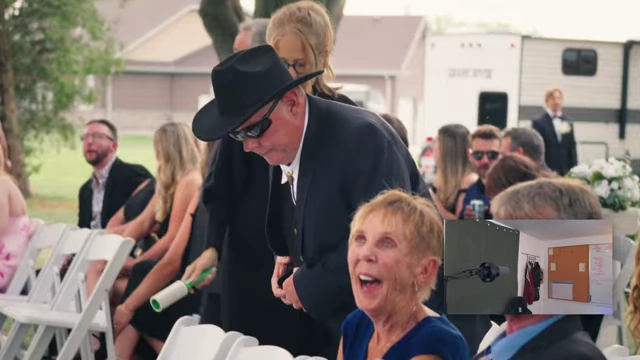
A wedding guest in a suit uses a lint roller on his attire. [ 01:16:45 ] - A key emotional moment where the bride is crying.
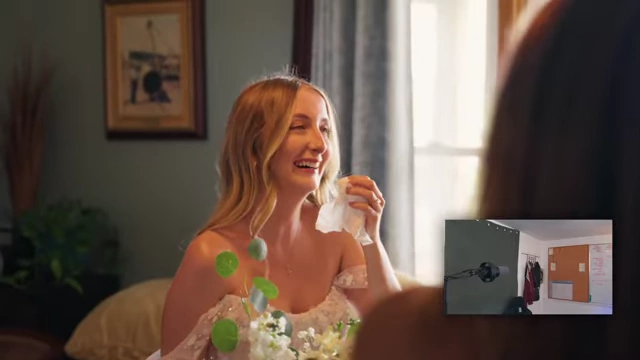
The bride sheds tears while holding a tissue, looking emotional. [ 01:17:30 ] - Bridesmaids are also emotional.
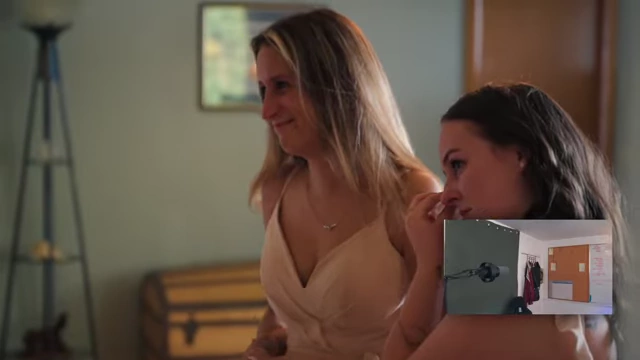
Two bridesmaids look emotional, one with tears in her eyes. [ 01:17:31 ] - The creator is applying a power window effect in DaVinci Resolve.
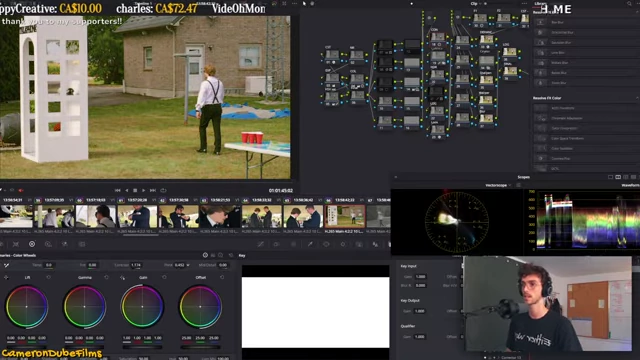
The DaVinci Resolve color grading interface shows color wheels and a power window being applied to a video clip. [ 01:30:12 ]
AI Insights and Thanks [01:36:34]
- Hears there are a bunch of generative AI in the background.
- It can animate a photo and move peoples.
- Some tools are models out there for free.
- The new tech is crazy.
- Thanks viewers.
Split Tone and Color Balancing [01:43:06]
- Demonstrates the split tone and finding a color for the scene [01:46:20].

Example of a split tone effect [ 00:00:00 ] - It's the illusion that it is a sunny day.
- The goal is to match the vibe of the video to the photography [01:47:57].
- Mentions dynamic range [01:50:09].
- Some of these colors just don't make sense.
Outro [01:57:50]
- "Okay and that's what we do here, man."