NVIDIA GeForce NOW Performance Review: Is Cloud Gaming Finally Good Enough to Replace Local Hardware?
This video investigates whether NVIDIA's GeForce NOW cloud gaming service is a viable alternative to owning local gaming hardware. GeForce NOW has significantly improved, now supporting up to 5K resolution and high frame rates (120 fps at 4K, 360 fps at 1080p), with an expanded game library including Xbox Game Pass titles. While local gaming with an RTX 5080 offered sharper images and lower latency (around 15ms better than cloud), GeForce NOW's performance is surprisingly close. However, cloud gaming can introduce compression artifacts, input latency (perceived as a lower local framerate), and is dependent on a stable internet connection. Economically, GeForce NOW offers a strong value proposition, potentially saving money over a 5-year hardware upgrade cycle, but users lack hardware ownership and persistent storage for games without extra costs.

Introduction [0:00]
The video explores the current state of cloud gaming, specifically NVIDIA's GeForce NOW, to determine if it has advanced enough to rival traditional local PC gaming. It aims to provide an objective comparison despite initial skepticism about the "renting" model of gaming hardware.
Cloud Gaming & GeForce NOW Overview [1:46]
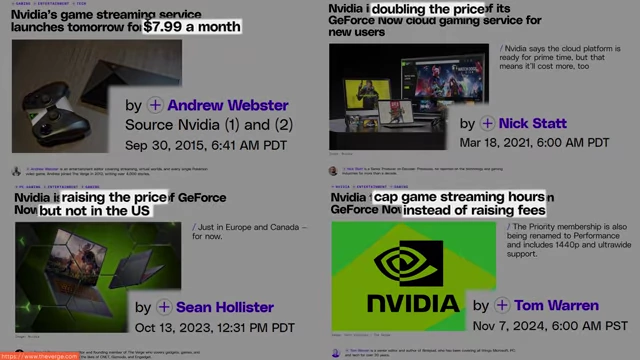
NVIDIA's investment in cloud gaming is driven by economics, shifting from selling GPUs to a more profitable subscription-based leasing model.
- Technology: GeForce NOW works by taking input from local peripherals, running games in virtual machines (VMs) in NVIDIA's data centers, compressing the gameplay footage, and streaming it to the user's screen.
- Improvements: The service has seen significant advancements since its last review four years ago.
- It now supports resolutions up to 5K and frame rates up to 360 frames per second (fps) at 1080p, or 120 fps at 4K.
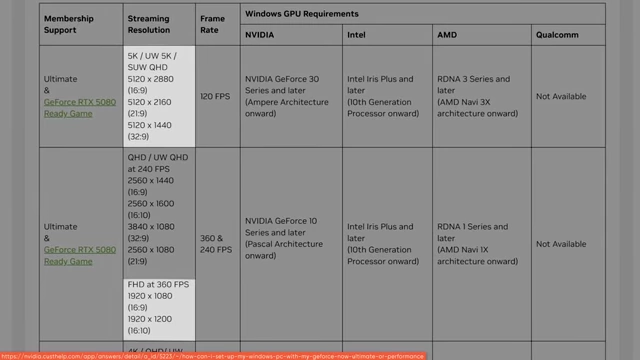
Table showing GeForce NOW streaming resolutions and frame rate support [ 00:02:57 ] - The game library has expanded, now including titles owned on Steam and other platforms, as well as Xbox Game Pass.
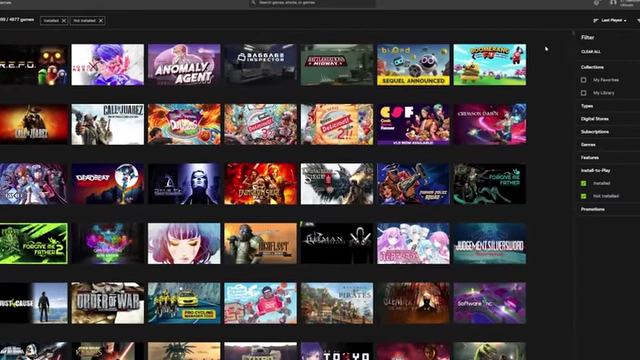
Screenshot of the GeForce NOW game library displaying over 4000 games [ 00:03:11 ] 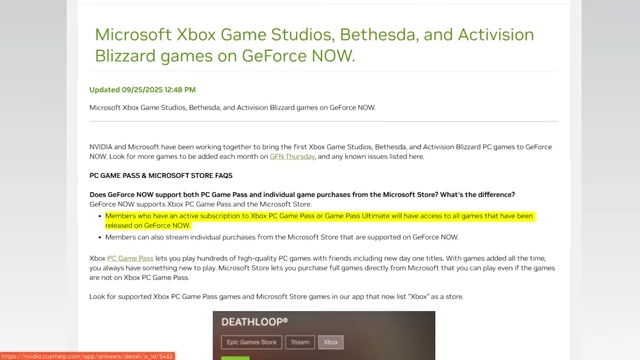
Text explaining Microsoft Xbox Game Pass support on GeForce NOW [ 00:03:14 ] - Game journalists have highly praised the "phenomenal" experience of the new GeForce NOW tier.
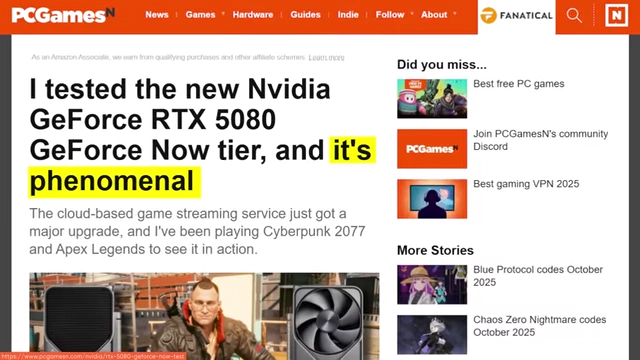
News article headline stating GeForce NOW's RTX 5080 tier is "phenomenal" [ 00:02:36 ]
- It now supports resolutions up to 5K and frame rates up to 360 frames per second (fps) at 1080p, or 120 fps at 4K.
Our Test System Configuration [3:24]
The test system was configured to simulate a high-end gaming PC for comparison.
- Hardware:
- CPU: AMD Ryzen 7 9800X3D (8-core)
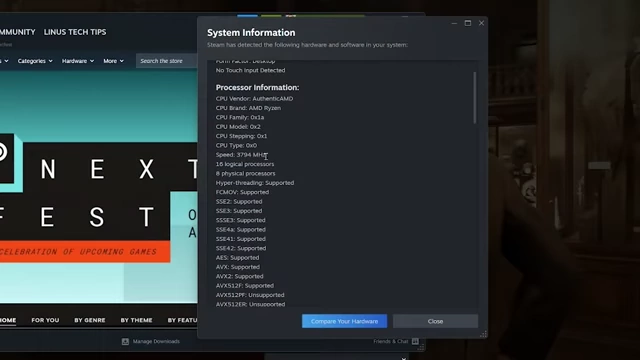
System information displaying CPU details like 8 physical cores and 16 logical processors [ 00:04:27 ] - GPU (initial): NVIDIA RTX 3060 (used for cloud gaming tests to demonstrate minimal local hardware requirements)
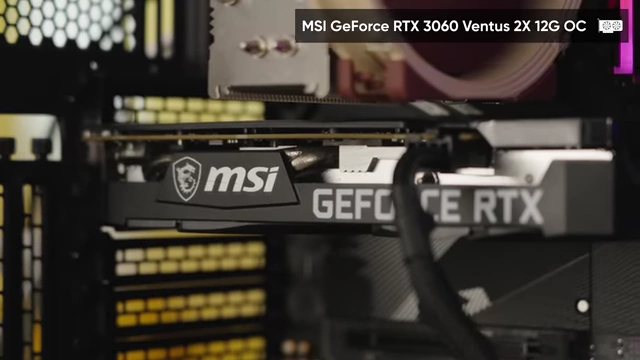
Close-up of the MSI GeForce RTX 3060 graphics card in the PC case [ 00:03:36 ] - GPU (for local comparison): NVIDIA RTX 5080 (simulating an ideal high-end experience)
- Monitor: LG 32GS95UE 32-inch OLED, capable of 4K 240Hz or 1080p 480Hz dual-mode.
- CPU: AMD Ryzen 7 9800X3D (8-core)
- Connection Limitation: Initial plan to use integrated graphics was dropped due to HDMI 2.0 limitation (60Hz at 4K), which would prevent experiencing GeForce NOW's full potential at 120Hz 4K.
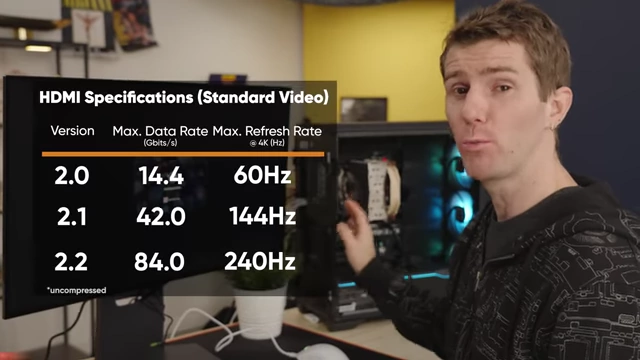
Table of HDMI Specifications, showing maximum refresh rates at 4K for different versions [ 00:03:57 ]
Indiana Jones and The Great Circle: Cloud Gaming Experience [3:43]
Testing began with Indiana Jones to assess image quality and latency.
- VM Specifications:
- The virtual machine (VM) reported using an "RTX 5080" with an unusual 48GB VRAM. This is likely an NVIDIA RTX Pro 5000 Blackwell, a professional GPU.
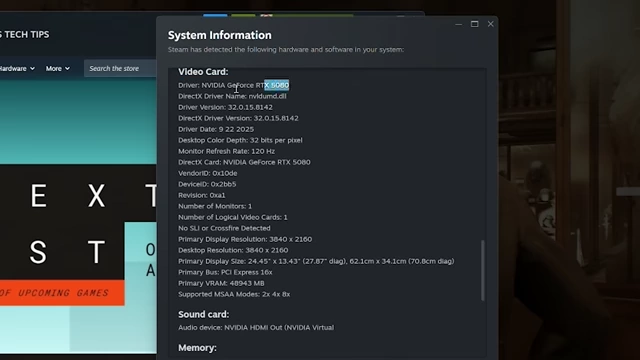
System information displaying GPU as RTX 5080 with 48943 MB VRAM [ 00:04:34 ] 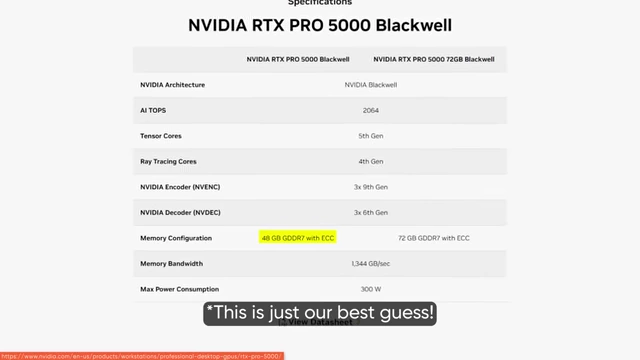
Specifications for NVIDIA RTX PRO 5000 Blackwell, showing 48 GB GDDR7 memory [ 00:04:46 ] - The VM was detected as running Windows 11 with a 120Hz monitor refresh rate and 57GB of RAM, with some reserved for the hypervisor.
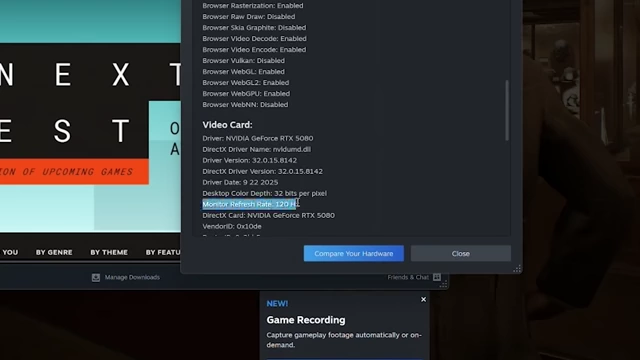
System information showing monitor refresh rate at 120 Hz [ 00:04:57 ] 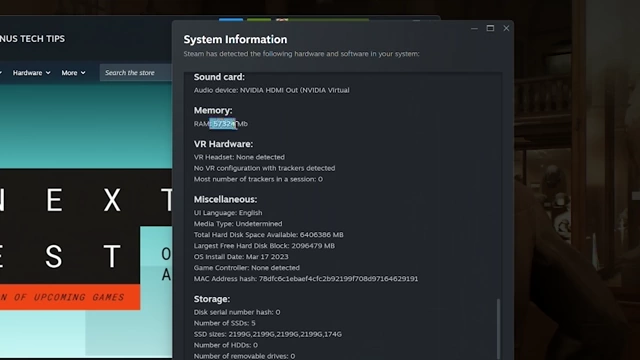
System information displaying 57324 MB of RAM [ 00:05:11 ] 
Infographic defining a Hypervisor as monitoring software for multiple VMs [ 00:05:17 ]
- The virtual machine (VM) reported using an "RTX 5080" with an unusual 48GB VRAM. This is likely an NVIDIA RTX Pro 5000 Blackwell, a professional GPU.
- Gameplay Impressions:
- Latency: Perceptible, especially with mouse movements, feeling like a local 75-80 fps rather than streamed 120 fps. However, it was described as "very usable." Mouse movement was noticeably delayed.

Split screen comparing Indiana Jones gameplay with real-time mouse movement (4x slower) [ 00:05:30 ] - Image Quality: Looked "pretty damn good" and "sharp," running at 4K 120 fps on 60 megabit bandwidth (balanced mode). Noted some blockiness and compression artifacts, especially during motion.

Indiana Jones gameplay showing visible compression artifacts (2x slower) [ 00:05:55 ] - Overall: Impressive for a game designed to require ray tracing hardware, running on what would be considered a modest local setup for this performance level. Network overlay showed 165 FPS in-game, 121 FPS stream, and 10ms ping.

Indiana Jones gameplay with GeForce NOW performance overlay [ 00:06:29 ]
- Latency: Perceptible, especially with mouse movements, feeling like a local 75-80 fps rather than streamed 120 fps. However, it was described as "very usable." Mouse movement was noticeably delayed.
- Cinematic Mode Attempt: An attempt to switch to cinematic mode (100 megabit) failed due to a "loading user profile bug."
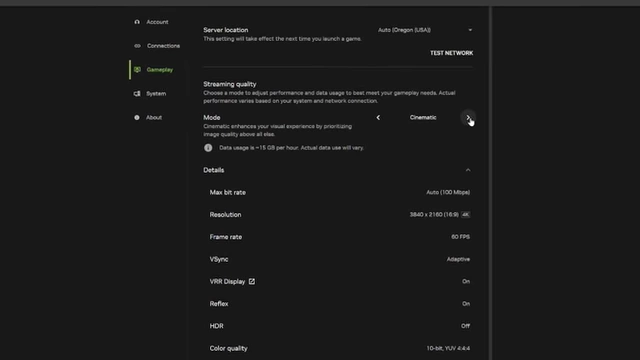
GeForce NOW streaming quality settings, with Cinematic mode selected at 100 Mbps [ 00:07:23 ]
Borderlands 4: Cloud Gaming Experience [7:35]
Borderlands 4 was tested next, noting its art style is more forgiving to compression.
- "Optimized for RTX 5080" List: This list from NVIDIA seems to indicate games that benefit most from a 5080 for an "optimal experience," rather than strictly requiring it. "Control" dropped to a 4080 server, implying dynamic resource allocation.
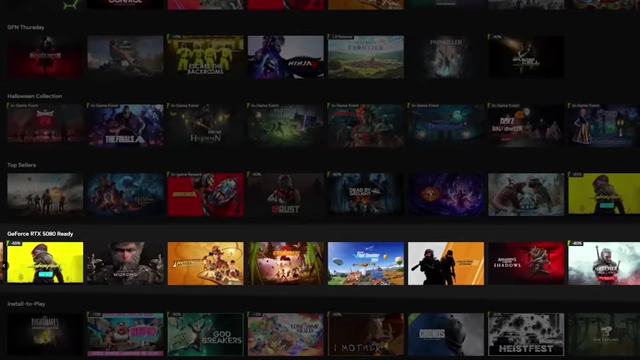
GeForce NOW game library displaying a "GeForce RTX 5080 Ready" section [ 00:08:10 ] 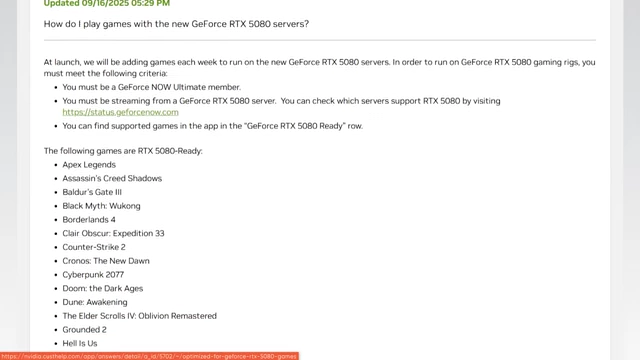
NVIDIA support article listing games "RTX 5080 Ready" [ 00:08:21 ] 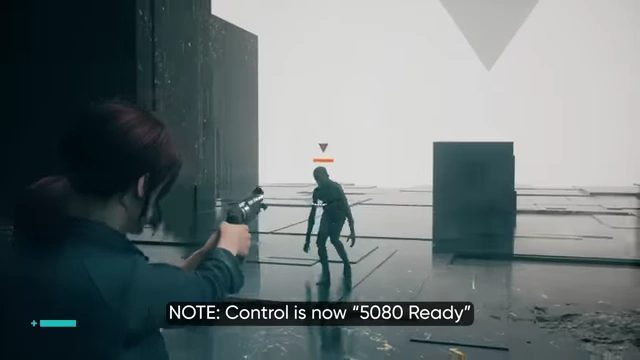
Control gameplay with a text overlay indicating it is now "5080 Ready" [ 00:08:32 ] - Configurable Settings: GeForce NOW's ultimate tier allows users to adjust in-game settings.
- Setting to Gearbox's recommended 5080 settings for 4K dramatically improved visuals.
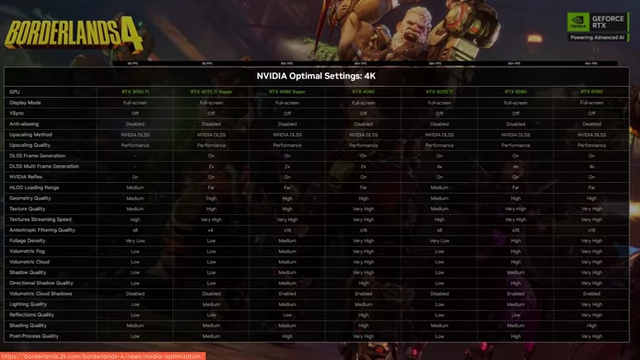
Table showing NVIDIA Optimal Settings for Borderlands 4 at 4K for various GPUs [ 00:08:47 ] 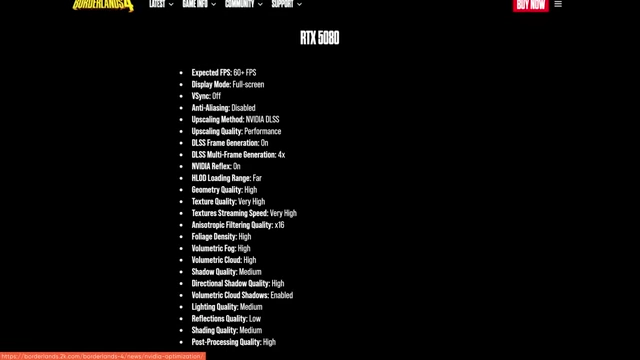
Screenshot of Borderlands 4 settings for an RTX 5080 [ 00:08:52 ] - The game still ran at over 200 fps in the VM (259 FPS in-game, 121 FPS stream), providing ample headroom for streaming at 120 fps.
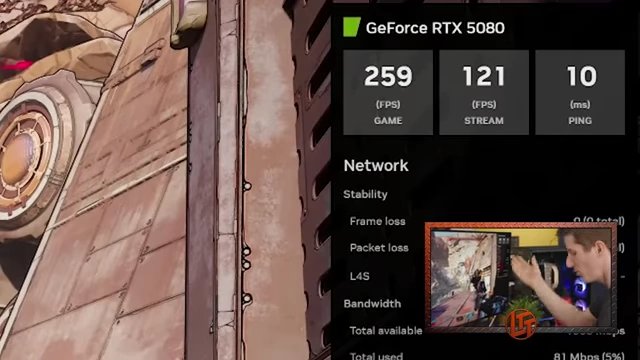
Borderlands 4 gameplay with GeForce NOW performance overlay [ 00:09:05 ]
- Setting to Gearbox's recommended 5080 settings for 4K dramatically improved visuals.
- Compression Artifacts: More noticeable artifacts, particularly in "god rays" and grass textures during motion.

Borderlands 4 gameplay showing compression artifacts in god rays (4x slower) [ 00:09:17 ] - Resolution Impact: Dropping to 1440p made distant objects fuzzier without significantly improving latency (maybe 5-10ms gain). Cleaner source images (4K) compressed better.
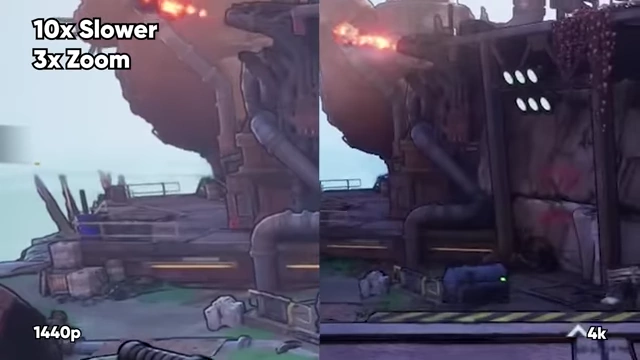
Split screen comparison of Borderlands 4 gameplay at 1440p vs 4K (10x slower, 3x zoom) [ 00:10:07 ] - LDAT Latency Test: LDAT (Latency Display Analysis Tool) automates mouse clicks and measures time to muzzle flash. Borderlands 4 showed an average E2E latency of 71.0ms.
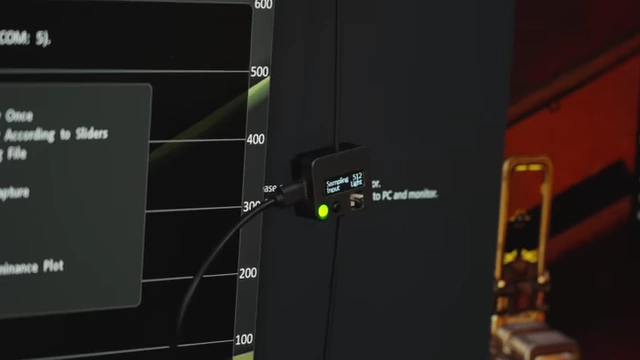
Close-up of the LDAT device measuring latency on the monitor [ 00:10:31 ] 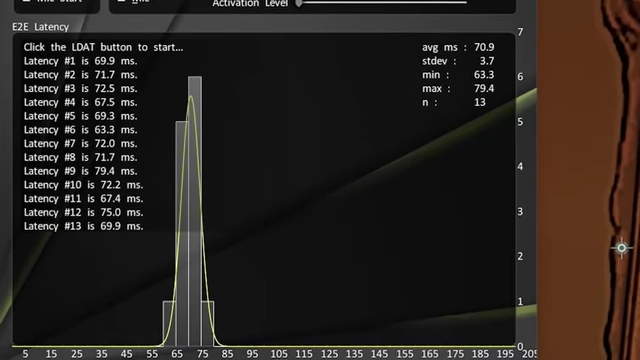
LDAT latency graph showing End-to-End latency distribution for Borderlands 4 [ 00:10:47 ] - Latency results for cloud gaming can vary between runs, with previous tests for Borderlands showing around 50ms vs. the current 71.7ms.
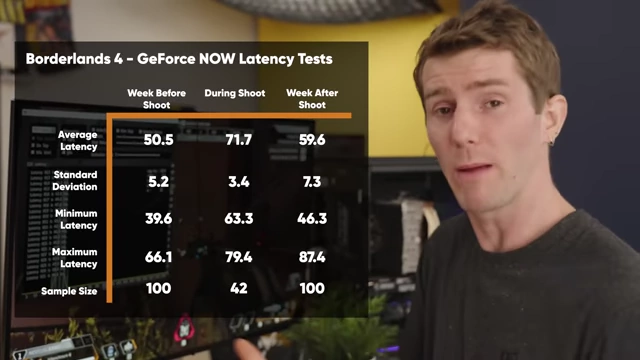
Table showing Borderlands 4 GeForce NOW Latency Tests over different time periods [ 00:12:03 ]
- Latency results for cloud gaming can vary between runs, with previous tests for Borderlands showing around 50ms vs. the current 71.7ms.
Apex Legends: Cloud Gaming Experience [10:59]
Apex Legends, a competitive shooter, was tested to push latency boundaries.
- Initial Impressions: Performed significantly better than Borderlands in terms of perceived latency, with a news article noting low latency for competitive shooters.
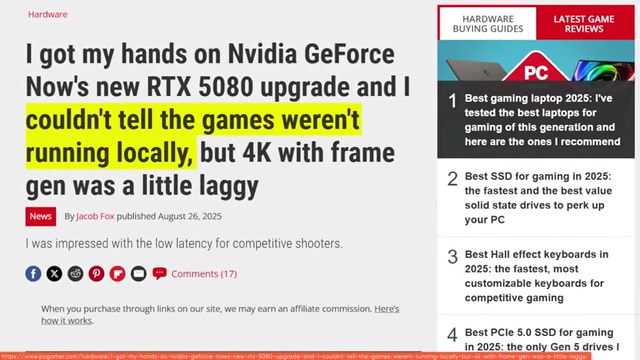
News article headline on GeForce NOW's RTX 5080 tier, mentioning low latency for competitive shooters [ 00:11:01 ] - LDAT Measurement (1440p, low-medium settings): Averaged 45.0ms total latency, deemed "very playable."

LDAT latency graph comparing Apex Legends (45.0ms) and Borderlands 4 (71.0ms) average scores [ 00:11:45 ] - Competitive Mode (1080p, 360Hz):
- Required reconfiguring the LG dual-mode display to 1080p 360Hz.
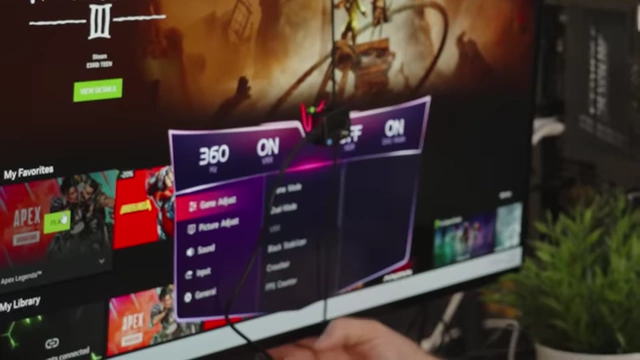
LG monitor settings menu showing the 360Hz dual-mode option [ 00:12:41 ] - Image quality was "pretty rough" due to lower resolution.
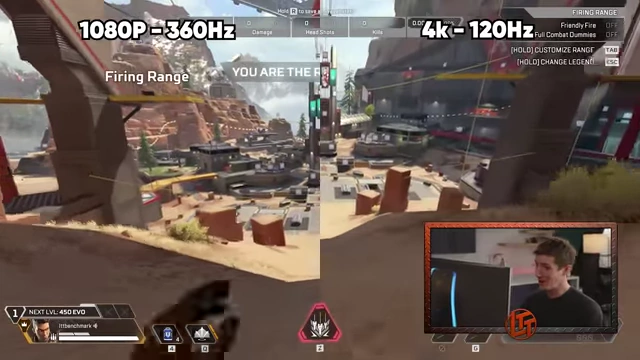
Split-screen comparison of Apex Legends at 1080p 360Hz versus 4K 120Hz [ 00:12:46 ] - Latency was remarkably low, measuring around 25.6ms total.
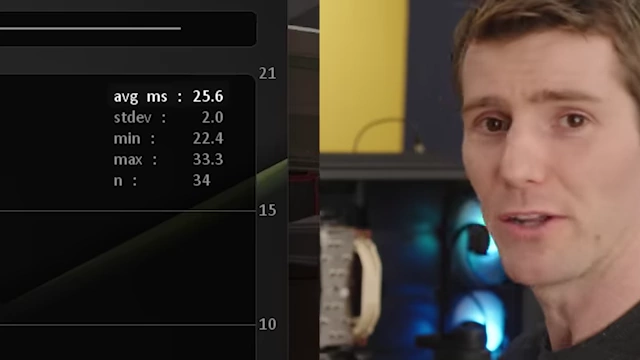
LDAT latency data showing an average latency of 25.6 ms for Apex Legends [ 00:13:07 ] - Running at higher frame rates might allow NVIDIA to reduce total latency. For comparison, 16.6ms is one frame at 60Hz.
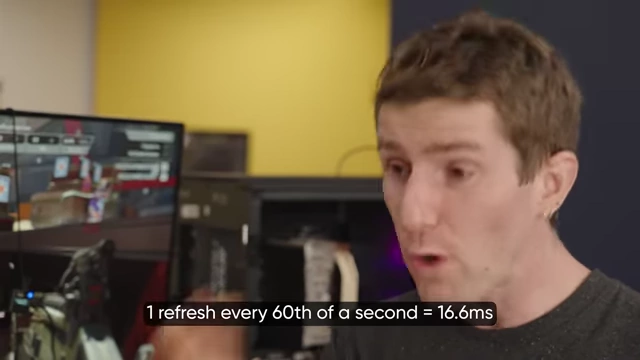
Text overlay explaining that 1 refresh every 60th of a second equals 16.6ms [ 00:13:18 ]
- Required reconfiguring the LG dual-mode display to 1080p 360Hz.
Apex Legends: Local Hardware Comparison [13:47]
The system was then upgraded to an RTX 5080 to compare local performance.
- Latency: Local play was faster, with an average latency of 11.0ms, about 15 milliseconds better than the best cloud results (360Hz competitive mode). This difference was hard to perceive for a "weak human body." The 15ms added by GeForce NOW's encoding and transmission was surprisingly low.
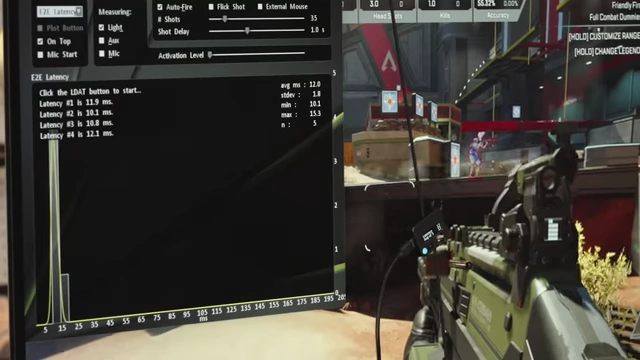
LDAT latency data showing an average of 11.0 ms for local Apex Legends on an RTX 5080 [ 00:14:40 ] 
Side-by-side LDAT data comparing GeForce NOW (25.6ms) and Local 5080 (11.0ms) for Apex Legends [ 00:15:01 ]
Borderlands 4: Local Hardware Comparison [15:27]
Comparing Borderlands 4 locally with Frame Generation enabled revealed interesting findings.
- Latency with Frame Generation: Frame Generation added significant latency locally (approximately 20ms, bringing total latency to 39.3ms). This made the game feel "jelloy" or spongy, similar to some cloud gaming experiences.

In-game settings highlighting "Frame Generation" set to On [ 00:15:46 ] 
LDAT latency data showing an average of 39.3 ms for local Borderlands 4 with Frame Generation [ 00:16:24 ] - Frame Gen's Effect: Frame Generation was observed to add almost as much latency as GeForce NOW's video encoding and transmission. This highlights that perceived smoothness from higher frame rates can sometimes mask increased input lag.
Indiana Jones: Local Hardware Comparison [17:00]
Local play of Indiana Jones provided the clearest visual advantages.
- Visuals: Sharper, and some perceived "blockiness" in the cloud version was attributed to the game's built-in film grain filter not being interpreted well through compression.
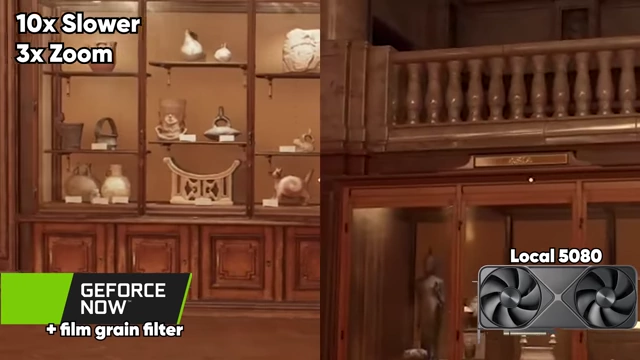
Split screen comparison of GeForce NOW vs Local 5080 for Indiana Jones, highlighting the film grain effect on GeForce NOW [ 00:17:14 ] - Latency: Local latency was, as expected, better than cloud, a difference that cannot be fixed by adjusting game settings.
Conclusion [17:32]
The video concludes by weighing the pros and cons of GeForce NOW against traditional local hardware.
- Local Hardware Advantages: Offers superior "feel" (lower latency) and image quality (no compression artifacts), as streaming inherently adds overhead.
- GeForce NOW Value Proposition (Pros):
- Affordability: An annual subscription of $200, over 5 years, equates to the MSRP of an RTX 5080 ($1000), offering significant savings without needing to upgrade other hardware.
Graph showing a 5-year GPU upgrade cycle cost versus GeForce NOW subscription cost [ 00:18:06 ] - Accessibility: Potential to game on devices like LG TVs and Chromebooks, potentially eliminating the need for a dedicated gaming PC.
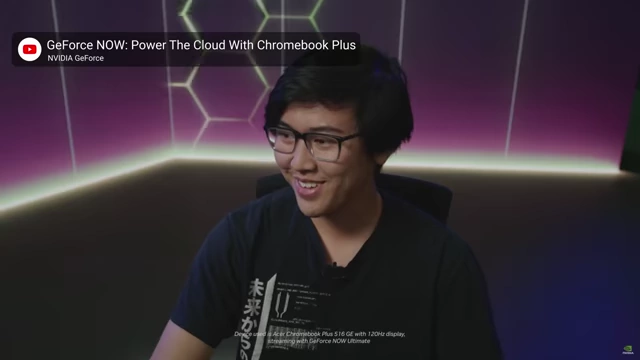
Image showing a person using GeForce NOW on a Chromebook [ 00:18:11 ]
- Affordability: An annual subscription of $200, over 5 years, equates to the MSRP of an RTX 5080 ($1000), offering significant savings without needing to upgrade other hardware.
- GeForce NOW Disadvantages (Cons):
- Lack of Ownership: Users are at NVIDIA's mercy for pricing and hardware upgrades.
- Persistent Storage: Installing Steam games requires extra payment for persistent storage, otherwise games need to be installed fresh each session.

GeForce NOW FAQ explaining single-session and persistent cloud storage options [ 00:18:32 ] - Internet Dependency: No offline mode; games are always online. Unreliable or slow internet connections can severely degrade or prevent gaming.
- Final Thoughts: While not a perfect replacement for a high-end local PC, GeForce NOW has made remarkable progress, offering a surprisingly good experience that can satisfy many gamers, especially those prioritizing cost and convenience over absolute fidelity and control.