M1 MacBook Removable SSD Storage Solution: Answering Common Questions on Design, Functionality, and Limitations
This video provides a detailed technical explanation and answers frequently asked questions about implementing a removable SSD storage solution for Apple Silicon MacBooks. The core of the modification involves replacing the soldered NANDs with a custom PCB adapter that reroutes 220 NAND pins to an M.2 port, allowing for removable SSD modules. The design adheres to strict PCI protocol guidelines, maintaining signal integrity and achieving high speeds. While initial installation requires micro-soldering, subsequent SSD swaps are solder-free. Limitations include the need for a full macOS restore with each SSD change due to Apple's Secure Enclave encryption and incompatibility with standard NVMe drives. The modification offers flexibility and an easier way to replace dead NANDs, a user preference supported by a 90% poll result and Apple's own M4 Mac Mini now featuring removable storage.
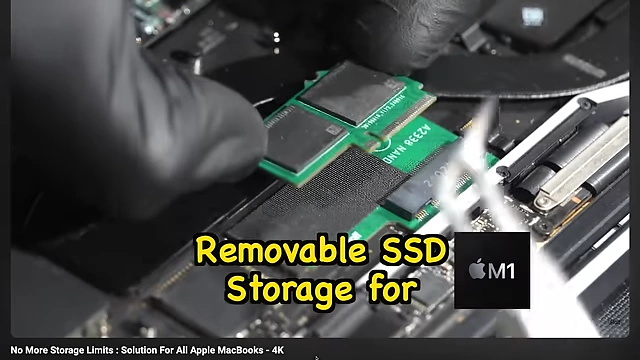
Introduction to Removable SSD for Apple Silicon MacBooks [00:00:00]
This video serves as a follow-up to address confusion and questions surrounding the removable SSD storage solution for Apple Silicon MacBooks. The previous video showcased the solution, and this one delves deeper into its technical aspects and addresses viewer concerns.
Understanding NAND Connection and the Adapter Solution [00:00:42]
- NAND Connections: [00:00:42]
- The storage NANDs on Apple Silicon MacBooks are surface-mounted (soldered) onto the logic board, making them unremovable.
- Beneath each NAND are 110 landing pads, making it a BGA (Ball Grid Array) 110 package.
- These 110 pins, or transmission lines, connect each NAND to the CPU.
- In total, two NANDs result in 220 wires.
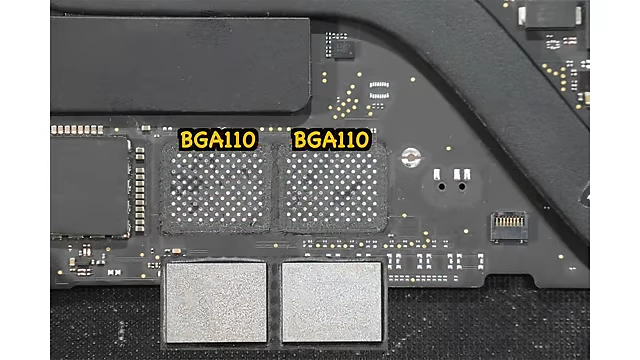
BGA110 NAND landing pads on MacBook logic board [ 00:01:05 ]
- Adapter Design Challenge: [00:01:12]
- The primary challenge was to make these soldered NANDs removable.
- The solution involves placing an M.2 connector in the transmission line path.
- A significant hurdle was systematically cramming all 220 wires into a single M.2 port.
- This was achieved by grouping power, signal, and return path wires according to their class to the M.2 port.
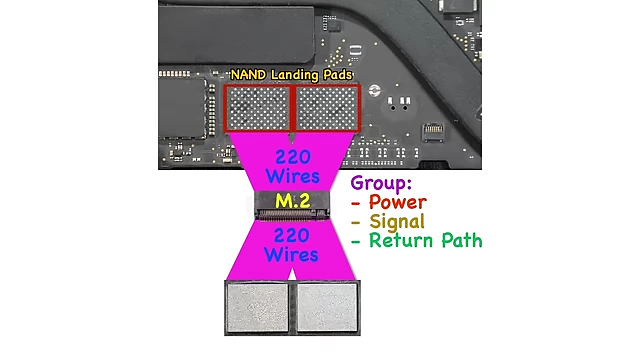
Diagram showing 220 NAND wires rerouted and grouped to an M.2 port [ 00:01:30 ]
Manufacturing Process and Soldering Requirements [00:01:56]
- PCB for Logic Board Side: [00:02:02]
- To manage the clustered wires on the logic board side, a base Printed Circuit Board (PCB) was designed.
- This base PCB reorganizes the 220 transmission lines from the logic board's NAND landing pads to the M.2 port.
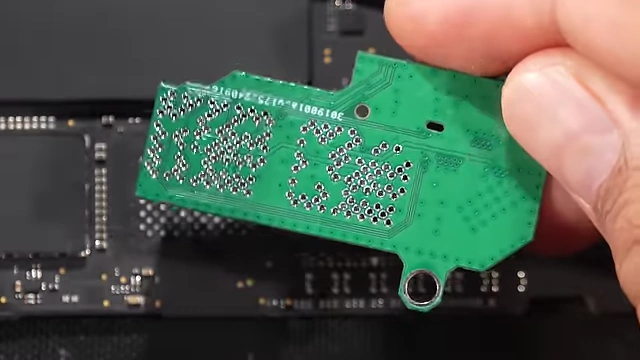
Close-up of the base PCB designed to reroute NAND transmission lines [ 00:02:18 ]
- Carrier PCB for NAND Side: [00:02:23]
- A second "carrier PCB" was created to directly connect the M.2 port to the two NANDs.
- This allows the NANDs themselves to be mounted on a removable module.
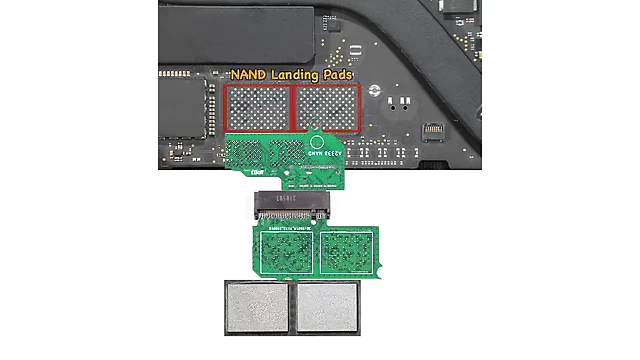
Diagram illustrating the carrier PCB connecting NANDs to the M.2 port, completing the adapter assembly [ 00:02:30 ]
- Soldering Requirement Clarification: [00:02:36]
- The claim "no micro-soldering required" applies after the initial modification.
- The first base PCB does require soldering to the logic board as it extracts and reroutes pins to the M.2 port.
- The M.2 port itself is soldered to the base PCB, typically done during PCB manufacturing.
- A full video on how to solder this base adapter will be uploaded when small-scale production begins, anticipated around December 2024.
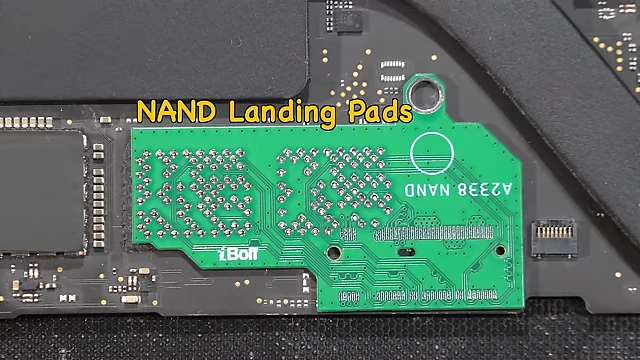
Base adapter PCB with M.2 connector soldered onto the MacBook logic board, showing the initial modification [ 00:02:55 ]
PCB Design Principles and Signal Integrity [00:03:23]
- Strict Guidelines and Design Constraints: [00:03:29]
- Successful PCB design for this application must adhere to strict guidelines and design constraints, as it communicates using the PCI protocol.
- An electronics engineering background is highly beneficial for understanding these concepts.
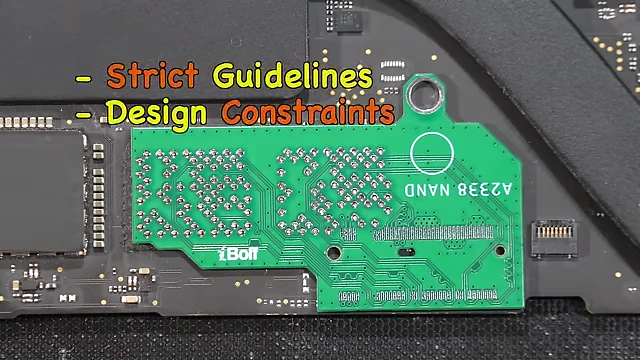
PCB highlighting strict design guidelines and constraints for PCI protocol [ 00:03:35 ]
- Key PCB Design Concepts: [00:04:29]
- Transmission Lines: All interconnects (power, signal, return path) are considered transmission lines, emphasized by Professor Eric Bogatin.
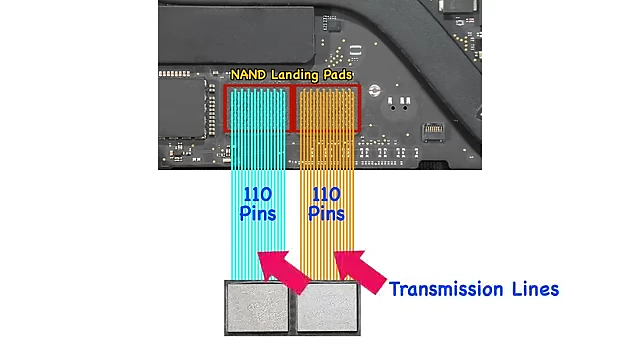
Diagram illustrating transmission lines from NAND pins [ 00:04:06 ] - Differential Pairs: Understanding differential pairs, trace length, trace width, trace spacing, FR4 material properties, and dielectric constant is crucial.
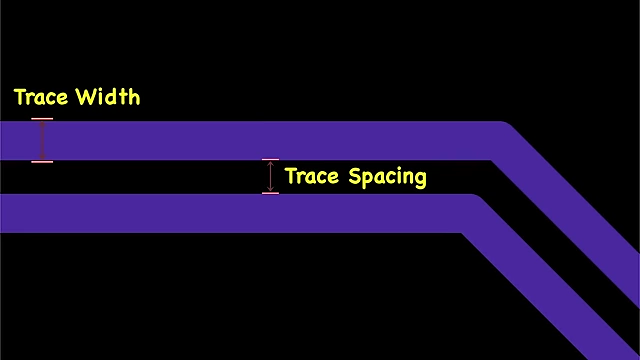
Visual explanation of trace width and trace spacing in PCB design [ 00:04:34 ] - Impedance: The relationship between these physical parameters and impedance is vital, measured using Time Domain Reflectometry (TDR).

Time Domain Reflectometry (TDR) equipment used for impedance measurement [ 00:04:43 ] - EMI Noise Reduction: Rick Hartley's work on EMI noise reduction and PCB routing optimization is recommended.

Rick Hartley's slide on EMI noise reduction and PCB routing optimization [ 00:05:05 ] - Crosstalk: Understanding far-end crosstalk (FEXT) and near-end crosstalk (NEXT) is important for maintaining signal integrity, as explained by Zach Peterson.

Zach Peterson explaining Near-End Crosstalk (NEXT) [ 00:05:35 ]
- Transmission Lines: All interconnects (power, signal, return path) are considered transmission lines, emphasized by Professor Eric Bogatin.
- Signal Integrity Importance: [00:06:26]
- Signal integrity is critical for reliable data transfer.
- Trace length is a major factor: longer traces degrade signal integrity.
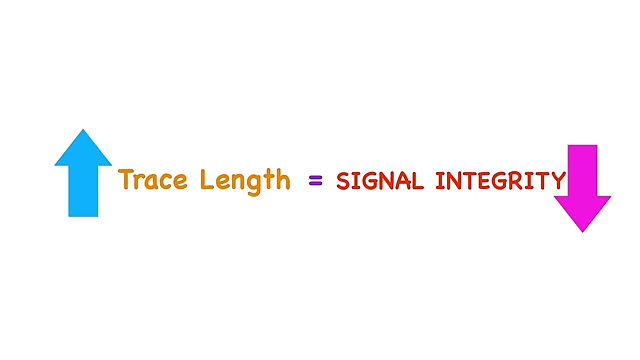
Chart showing the inverse relationship between trace length and signal integrity [ 00:06:44 ]
- Performance of the Modified System: [00:06:54]
- The distance from the NANDs to the M1 Pro CPU on a 16-inch MacBook Pro is approximately 19.8 cm.
- The modified M1 MacBook, with adapters, has a total trace length of about 12.9 cm from M1 CPU to NANDs.
- This shorter path theoretically ensures better signal integrity, allowing the adapter to work just fine.
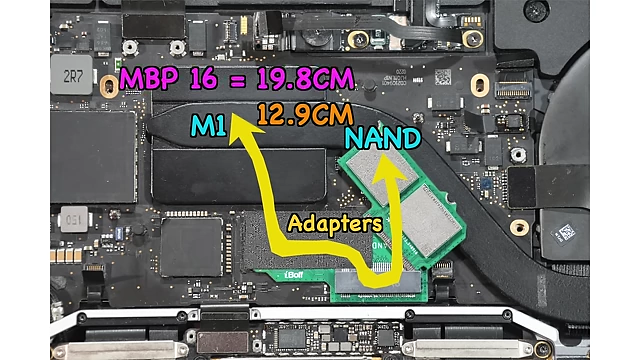
Comparison of trace lengths: 16-inch MacBook Pro (19.8 cm) vs. modified M1 MacBook (12.9 cm) [ 00:07:13 ] - The digital lanes operate at PCIe 4.0 speeds, with each NAND connected via PCIe x1, providing ~1500 MB/s per NAND.
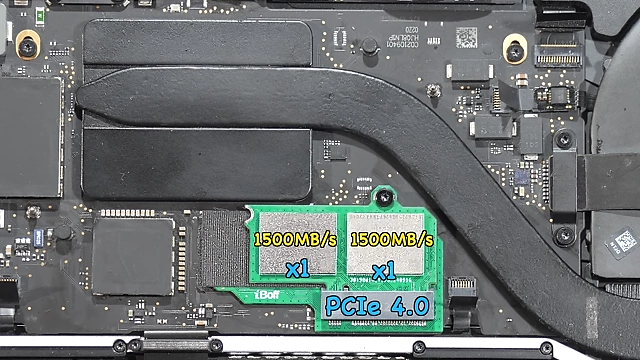
Modified M1 MacBook with PCIe 4.0 x1 lanes per NAND, providing ~1500 MB/s each [ 00:07:29 ] - In RAID 0 configuration, the total read/write speed is around 3000 MB/s. Good PCB design is essential to achieve such stable speeds.
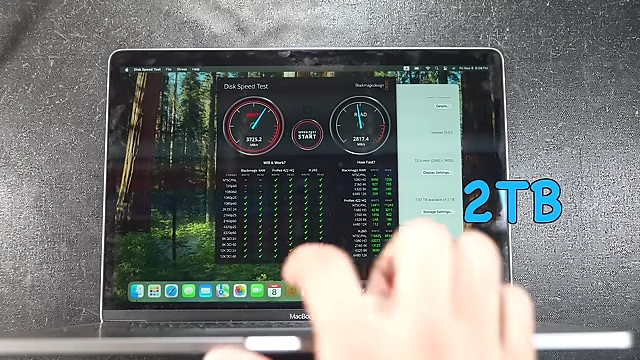
Disk speed test showing approximately 3000 MB/s read/write speed on a 2TB SSD in RAID 0 [ 00:07:44 ]
- PCIe Specifications: [00:07:48]
- Designing the PCB requires studying PCI Express 2.0, 3.0, and 4.0 electromechanical specifications and related documents.
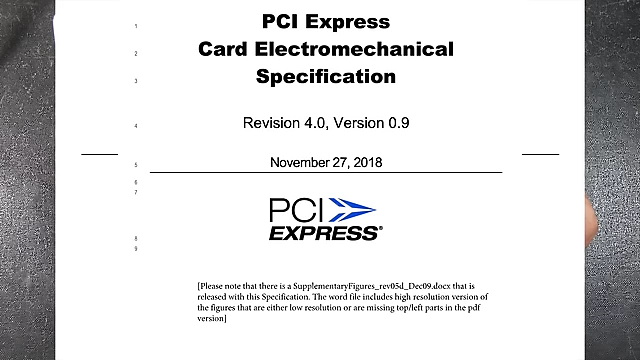
PCI Express Card Electromechanical Specification Revision 4.0 document [ 00:07:56 ] - Apple schematics show an 85 Ohm impedance for routing differential pairs, so the custom PCB must match this to prevent data reflection.
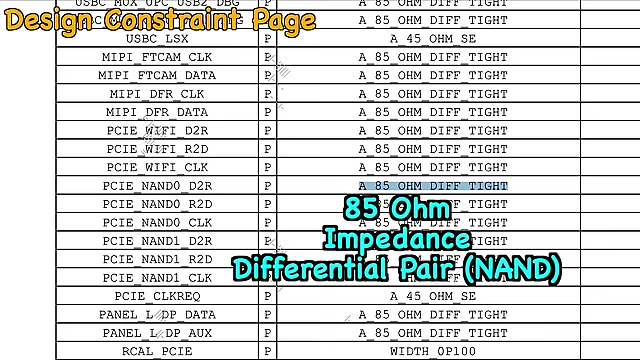
Apple's design constraint page showing 85 Ohm impedance requirement for NAND differential pairs [ 00:06:09 ]
- Designing the PCB requires studying PCI Express 2.0, 3.0, and 4.0 electromechanical specifications and related documents.
Compatibility and Limitations [00:08:29]
- iMac 2020 Compatibility: [00:08:29]
- The discussed adapter is not for iMac 2020. A separate "NV bolt 3" adapter is available for installing a secondary NVMe storage in the 2020 27-inch iMac, which also requires initial soldering.
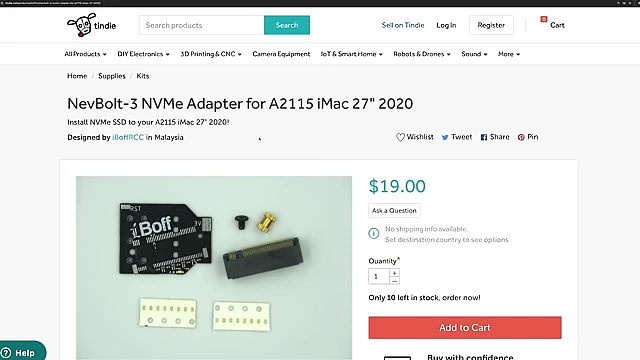
NevBolt-3 NVMe adapter for A2115 iMac 27" 2020 [ 00:08:39 ]
- The discussed adapter is not for iMac 2020. A separate "NV bolt 3" adapter is available for installing a secondary NVMe storage in the 2020 27-inch iMac, which also requires initial soldering.
- Compatibility with Classic NVMe Drives: [00:09:00]
- Normal NVMe drives found in the PC market will not work with this M1 MacBook adapter.
- The M.2 port on the adapter has custom pin assignments to accommodate the 220 NAND wires, not standard NVMe pinouts.
- The M.2 connector was chosen for its widespread availability and low cost, despite requiring custom pinouts.
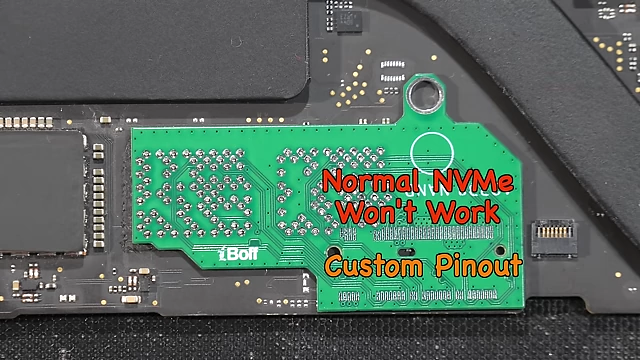
Diagram indicating that normal NVMe drives will not work due to custom pinout of the adapter's M.2 port [ 00:09:13 ]
- Third-Party NVMe on M1 Pro MacBook: [00:09:30]
- An earlier project to fit a third-party NVMe to the M1 Pro MacBook proved impractical due to very slow speeds, and thus was discontinued.
- Impact of macOS Updates and Secure Enclave: [00:09:52]
- Every time the SSD is changed, a full macOS restore is required.
- This is because files on the NANDs are encrypted to the M1 CPU, related to Apple's Secure Enclave and iBoot.
- Currently, this modification is useful for easily replacing dead NANDs, but not for data recovery from swapped drives.
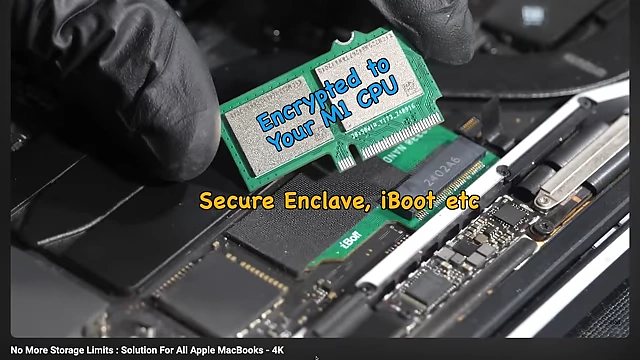
NANDs encrypted to the M1 CPU via Secure Enclave and iBoot [ 00:10:28 ]
The Case for Removable Storage [00:10:43]
- User Preference Poll Results: [00:11:32]
- A community poll asked users if they preferred removable or non-removable storage for a 2TB MacBook.
- 90% of respondents preferred removable storage.

YouTube poll results showing 90% preference for removable storage [ 00:11:52 ]
- Reasons for Removable Storage: [00:12:01]
- Users prefer removable storage for the ability to change it if something goes wrong, as was possible with older MacBooks.
- It offers flexibility in choosing desired storage capacity (e.g., swapping between 500GB, 1TB, 2TB).
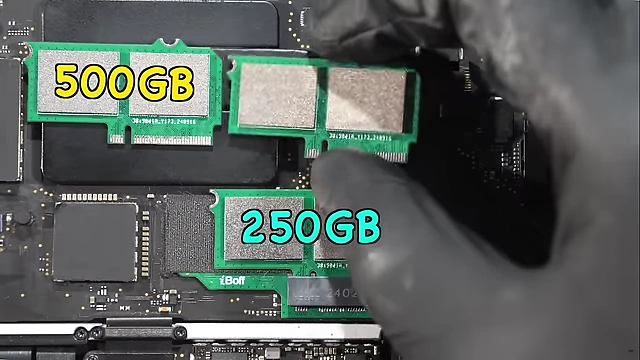
User demonstrating the ability to swap SSD modules of different capacities (500GB, 250GB) [ 00:12:29 ] - This provides freedom from worrying about storage limits.
- Apple's Trend Towards Non-Repairability: [00:13:16]
- A concerning trend from Apple is serializing components to the SoC, making repairs difficult or impossible with non-original parts.
- For example, the Wi-Fi IC on M1 MacBooks is serialized and paired to the M1 SoC; if it dies, it cannot be replaced with one from another M1 board.
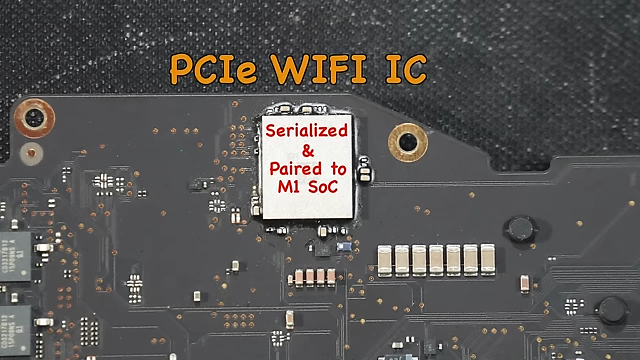
PCIe Wi-Fi IC serialized and paired to the M1 SoC on a MacBook logic board [ 00:13:32 ] - The community has documented workarounds on the Logi Wiki.
- There is a fear that Apple might eventually solder storage directly to the SoC (System on Chip) like LPDDR4X RAM, which would be "really, really bad" for repairability and user choice.
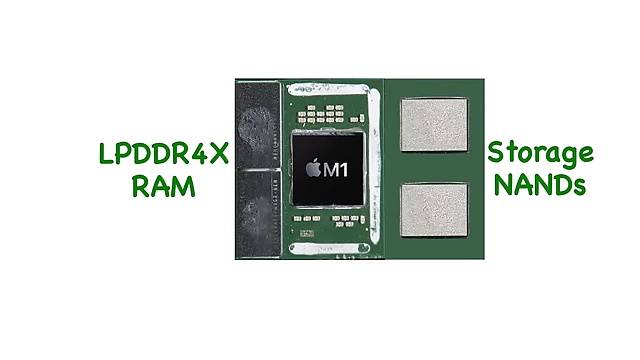
LPDDR4X RAM and storage NANDs shown next to the M1 silicon die [ 00:13:58 ] - However, the new M4 Mac Mini actually features removable storage, suggesting Apple may be responding to user demand for repairability and convenience.
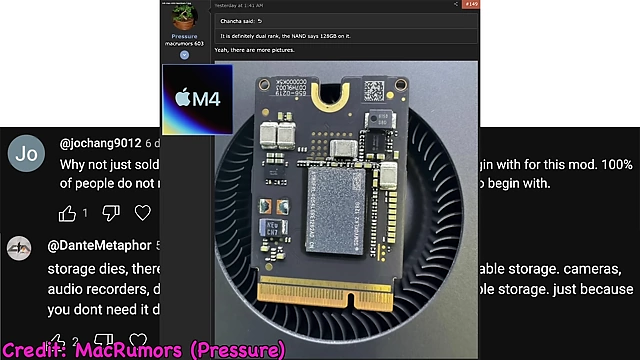
Internal view of the M4 Mac Mini showing its removable storage [ 00:11:22 ]