18 Essential DaVinci Resolve 20 Tips for Faster Video Editing Workflows
Summary:
This video offers 18 quick and useful tips to streamline video editing in DaVinci Resolve 20.
- Learn how to batch auto-sync multiple audio and video clips simultaneously using waveforms.
- Discover SubClips for saving specific timeline sections and how to decompose them on edit for immediate use.
- Explore the versatile Alt/Option key for independent clip selection, quick duplication, and fine-tuning adjustments.
- Master "Swap Clips" with keyboard shortcuts or drag-and-drop to rearrange clips on the timeline without overwriting.
- Simplify audio adjustments with crossfades and "Delete Through Edit" to clean up unnecessary cuts.
- Utilize Clip Colors for visual organization and filtering in the Color page, making grading easier.
- Optimize color grading by grabbing and applying stills, and leverage Power Bins for project-wide access to frequently used assets.
- Learn to replace clips while retaining all existing attributes like grades and effects.
- Use Media Pool Transform and Scaling Options to apply global adjustments to multiple clips before adding them to the timeline.
- Enhance workflow with Filmstrip view, Stacked Timelines for better navigation, and custom Export Presets for efficient rendering.

DaVinci Resolve's Auto Sync Audio dialog analyzing content from the media pool. [ 00:00:50 ]
Enhancing Your DaVinci Resolve Workflow with Key Techniques
1. Efficient Audio Synchronization [00:00]
- Batch Audio Sync by Waveform: Quickly sync multiple video clips with their corresponding high-quality audio by placing them in the same bin and using the "Auto Sync Audio by Waveform" feature.
- This automatically replaces camera audio with external audio, saving significant time compared to individual syncing.
DaVinci Resolve's Auto Sync Audio dialog analyzing content from the media pool. [ 00:00:50 ]
- This automatically replaces camera audio with external audio, saving significant time compared to individual syncing.
2. Mastering SubClips for Content Reuse [01:05]
- Creating and Managing SubClips: SubClips allow you to save specific sections of a clip or timeline for later use, acting as mini-backups.
- Mark in (I) and out (O) points on your timeline, then right-click the top bar or use
Alt + B(Windows) /Option + B(Mac) to create a subclip.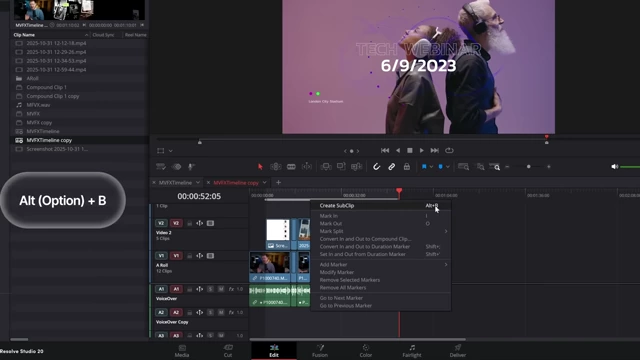
Context menu in DaVinci Resolve showing the option to "Create SubClip" with the Alt (Option) + B shortcut. [ 00:01:40 ]
- Mark in (I) and out (O) points on your timeline, then right-click the top bar or use
- Decomposing SubClips: To use a subclip, drag it to a new timeline, then right-click and select "Decompose using clips."
- Alternatively, enable "Decompose compound clips on edit" in Edit > Edit Options to automatically decompose subclips when added to the timeline.
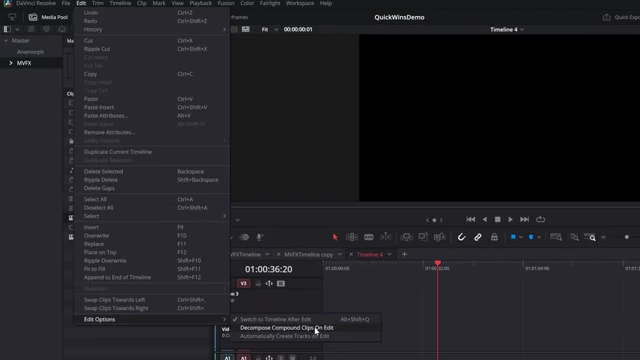
DaVinci Resolve's Edit menu showing "Edit Options" and the "Decompose Compound Clips On Edit" setting. [ 00:02:04 ]
- Alternatively, enable "Decompose compound clips on edit" in Edit > Edit Options to automatically decompose subclips when added to the timeline.
3. The Power of the Alt Key (Option on Mac) [02:11]
- Independent Selection: Hold
Alt(orOption) to select video and audio tracks independently, allowing for precise adjustments without unlinking.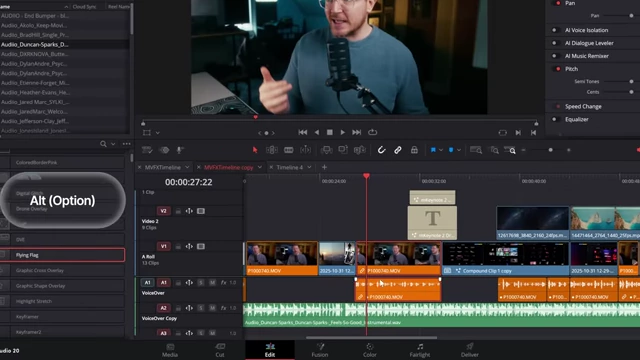
DaVinci Resolve timeline highlighting the video track independently while the Alt (Option) key is pressed for separate selection. [ 00:02:30 ] - Quick Duplication: Hold
Alt(orOption) and drag a clip to instantly create a duplicate. - Fine-Tuning Adjustments: Hold
Alt(orOption) while dragging controls in the Inspector for microscopic adjustments to parameters like zoom, position, and rotation.
The DaVinci Resolve Inspector showing a parameter being finely adjusted while the Alt (Option) key is held for precise control. [ 00:03:10 ]
4. Streamlining Clip Arrangement with "Swap Clips" [03:18]
- Keyboard Shortcut Swapping: Select a clip, then use
Ctrl + Shift + Periodto move it right orCtrl + Shift + Commato move it left, efficiently swapping positions with adjacent clips.
DaVinci Resolve timeline demonstrating clips being swapped using the Shift + Ctrl + Period/Comma keyboard shortcuts. [ 00:03:50 ] - Drag-and-Drop Swapping: Hold
Ctrl + Shiftand drag a clip to seamlessly swap its position with another or insert it between clips without overwriting.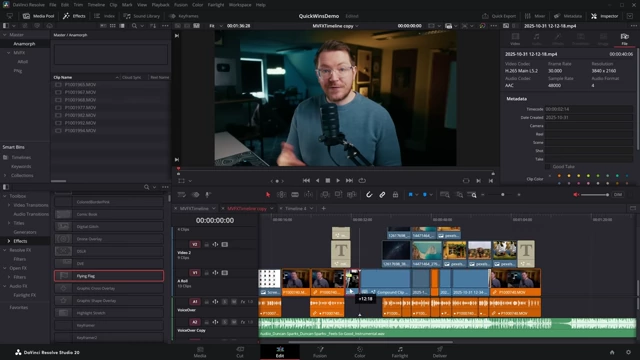
A DaVinci Resolve timeline showing a clip being dragged with Ctrl + Shift held to swap or insert it without overwriting existing content. [ 00:04:20 ]
5. Efficient Audio Control: Crossfade and Delete Through Edit [04:35]
- Quick Crossfades: Make a cut in an audio clip, drag the volume line down, then right-click the edit point and select "Add Crossfade" for a smooth volume duck.
- You can also add keyframes quickly by holding
Alt(orOption) and clicking on the audio line.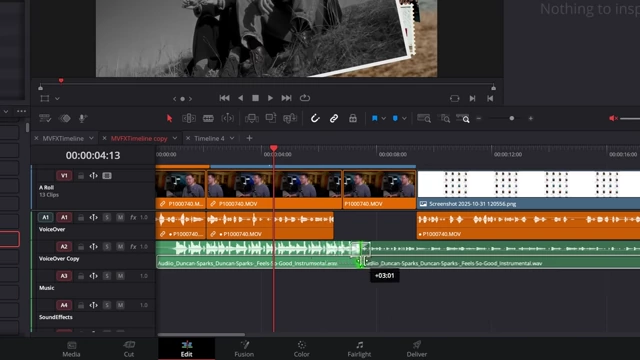
A DaVinci Resolve timeline illustrating a quick crossfade on an audio clip, showing the volume line adjusted at an edit point. [ 00:05:29 ]
- You can also add keyframes quickly by holding
- Removing Unnecessary Cuts: For cuts made within the same clip that introduce no new content, right-click the edit point and choose "Delete Through Edit" to merge the segments back into one continuous clip.

The DaVinci Resolve timeline showing an edit point on an audio clip with the "Delete Through Edit" option available in the right-click menu. [ 00:06:19 ]
6. Organizing with Clip Colors and Filtering [06:25]
- Assigning Clip Colors: Select clips on the timeline or within the Media Pool, right-click, and choose "Clip Color" to assign a color.
- This visually categorizes clips (e.g., A-roll, B-roll, titles), making them easier to identify on crowded timelines.
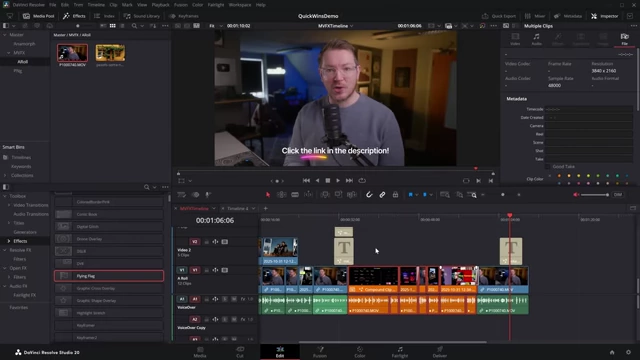
A DaVinci Resolve timeline showing clips highlighted with different colors, demonstrating visual organization. [ 00:06:49 ]
- This visually categorizes clips (e.g., A-roll, B-roll, titles), making them easier to identify on crowded timelines.
- Filtering by Clip Color for Grading: On the Color page, click "Clips," then the dropdown, and select "Clip Color" to filter clips by their assigned color.
- This allows you to efficiently group and apply color grades to similar clips (e.g., all A-roll footage) in a single pass.

The DaVinci Resolve Color page displaying a filtered view of clips by their assigned orange color, highlighting A-roll footage for streamlined grading. [ 00:08:39 ]
- This allows you to efficiently group and apply color grades to similar clips (e.g., all A-roll footage) in a single pass.
7. Reusing Grades with Stills and Power Grades [08:55]
- Grabbing and Applying Stills: On the Color page, after applying a grade, right-click the preview window and select "Grab Still" to save the grade.
- These "stills" contain the grading information, not just a screenshot, allowing you to right-click them and "Apply Grade" to other clips.
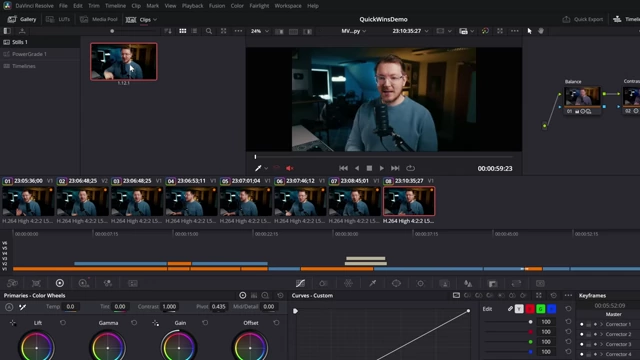
On the DaVinci Resolve Color page, a grabbed still containing color grading information is shown in the gallery. [ 00:09:29 ]
- These "stills" contain the grading information, not just a screenshot, allowing you to right-click them and "Apply Grade" to other clips.
- Power Grades for Project-Wide Access: Drag saved stills into "Power Grades" within the Gallery.
- Power Grades are accessible across all projects in your current project library, providing a consistent look for frequently used assets.
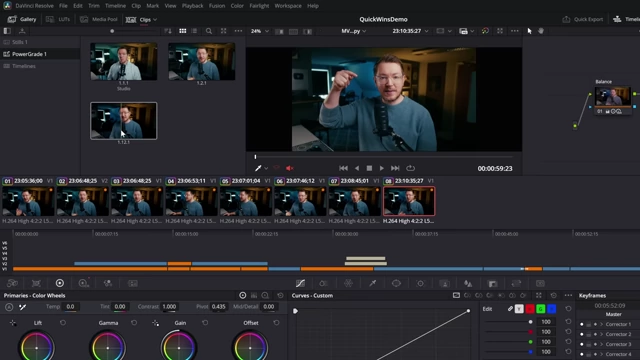
The DaVinci Resolve Color page displaying Power Grades in the gallery, showcasing stored color grades accessible across all projects. [ 00:10:09 ]
- Power Grades are accessible across all projects in your current project library, providing a consistent look for frequently used assets.
8. Streamlining Media Pool Management [11:29]
- Applying LUTs from Media Pool: Select multiple clips in the Media Pool, right-click, navigate to "LUT," and apply a manufacturer or custom LUT to all selected clips simultaneously.
- This is useful for quickly normalizing log footage to Rec.709 or applying creative looks before editing.
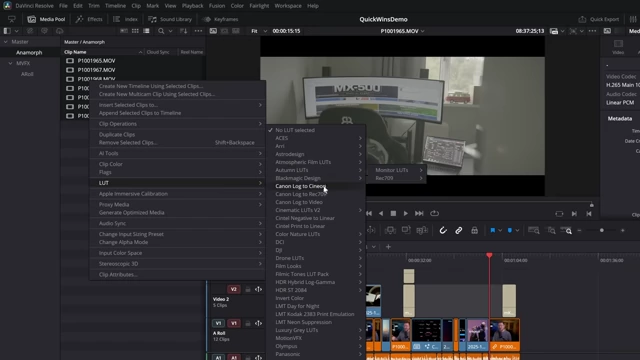
The DaVinci Resolve Media Pool context menu showing the LUT option with various LUTs available for application to selected clips. [ 00:12:08 ]
- This is useful for quickly normalizing log footage to Rec.709 or applying creative looks before editing.
- Filmstrip View: In the Media Pool, switch to "List View," click the three dots, and enable "Show Filmstrip" for a more compact and navigable preview of your clips, especially useful on smaller screens.
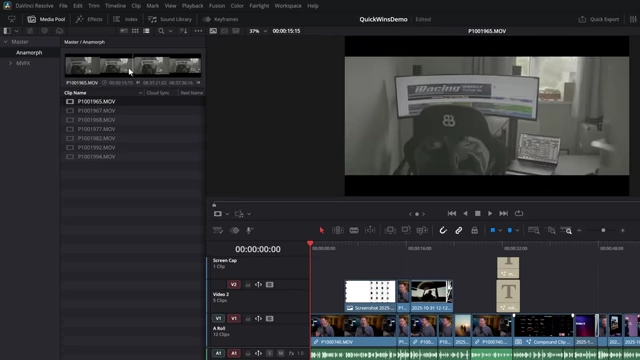
The DaVinci Resolve Media Pool displaying clips in Filmstrip view for a compact horizontal preview. [ 00:13:08 ] - Media Pool Transforms: Select multiple images or videos in the Media Pool, adjust their transform properties (zoom, position, rotation) in the Inspector, and these changes will be applied to all instances dragged onto the timeline.
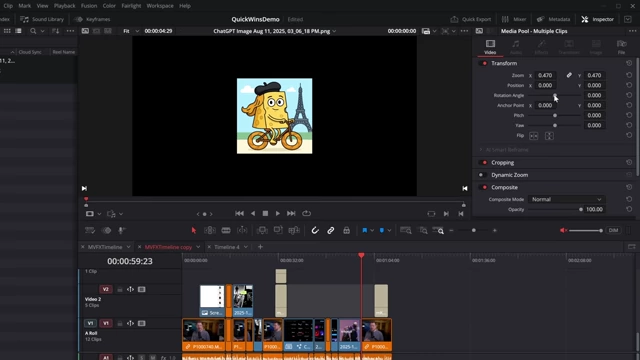
The DaVinci Resolve Media Pool showing multiple images with unified transform settings applied in the Inspector, affecting their zoom and position. [ 00:13:58 ] - Scaling Options in Media Pool: For photos or videos with different aspect ratios, adjust the "Scaling" option (Fit or Fill) in the Inspector for selected Media Pool clips.
- This ensures consistent framing (e.g., filling a vertical timeline with horizontal video) before clips are added to the timeline.
- You can also set these scaling options as default for new timelines.

The DaVinci Resolve Inspector displaying scaling options like "Fit" and "Fill" for an image, showing how it adjusts to the frame. [ 00:14:58 ]
- Power Bins for Universal Assets: Enable "Show Power Bins" from the Media Pool's three-dot menu. Any assets (videos, images, sound effects, music) placed in Power Bins will be accessible across all projects within your current project library, retaining any applied transforms or scaling.

The DaVinci Resolve Media Pool displaying the "Power Bins" section, containing universally accessible assets across all projects. [ 00:16:17 ]
9. Replacing Clips While Retaining Attributes [16:50]
- Smart Clip Replacement: To replace a clip on the timeline without losing its applied color grade, transforms, or effects, position the playhead at the start of the clip.
- Ensure the correct video track (e.g., V1) is enabled.
- Drag the new clip from the Media Pool onto the preview window and select "Replace."
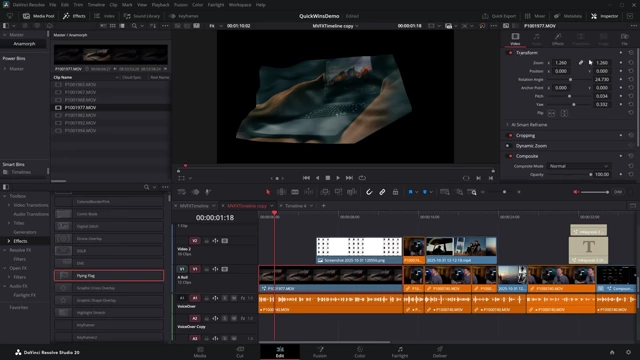
The DaVinci Resolve timeline showing a clip replaced by another from the Media Pool, retaining its original effects and color grade. [ 00:18:07 ]
10. Advanced Timeline and Export Management [18:16]
- Stacked Timelines: Enable "Display Stacked Timelines" by clicking the icon above the timeline. This allows you to open and manage multiple timelines simultaneously.
- Right-clicking on a timeline tab provides quick options like closing, renaming, opening settings, or duplicating for backups.
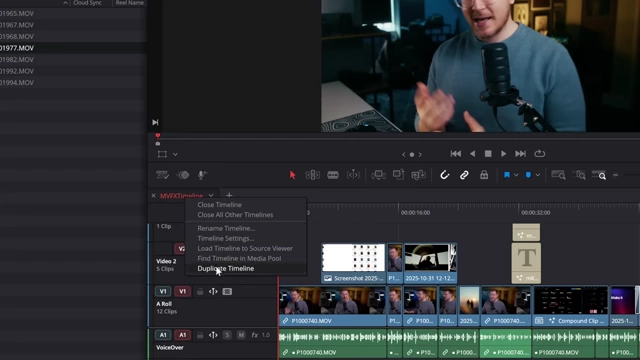
Right-click menu on a DaVinci Resolve timeline tab, showing options like "Duplicate Timeline" and other management features. [ 00:18:47 ]
- Right-clicking on a timeline tab provides quick options like closing, renaming, opening settings, or duplicating for backups.
- Custom Export Presets: On the Deliver page, configure your preferred export settings (format, codec, resolution, frame rate, file naming with wildcards like
%timeline nameand%date%).- Save these as a new preset.
- You can also add presets to "Quick Export" for one-click rendering directly from the Edit page, though wildcards won't apply here (it defaults to the timeline name).

The DaVinci Resolve Deliver page displaying the "Save as New Preset" dialog for custom export settings, including wildcard choices for file naming. [ 00:19:57 ]