DaVinci Resolve: Why to Avoid Hue vs Sat and How to Use Color Slice and Hue vs Hue for Superior Saturation Control
Summary:
This video explains why the traditional "Hue vs Sat" tool in DaVinci Resolve should be avoided for saturation adjustments.
- The "Hue vs Sat" tool uses an older, less sophisticated "videoy" color model that often yields less organic results.
- The primary recommended alternative is DaVinci Resolve 19's "Color Slice" tool, which offers a more "filmic" and "subtractive" approach to saturation, resulting in aesthetically superior and natural-looking color enhancements.
- A second, unexpected alternative is the "Hue vs Hue" curve, which achieves saturation by "purifying" colors. This involves rotating a color's hue to reduce its mixture with other primaries, thereby enhancing its vibrancy and perceived saturation without directly adjusting a saturation slider.
- Using "Color Slice" and "Hue vs Hue" leads to quicker, cleaner, and more consistent cinematic color grades, providing better control over specific hue angles.
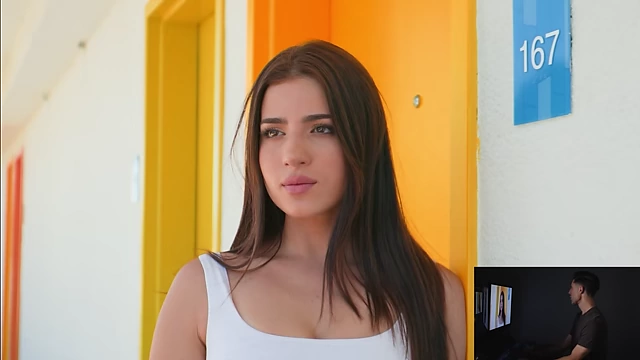
Yellow door saturated using DaVinci Resolve's Color Slice tool, demonstrating a more filmic result. [ 00:03:44 ]
The Tool to Never Use Again, and Why [00:29]
The video begins by highlighting the DaVinci Resolve "Hue vs Sat" tool as a compromised choice for saturation adjustments, despite its common use.
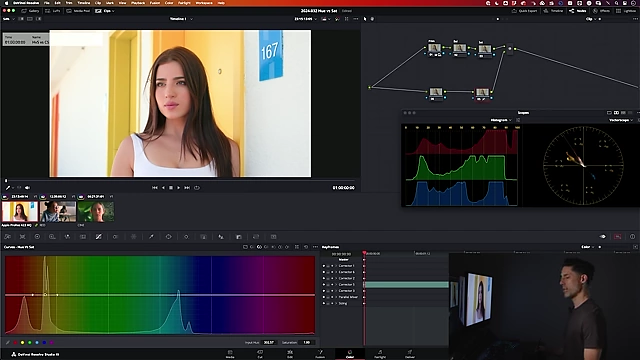
- Purpose of Hue vs Sat
- Designed to increase or decrease saturation at a particular hue angle, unlike the global saturation knob in primaries.
- An example demonstrates using the eyedropper to select the yellow of a door and then pushing the saturation up to its maximum (top floor) to show its effect.
- Limitations of Hue vs Sat
- The saturation type manipulated by Hue vs Sat is described as "old school," "gross," and "videoy."
- It is not consistently aligned with cinematic imagery or organic-feeling saturation adjustments.
One Tool You Should Use Instead [03:01]
The first recommended alternative is DaVinci Resolve 19's "Color Slice" tool.
- Demonstration with Yellow Saturation
- The previous Hue vs Sat adjustment is reset.
- The "Yellow Saturation" slider in the Color Slice tool is increased significantly.
- A side-by-side comparison (wipe) clearly shows Color Slice achieving a more pleasing and organic saturation in the yellow door compared to Hue vs Sat.
Yellow door saturated using DaVinci Resolve's Color Slice tool, demonstrating a more pleasing and organic result. [ 00:03:44 ]
- Demonstration with Blue Saturation
- The adjustment is reset for a new image featuring a girl in a blue sweatshirt.
- The Hue vs Sat tool is used to increase blue saturation, which shows a noticeable, but somewhat lacking, effect even when pushed to the maximum.
- The "Blue Saturation" slider in the Color Slice tool is then used, showing a superior, more filmic result.
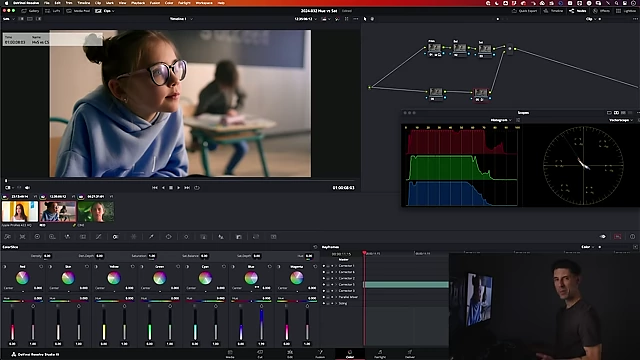
Girl's blue sweatshirt saturated using DaVinci Resolve's Color Slice tool, showing a superior, more filmic result compared to Hue vs Sat. [ 00:06:33 ]
Why This Tool Gives You "Good" Saturation [04:04]
The superior aesthetic of the Color Slice tool is attributed to its underlying color model.
- Advanced Color Model
- Color Slice utilizes a more sophisticated, "filmic," and "subtractive" color model.
- This contrasts with the less refined, "additive" color correction typical of the Hue vs Sat curves.
- Aesthetic Superiority
- Color Slice provides saturation adjustments that feel more organic and natural.
- The difference becomes apparent only when directly comparing it to the Hue vs Sat tool, revealing what was previously "missing."
The Unexpected Second Tool You Should Use [07:00]
The second, less obvious alternative is the "Hue vs Hue" curve.
- Introduction to the Concept of Purity
- Saturation is re-framed in terms of "purity" – how much of one primary color an image contains and how little of the other two.
- A "pure" color, like 100% green, contains no red or blue.
- The example foliage initially has a mix of green and red, indicating lower purity.
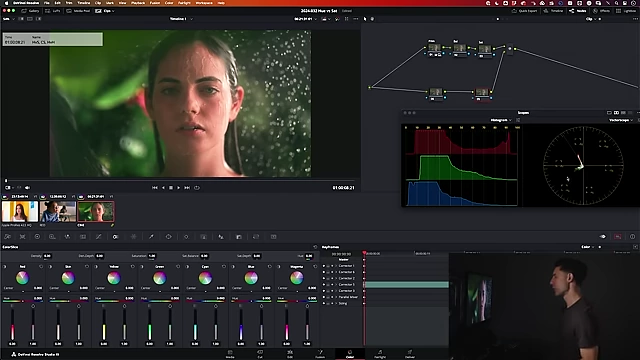
DaVinci Resolve UI showing the vector scope highlighting the original green hue, indicating mixed color. [ 00:08:51 ]
- Demonstration with Green Foliage
- Initial adjustments are made using Hue vs Sat and Color Slice for green foliage, showing moderate effects.
- The "Hue vs Hue" curve is selected.
- The green foliage area is eyedropped, and instead of adjusting saturation, the hue is rotated counter-clockwise.
- This rotation drastically purifies the green, resulting in a significantly more vibrant and saturated appearance, even without explicitly increasing saturation.
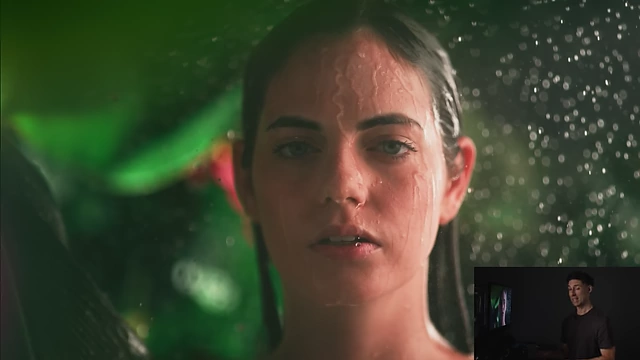
Green foliage enhanced using DaVinci Resolve's Hue vs Hue curve, demonstrating significant color purification. [ 00:09:42 ]
- Control and Strength
- Unlike Hue vs Sat or Color Slice, which often need to be pushed to their limits, the Hue vs Hue adjustment provides a very strong response, allowing for finer control by backing off the intensity.
Why This Works [10:19]
The effectiveness of the Hue vs Hue curve lies in its method of color purification.
- Purity over Explicit Saturation
- By rotating the hue, the tool effectively transforms a mixed color (e.g., green with some red) into a purer form of that color (e.g., pure green).
- This manipulation reduces the mixture of primary colors, making the target color appear more vibrant and saturated without a direct "saturation" adjustment.
- Benefits for Color Grading
- Provides a faster, cleaner, and more consistent way to achieve desired saturation levels for cinematic looks.
- Emphasizes the importance of understanding different types of saturation and aiming for the "best" saturation rather than just any saturation.