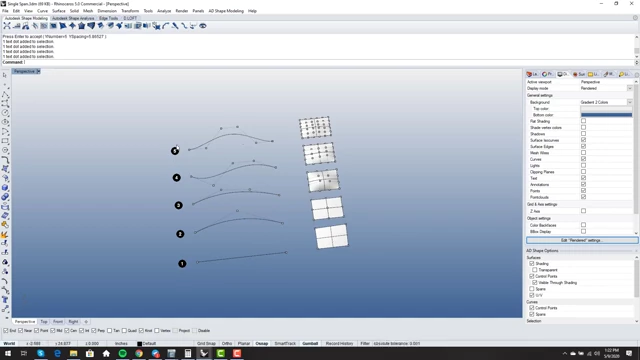
This video, the second episode in the Primary Surfacing series, delves into the fundamentals of single-span curves and surfaces in NURBS modeling, emphasizing their properties and benefits for high-quality, editable surfaces.
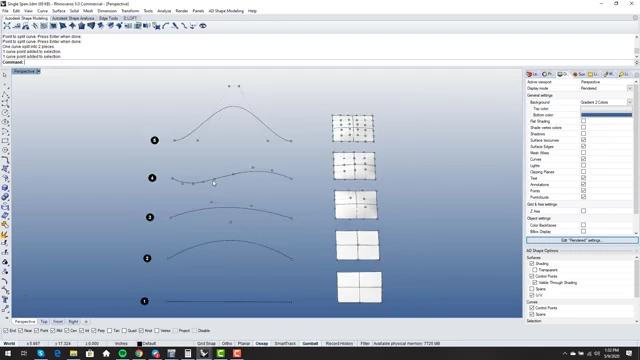
Overview of curves and surfaces from degree 1 to 5, showing the N+1 control point rule
[
00:00:40
]
Definition: A single-span curve or surface is defined by having the minimum number of control points necessary for its degree (e.g., a degree N curve requires N+1 points).
Verification: Tools like Rhino's 'What' command or the 'Rebuild' command (in Rhino 6) can identify the degree and span count.
Benefits:
Smooth Editability: Changes made through point editing propagate smoothly across the entire surface, leading to better blends and matches.
Perfect Matching: Single-span surfaces allow for mathematically perfect matching between edges, avoiding reliance on system tolerances.
Clean Splitting: They can be split cleanly into subsets that retain the original degree and point count.
"Sculpt and Match" Workflow: Facilitates a more flexible modeling approach where surfaces are sculpted and matched directly, reducing dependency on initial curves.
NURBS Properties: Higher degree representations can always mimic lower degree shapes, but not vice-versa. Surfaces can also have different degrees in U and V directions.
Avoiding Over-Definition: A critical indicator of problems is the presence of many iso-curves, signifying an "over-defined" surface that becomes uneditable and results in poor quality. Primary surfaces should ideally have minimal iso-curves.
Optimal Degree: Choosing the right degree depends on the shape's complexity and specific matching requirements (e.g., tangency, curvature).
The video introduces the concept of single-span curves and surfaces, explaining their fundamental definitions and properties within the context of Non-Uniform Rational B-Splines (NURBS) modeling. Understanding these basics is crucial for creating high-quality surfaces.
Definition of Single Span Curves and Surfaces [0:33]
Point Count Rule: A single-span curve or surface is characterized by having the minimum number of control points required for its specified degree.
For example, a degree 1 curve requires 2 control points, a degree 2 curve requires 3 points, and generally, a degree N curve requires N+1 control points. This principle extends to surfaces in both U and V directions.
Overview of curves and surfaces from degree 1 to 5, showing the N+1 control point rule
[
00:00:40
]
Surfaces can have different degrees in different directions (U and V). [10:55]
Software Verification:
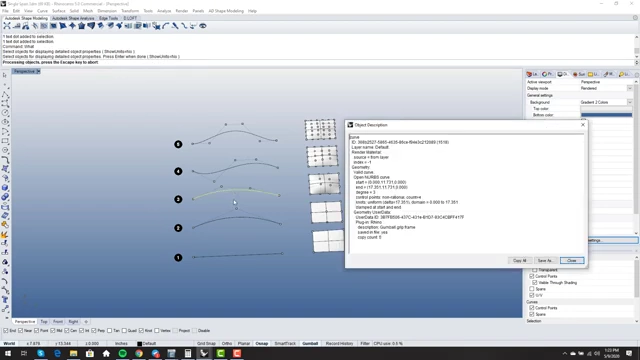
Rhino's 'What' command can be used to inspect an object and display its degree and point count. This helps in determining if a curve or surface is single-span. [2:01]
Rhino's 'What' command displaying curve information including degree and control point count
[
00:02:10
]
In Rhino 6, the 'Rebuild' command can also provide the span count directly, indicating if a surface is single-span (one span) or multi-span. [2:14]
The "Change Degree" Command:
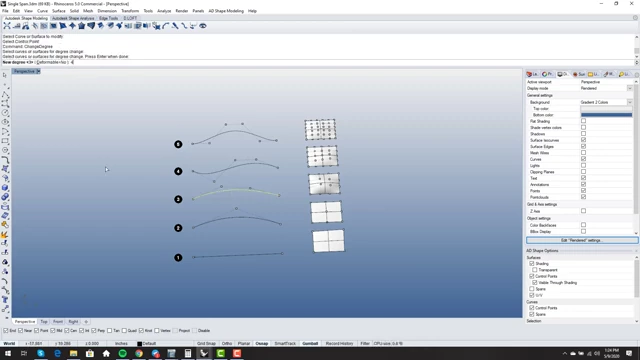
Increasing Degree: NURBS models allow you to increase the degree of a curve or surface without altering its geometric shape. This adds more control points, providing finer control over the shape if needed. [3:06]
Using the 'Change Degree' command in Rhino to increase a curve's degree without changing its shape
[
00:03:06
]
Decreasing Degree: The reverse is not always true; reducing the degree of a curve or surface can potentially change its shape, as a lower degree may not be able to perfectly represent the complexity of a higher degree form. [3:49]
Why Single Span Matters: Benefits and Properties [4:05]
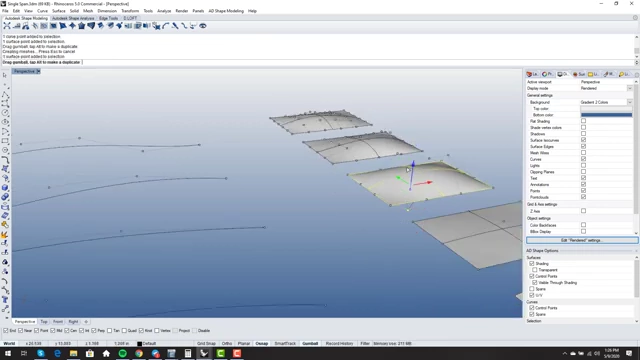
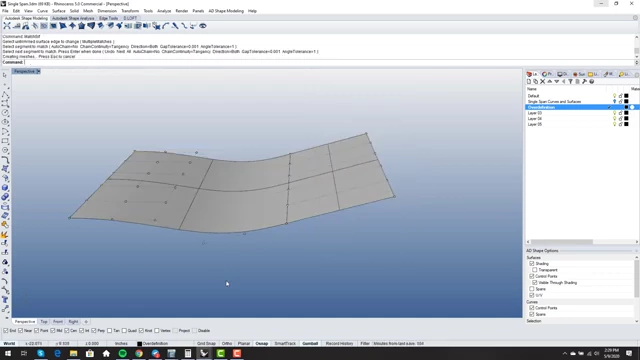
Enhanced Control: Single-span surfaces, having fewer control points, ensure that any movement or adjustment to a control point is smoothly propagated across the entire surface.
Better Blends and Matches: This smooth propagation is fundamental for achieving high-quality blends, matches, and overall curvature, as local changes do not create abrupt discontinuities. [4:27]
Moving a control point on a single-span surface, demonstrating smooth propagation of the edit across the entire surface
[
00:04:30
]
Precision and Accuracy: When the degree and point count of two adjacent single-span surface edges agree, they can be matched with mathematical precision, eliminating reliance on system tolerances. [7:03]
Improved File Interchangeability: This mathematical exactness prevents gaps and "watertight" problems when files are exchanged between different CAD platforms, ensuring model integrity. [7:27]
Subset Creation: A valuable property of NURBS is the ability to cleanly split a curve or surface into multiple subsets. These subsets retain the same degree and point count as the original, preserving geometric integrity. [8:28]
A degree 4 curve being split into two distinct degree 4 subsets, maintaining its properties
[
00:09:09
]
Surface Splitting: For surfaces, this involves splitting along an iso-curve and using the 'ShrinkTrimSurf' command to redefine the resulting smaller surfaces as distinct entities, each maintaining the original properties. [9:23]
A surface split along an iso-curve and then shrunk using 'ShrinkTrimSurf', showing two distinct single-span surfaces
[
00:10:39
]
Higher to Lower: It is always possible to match a higher-degree surface edge to a lower-degree surface edge while maintaining the shape. This is because higher degrees can encompass the forms of lower degrees.
Lower to Higher: Attempting to match a lower-degree surface edge to a higher-degree one may not preserve the original shape, as the lower degree might lack the control to accurately represent the higher degree's complexity. [11:21]
Workflow Shift: From "Curves In, Surfaces Out" to "Sculpt and Match" [12:19]
Rigidity: The conventional "curves in, surfaces out" workflow, where surfaces are generated from initial curves and then considered "done," often lacks the flexibility needed to address subtle surface quality issues or design changes.
Problematic Edits: This approach can lead to situations where fixing problems in generated surfaces becomes difficult or impossible, resulting in poor quality models.
Dynamic Editing: This workflow emphasizes sculpting NURBS surfaces directly using their control points and then matching them to surrounding surfaces. The initial method of generating the surface becomes less critical than the subsequent refinement.
Freedom from Curves: The goal is to quickly move beyond the initial input curves and focus on manipulating the surfaces themselves, allowing for greater creative freedom and problem-solving. [15:12]
Improved Surface Quality: By enabling continuous adjustment and precise matching, the "sculpt and match" approach leads to significantly higher surface quality and editability throughout the design process. [16:00]
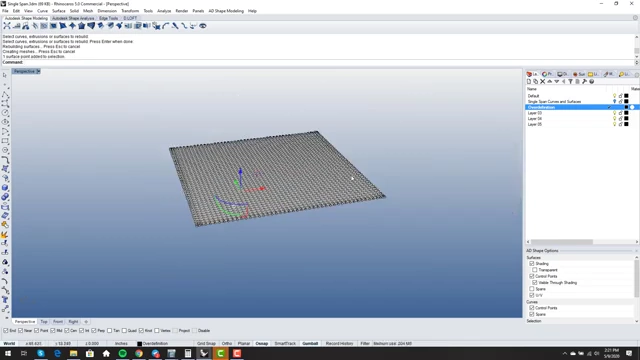
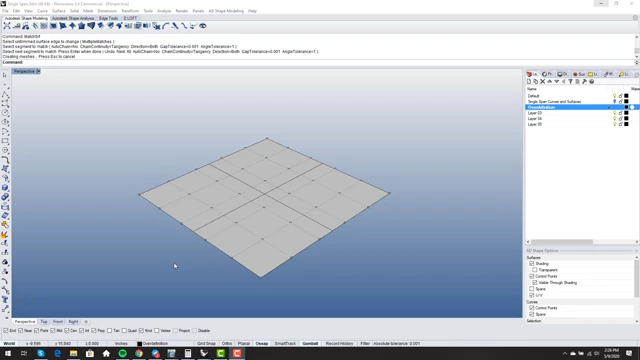
"Red Light" Warning: A critical indicator of an "over-defined" surface is the presence of an excessive number of iso-curves (isoparametric curves) on a primary surface.
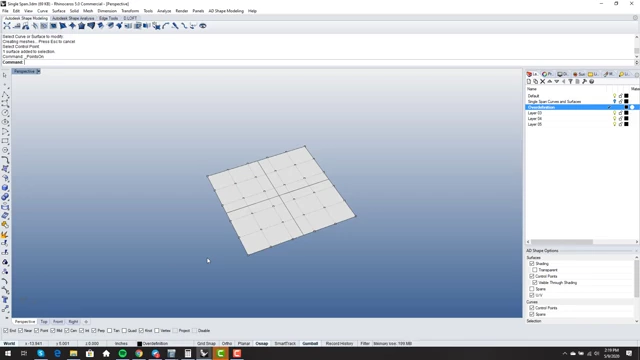
Ideal Appearance: Ideally, a clean primary surface should only show minimal iso-curves, such as one down the middle in each direction, rather than a dense mesh. [16:29]
An ideal primary surface with only minimal iso-curves, indicating proper definition
[
00:17:49
]
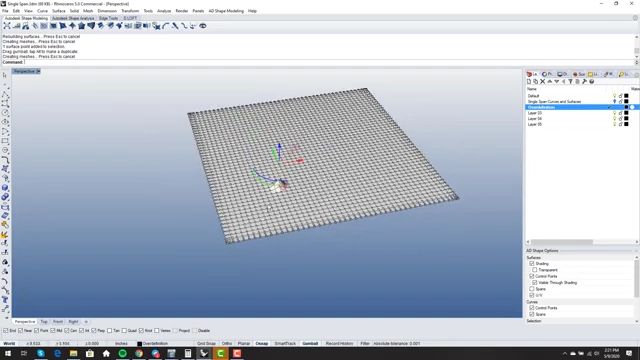
Loss of Smooth Editability: When a surface has too many control points (e.g., 50 in each direction for a simple patch), individual point edits only affect a very small, localized area. This makes it impossible to achieve smooth, sweeping changes across the entire surface. [19:12]
An over-defined surface with an excessive number of iso-curves, making it difficult to edit globally
[
00:19:17
]
A localized edit on an over-defined surface, showing how changes do not propagate smoothly
[
00:19:27
]
Unmanageable Geometry: The interior of an over-defined surface becomes an "unmanageable mess," hindering constructive or elegant modifications. [19:34]
Matching Difficulties: Over-definition complicates surface matching, as the numerous control points can lead to issues like folded geometry or non-manifold edges. [22:09]
Poor Quality and Uneditability: Ultimately, over-defined surfaces are prone to poor quality and are extremely difficult, if not impossible, to edit effectively, thereby "baking in" problems. [23:48]
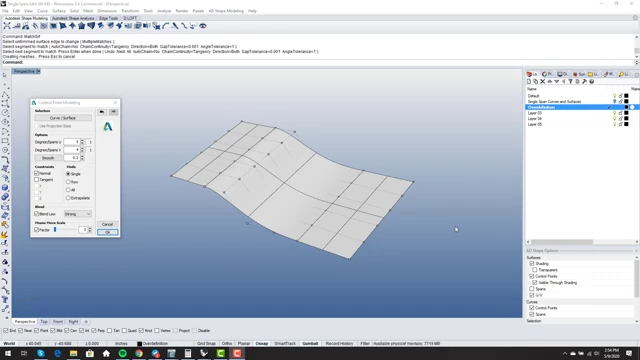
A single-span surface after a match operation, demonstrating smooth propagation of changes across the entire surface
[
00:23:27
]
Determining Optimal Degree for Primary Surfaces [24:21]
Control vs. Simplicity: The degree of a primary surface should be chosen based on the inherent complexity of the shape it needs to represent. Higher degrees offer more control over intricate forms.
Efficiency: Often, simpler primary surfaces can be achieved with lower degrees (e.g., degree 3) while still providing sufficient control for point editing, especially when patch layouts are optimized. [25:07]
Edge Matching Levels: The degree of a surface should also consider the required level of continuity for its edges (e.g., position, tangency, curvature).
Position (G0): Requires matching only the edge points.
Tangency (G1): Requires control over the first row of points from the edge.
Curvature (G2): Requires control over the first two rows of points from the edge. [26:13]
A surface being matched to another by curvature, illustrating the three rows of control points involved in G2 continuity
[
00:26:46
]
Editing Flexibility with Degree: A higher degree provides more rows of control points further from the edge that can be manipulated without affecting the critical points responsible for matching continuity. This allows for internal sculpting while maintaining external matches. [28:27]
A degree 4 surface with one edge matched for curvature (G2) and the opposite edge for tangency (G1), highlighting the remaining editable control points
[
00:30:37
]
Minimum Degree Principle: It's advisable to determine the minimum degree necessary to satisfy both the shape complexity and the required matching continuity for a given surface. [29:52]