DaVinci Resolve Saturation Curve Tutorial: Mastering Precise Color Control for Specific Ranges
Summary:
This DaVinci Resolve tutorial demonstrates how to use the Saturation Curve for precise control over color saturation in images. It begins by showing limitations of standard saturation adjustments that apply linearly across all colors. The core technique involves:
- Changing a node's color space to HSL.
- Using the green channel in custom curves to manipulate saturation. The video illustrates practical applications, such as:
- Selectively decreasing highly saturated reds while preserving skin tones.
- Boosting high saturation in dominant colors without affecting other elements.
- Increasing lower saturation levels while simultaneously reducing higher ones to create unique looks.
- Achieving a selective color effect where only highly saturated elements remain colored.
This method provides greater creative freedom to tailor image saturation to specific artistic intents.
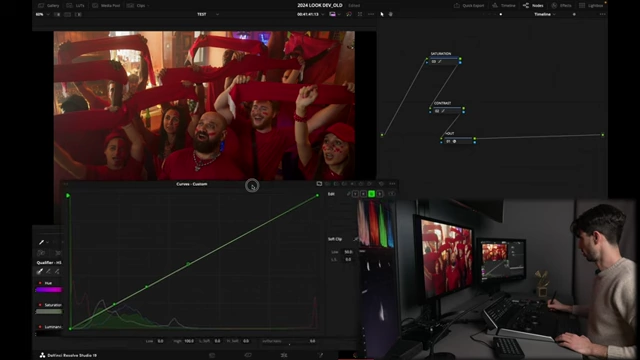
The DaVinci Resolve interface showing the saturation curve being adjusted for precise saturation control. [ 00:06:55 ]
Introduction to Saturation Control [0:00]
- The video introduces methods to control and shape saturation in DaVinci Resolve, focusing on both highly saturated and less saturated colors to better align with creative intent.
- Standard Saturation Adjustments [0:59]
- Primary Palette Saturation
- The default saturation control in the primaries palette applies a linear increase to all colors in the image, affecting dominant colors (like red outfits) and skin tones equally.
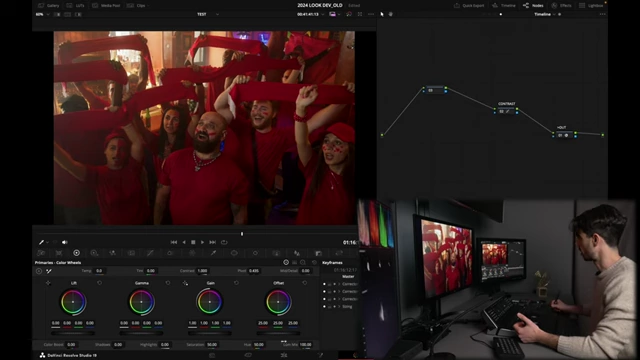
DaVinci Resolve primaries palette showing default saturation settings. [ 00:01:26 ] 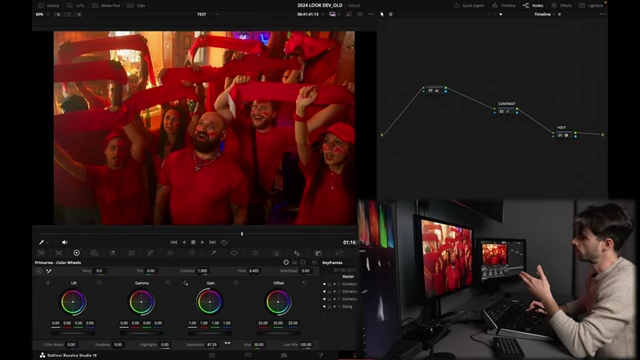
DaVinci Resolve primaries palette showing increased global saturation, affecting all colors linearly. [ 00:01:59 ]
- The default saturation control in the primaries palette applies a linear increase to all colors in the image, affecting dominant colors (like red outfits) and skin tones equally.
- HDR Tab Saturation [2:14]
- The HDR tab offers another saturation control, which is color space aware but still generally increases saturation in a somewhat linear fashion across the image.
- Limitations of Global Adjustments [2:31]
- Both primary and HDR saturation controls increase all colors by the same amount, which may not be desirable when targeting specific saturation ranges.
- Primary Palette Saturation
Implementing Saturation Curves in DaVinci Resolve [2:43]
- To achieve precise control, a dedicated node is used and its color space is adjusted.
- Setting up the Node [3:03]
- Create a new node (e.g., before a contrast node) and rename it "Saturation" for clarity.
- Right-click on the node and change its color space to HSL (Hue, Saturation, Luminance).
- Understanding HSL Color Space [3:38]
- In HSL, increasing saturation makes colors brighter, and decreasing saturation makes them darker.
- This behavior is opposite to the HSV color space, so the choice between HSL and HSV depends on the desired creative outcome.
- Curve Channel Mappings [4:31]
- After converting to HSL, the standard RGB channels in the custom curves palette remap their functions:
- The red channel controls Hue.
- The green channel controls Saturation.
- The blue channel controls Luminance.
- Manipulating the green channel (saturation curve) allows for granular control over different saturation levels in the image.
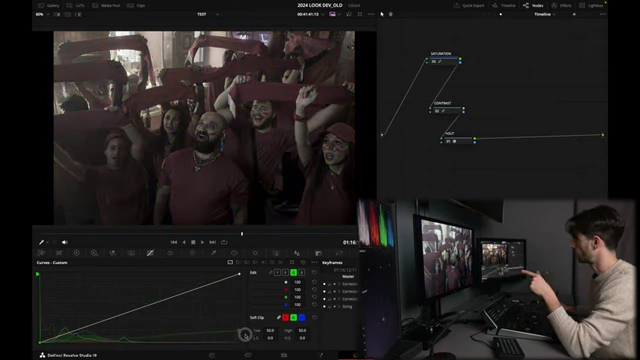
DaVinci Resolve custom curves showing the green channel mapped to saturation in HSL color space. [ 00:05:23 ]
- After converting to HSL, the standard RGB channels in the custom curves palette remap their functions:
Targeting Specific Saturation Ranges [6:05]
- The saturation curve allows for non-linear adjustments, enabling specific creative effects.
- Decreasing High Saturation [6:41]
- To reduce saturation in highly saturated areas (e.g., bright red elements), three control points are added to the green channel curve.
- Pulling down the top end of the curve creates a "roll-off" effect, desaturating the most saturated colors (like red t-shirts and scarves) while leaving less saturated areas (like skin tones) largely unaffected.
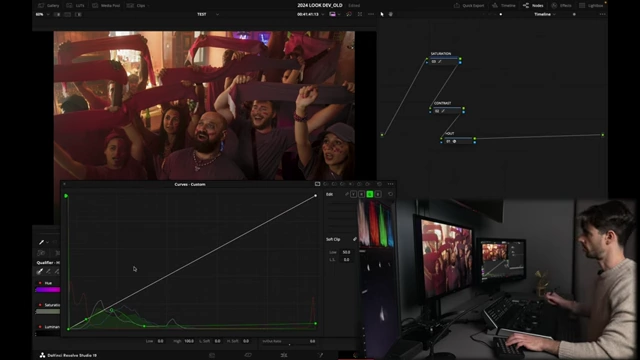
Adjusting the saturation curve to decrease high saturation values in an image. [ 00:08:05 ]
- Boosting High Saturation [8:34]
- Conversely, to increase saturation in highly saturated colors, the top end of the green channel curve is pushed upwards.
- This selectively boosts dominant, already saturated colors without over-saturating or affecting skin tones significantly.
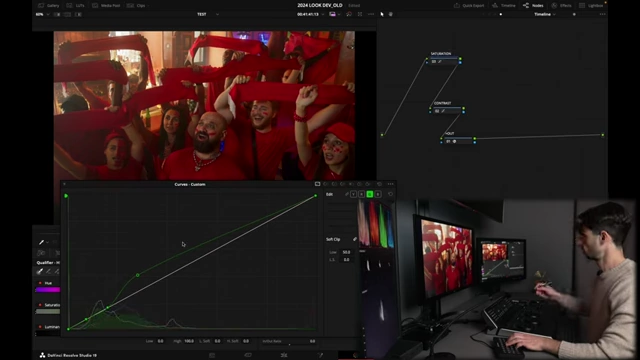
Increasing the high saturation range on the green curve to boost vibrant colors. [ 00:08:50 ]
- Adjusting Low Saturation and Creative Effects [9:34]
- Increasing Low, Decreasing High Saturation [9:34]
- By shaping the curve into an S-like form (pushing the bottom part up and pulling the top part down), lower saturations (like skin tones) can be boosted while higher saturations (like bright reds) are simultaneously decreased.

DaVinci Resolve showing the S-shaped saturation curve to boost low saturations and decrease high saturations on a different clip. [ 00:11:12 ]
- By shaping the curve into an S-like form (pushing the bottom part up and pulling the top part down), lower saturations (like skin tones) can be boosted while higher saturations (like bright reds) are simultaneously decreased.
- Isolating High Saturation [11:39]
- An advanced creative technique involves keeping only the most saturated colors. This is achieved by placing the top control point on the unity line and pulling the rest of the curve down, effectively desaturating all colors except the highest saturated ones, creating a "selective color" effect (e.g., black and white with a single color pop).

A creative example demonstrating how to desaturate all colors except the highest saturated ones using the green curve, creating a selective color effect. [ 00:12:25 ]
- An advanced creative technique involves keeping only the most saturated colors. This is achieved by placing the top control point on the unity line and pulling the rest of the curve down, effectively desaturating all colors except the highest saturated ones, creating a "selective color" effect (e.g., black and white with a single color pop).
- Increasing Low, Decreasing High Saturation [9:34]