Primary Surfacing: Creating Complex Ball Corners with Curved Surfaces in Rhino (Episode 12)
Summary:
This video, part of the "Primary Surfacing" series, demonstrates how to create complex ball corners using curved primary surfaces in Rhino, building on previous basic tutorials.
- The process begins with preparing initial curved surfaces and using a sphere as a sizing guide to intersect and split them by iso-curve.
- Blend curves are then created, and
Surface from Edge Curvesis used to generate blend surfaces, ensuring curvature continuity. Match Surfis extensively used, often requiring increased surface degrees, to achieve high levels of tangency and curvature across the blend surfaces.- A specific technique for creating the central trimmed corner involves splitting blend surfaces further back by iso-curve to form a four-sided hole.
- The final central surface is then matched for continuity, with an emphasis on achieving good tangency, even if perfect curvature is challenging for the smallest trimmed edge.

Final smoothly contoured ball corner achieved with advanced surfacing techniques. [ 00:00:10 ]
Introduction to Advanced Ball Corners [0:00]
- This video is Episode 12 of the "Primary Surfacing" series, expanding on the ball corner basics introduced in Episode 10.
- The focus is on creating ball corners when the primary surfaces have inherent curvature, rather than being flat planes.
- The core approach remains identical to the easier cases, but the setup and refinement steps are more involved.
- The goal is to achieve soft, aesthetically pleasing corners, similar to those found in Subdivision (Sub-D) modeling.
- A slightly different technique for generating the trimmed corner surface will be demonstrated.
Preparing Primary Surfaces [1:37]
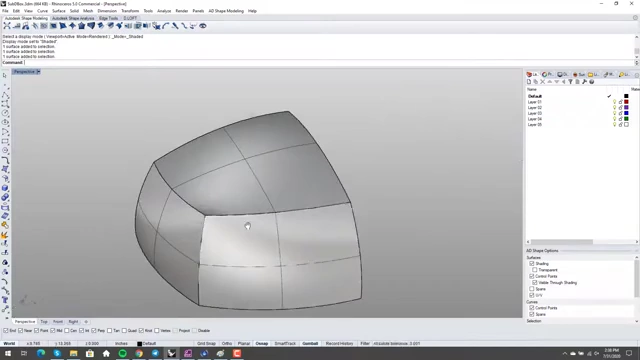
- The process starts with simple primary surfaces that already possess curvature.
- These surfaces are quickly created by point-editing a flat plane after increasing its degree.
- A sphere is introduced at the corner intersection point to serve as a sizing guide for the future blends.
- The sphere is intersected with all surrounding primary surfaces.
- The primary surfaces are then split by iso-curve based on the intersection curves created by the sphere.
- The sphere and any unwanted parts of the primary surfaces are deleted, leaving trimmed sections with open edges.
Creating Initial Blend Surfaces [3:06]
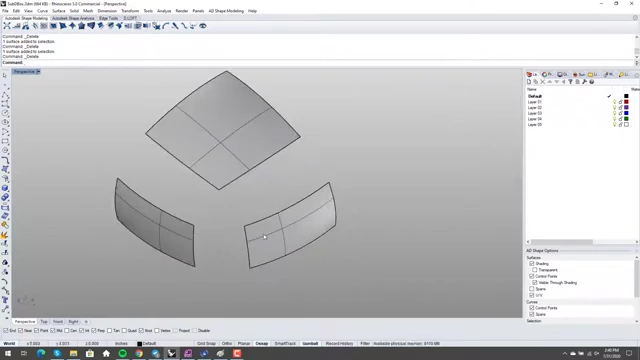
- Blend curves are generated between the newly trimmed edges of the primary surfaces.
- When using
Blend Curve, it is crucial to use theCurvaturecontinuity option to influence the resulting surface shape. - Visualizing the curvature of the blend curves helps predict the final surface quality, an advantage over Rhino's
BlendSurfcommand which lacks this real-time curvature feedback.
- When using
Surface from Edge Curvesis then used to create the actual blend surfaces from these blend curves.- The resulting blend surfaces should have appropriate point counts and degrees for clean geometry.
- The construction blend curves are deleted once the surfaces are created.
Matching Blend Surfaces for Continuity [5:22]
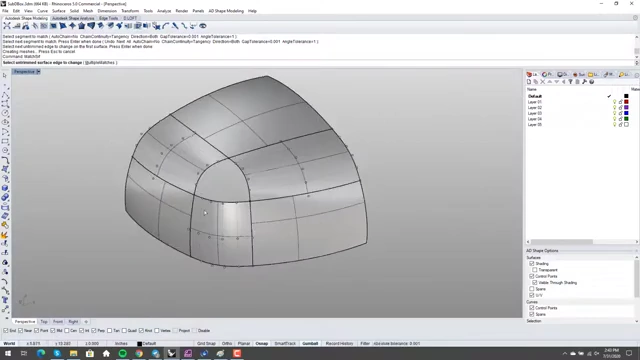
- The next step involves using
Match Surfwith theMultiple Matchesoption to ensure precise continuity between the blend surfaces and their adjacent primary surfaces.- The
Curvatureoption should be selected for matching, along withAutomaticfor handling iso-curve directions.
- The
- Analyzing the continuity is vital, using tools like VSR (Visual Surface Review) or traditional Zebra stripes.
- Initial analysis might reveal areas with poor tangency or curvature breaks.
- To improve continuity, the degree of the blend surfaces might need to be increased (e.g., from 3 to 4, or higher).
- After increasing the degree, the
Match Surfcommand is run again to achieve better continuity values. - The goal is to achieve very low tangency breaks (e.g., in the ten-thousandths) and minimal curvature breaks.
- After increasing the degree, the
Implementing an Alternative Trimmed Corner Method [8:38]
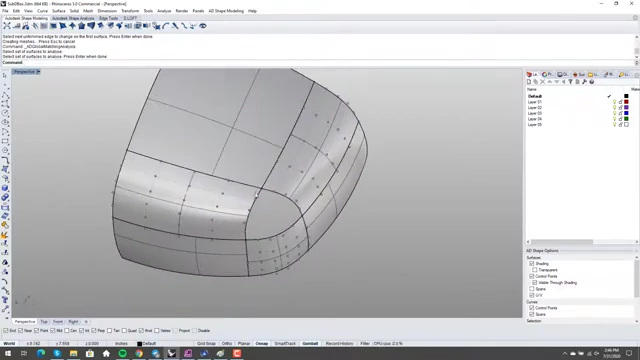
- A different approach for creating the central trimmed corner is introduced, contrasting with methods that explicitly move edges back.
- Instead of directly creating a four-sided hole by moving edges, the existing blend surfaces are split further back by iso-curve.
- This process effectively extends the boundary of the central corner area.
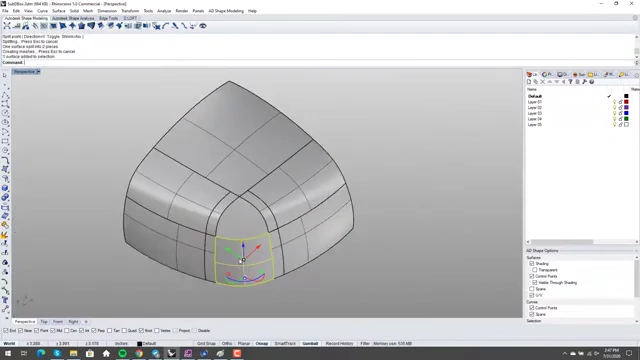
Blend surfaces split by iso-curve further back, effectively enlarging the area for the central corner surface. [ 00:09:57 ]
- The original central blend surface (if one was made) is deleted.
- A new blend surface is then created using
Surface from Edge Curvesfrom the newly established, larger boundaries.
- A new blend surface is then created using
- This new central surface is matched on three of its sides to the surrounding blend surfaces, ignoring the edge that will eventually be trimmed.
- Due to shared vertices and the desire for high continuity, the degree of this central surface might need to be increased multiple times (e.g., from 5x5 to 6x6, then 7x7) and
Match Surfre-applied. - This iterative process is crucial for achieving satisfactory tangency and curvature on all matched edges.
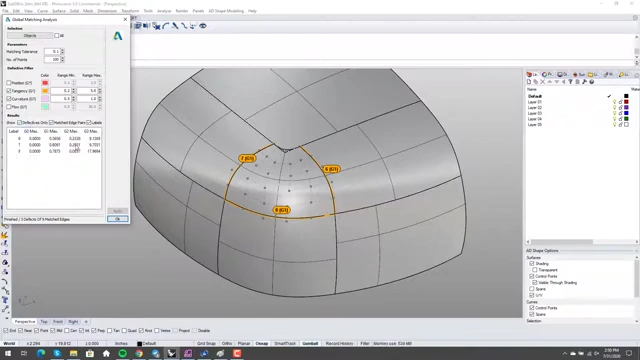
VSR analysis reveals poor tangency and curvature on the central blend surface before optimization. [ 00:12:46 ] 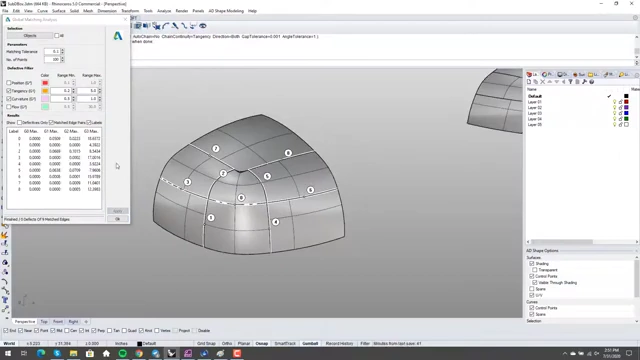
Improved VSR analysis after increasing the central blend surface's degree and re-matching, showing better continuity. [ 00:13:55 ]
- Due to shared vertices and the desire for high continuity, the degree of this central surface might need to be increased multiple times (e.g., from 5x5 to 6x6, then 7x7) and
Completing the Corner and Final Analysis [14:20]
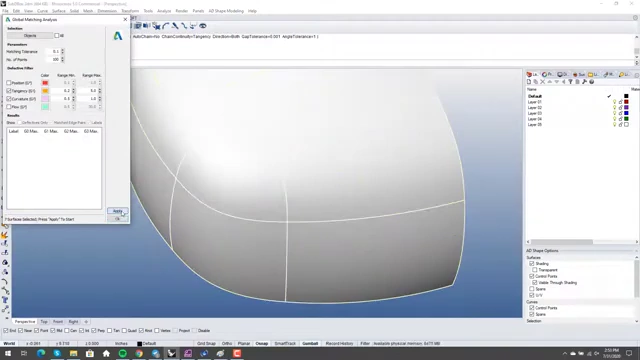
- Once the central blend surface has good continuity on its three main edges, the final steps are performed.
- The remaining central curve is pulled onto the surface, and the blend surface is split by this curve.
- The excess portion of the surface and the curve are then deleted, leaving the final trimmed corner piece.
- The final, smallest surface piece (the actual ball corner) is matched to its surrounding edges.
- During this step, it's important to use
Merge Edgeif any edges have inadvertently split during previous trimming operations, and then re-split them at precise endpoints.
- During this step, it's important to use
- The matching is initially set for
Tangency.- While attempting to achieve
Curvaturecontinuity for this final, small piece is possible by further increasing its degree and re-matching, it might not always be necessary depending on the design intent. - For non-Class A surfacing, good
Tangencyfor this final trimmed edge is often sufficient, ensuring a smooth visual flow.
- While attempting to achieve
- A final check with Zebra stripes confirms the overall watertightness and smooth flow of light across the entire model.
- The visual analysis should show continuous, flowing stripes, indicating a high-quality surface.
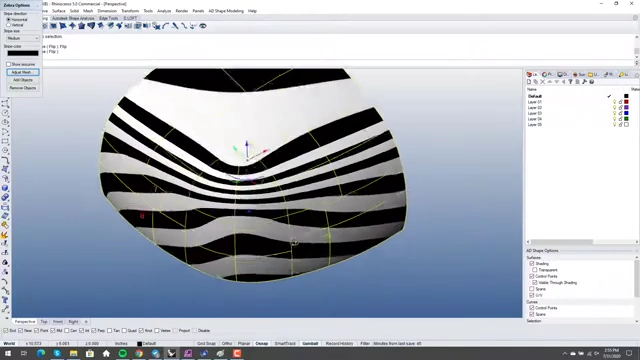
Zebra stripes analysis reveals smooth and continuous light flow across the entire model. [ 00:17:44 ]
- The visual analysis should show continuous, flowing stripes, indicating a high-quality surface.