How to Plan Your Content with Notion: A 5-Step System for Organization and Consistency
This video presents a 5-step content planning system using Notion to help creators overcome overwhelm and burnout.
- Why Notion? It offers a visual, customizable platform for planning, unlike rigid spreadsheets.
- Template Breakdown: The speaker shares her Notion template, featuring sections for prep and posting schedules, and content pillars.
- Realistic Expectations: Emphasizes the importance of setting realistic posting frequencies (e.g., 2-3 times/week) to maintain consistency and avoid burnout, rather than aiming for daily posts.
- 5-Step System:
- Vision Check-in: Align content with your "why," goals, and audience.
- Priority Brain Dump: Identify key events, launches, or personal themes for the month.
- Idea Space: Gather all content ideas, categorized by content pillars.
- Fill Monthly Schedule: Drag and drop ideas into the planner, assigning format, status, platform, pillar, and date.
- Define Concepts: Expand each concept with brainstorms, scripts/talking points, shot lists, and optional mood boards.
The system aims to provide clarity, reduce stress, and make content creation enjoyable and sustainable.

Overview of the Notion Content Planning Template [ 00:04:39 ]
Introduction to Organized Content Planning [00:00]
The video addresses the common issue of content creators staring at a blank screen, lacking a clear content calendar, and feeling overwhelmed. The speaker, Mia, introduces a 5-step content planning system using Notion, designed to transform the creation process from dread to enjoyment and consistency.
The Benefits of a Structured Plan [00:51]
- Consistency: A clear plan helps maintain a regular posting schedule.
- Enjoyment: When the process is organized, it becomes more fun and less stressful.
- Audience Growth: Consistent, enjoyable content has a higher chance of reaching new audiences.

Content Planning System: From Overwhelmed to Enjoyment [ 00:01:00 ]
Why Notion for Content Planning? [02:09]
Mia explains her long-standing use and love for Notion, highlighting its key advantages for content planning.
- Versatility: Notion can be used for various aspects of life and business.
- Visual Appeal: Unlike spreadsheets, Notion allows for color, emojis, and imagery, catering to visual learners and making planning more engaging.
- Customization: Users can create pages within pages, add galleries, calendars, tables, and tasks, tailoring it to their specific needs.
- Templates: Notion offers free templates for new users to get started easily, and countless community templates are available online.
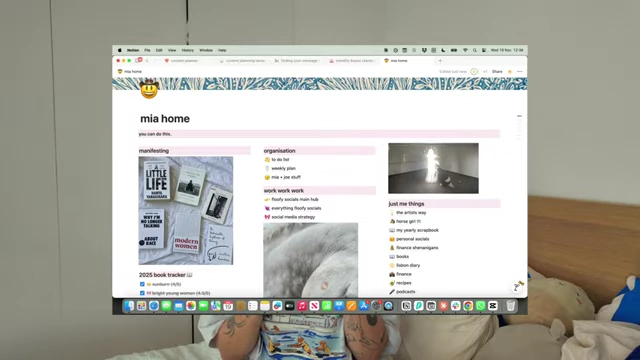
Notion "Mia Home" Dashboard Overview [ 00:02:40 ] 
Creating a New Page with Notion's Free Template Options [ 00:03:52 ]
Overview of Mia's Content Planning Template [04:30]
Mia walks through her personal Notion content planning template, explaining each crucial section.
- Prep Schedule [05:03] - This section defines specific days for planning, filming, and editing content. - It promotes staying ahead and maintaining consistency, avoiding scattered, unstructured work that leads to burnout.
- Posting Schedule [06:00]
- Clearly outlines the days content will be published (e.g., Mondays, Wednesdays, Fridays).
- Serves as an accountability tool, ensuring a set rhythm for content release.
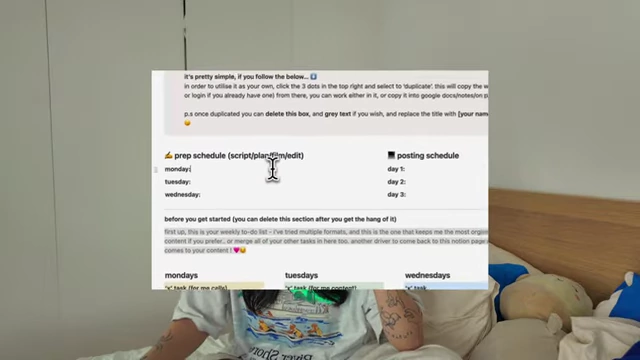
Prep and Posting Schedules in Notion [ 00:05:09 ] 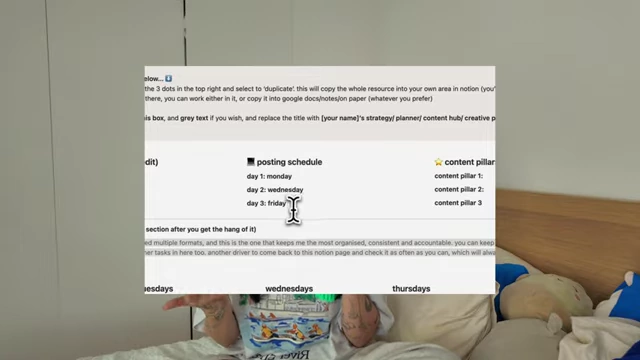
Detailed Posting Schedule Example [ 00:06:09 ]
The Importance of Realistic Posting Frequency [06:55]
Mia stresses the need to be realistic about how much content one can consistently create and post.
- Avoiding Burnout: Overcommitting to frequent posting (e.g., seven times a week) often leads to burnout and a sense of failure if targets are missed.
- Quality over Quantity: Many successful creators post less frequently (e.g., once or twice a week) but maintain high engagement because their content is well-thought-out and high quality.
- Flexibility and Pride: Posting less allows creators more time to craft content they love and are proud of, fostering a more sustainable and enjoyable creative process.
- Gradual Increase: Starting with a manageable frequency (e.g., two posts a week) and gradually increasing if sustainable is recommended.
Content Pillars [10:10]
Content pillars are core topics or subjects around which all content is created.
- Definition: They act as broad categories within your niche (e.g., for a dermatologist, pillars might be "routines," "education," "myth-busting," "real results").
- Breadth: Pillars should be wide enough to generate numerous ideas but not so specific that you run out of content topics.
- Personal Connection: Pillars should resonate with the creator's passion and expertise to ensure authenticity and prevent burnout.
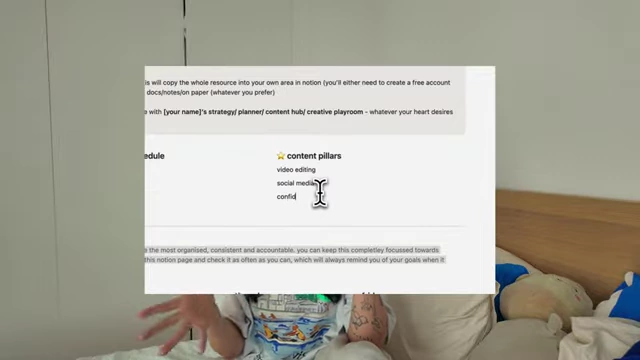
Defining Content Pillars in Notion [ 00:10:18 ]
Monthly Content Planning Schedule [12:48]
This is the central hub for planning all social media content.
- Structure: The template includes tabs for short-form, long-form, and an overall calendar view, allowing for organized viewing.
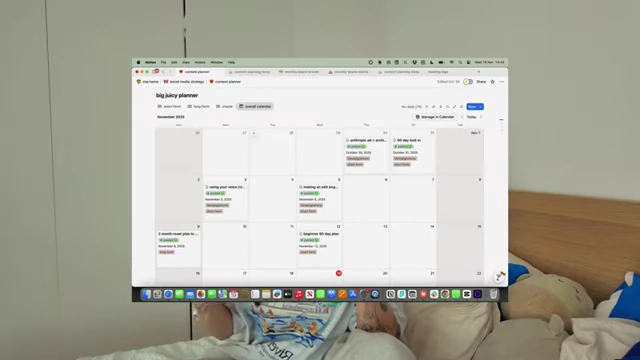
Monthly Content Planner in Calendar View [ 00:13:08 ] 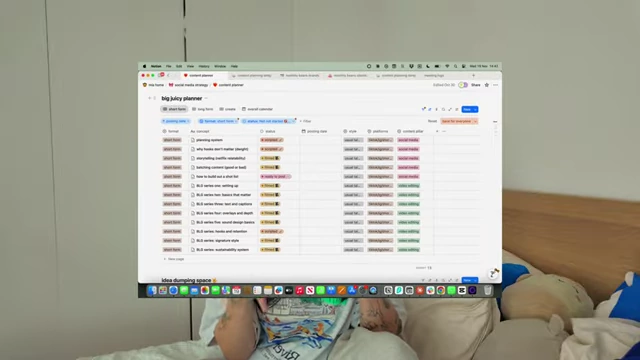
Monthly Content Planner in Table View [ 00:13:13 ] - Customizable Rows: The table features rows for:
- Content Format: (e.g., video, carousel, newsletter).
- Concept: The specific idea for the content piece. - Status: Tracks the progress (not started, filmed, editing, posted). - Platform: Where the content will be published (YouTube, Instagram, TikTok, LinkedIn).
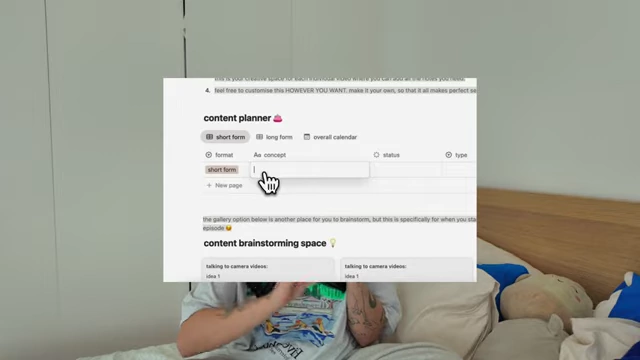
Populating Content Concept in Planner [ 00:13:57 ] - Content Pillar: Which pillar the content falls under. - Posting Date: The planned publication date.
Content Type Options in Notion Planner [ 00:14:21 ]
Idea Brainstorming Space [14:26]
A dedicated gallery section for storing all content ideas.
- Organization: Ideas can be categorized by content pillars for easy retrieval.
- Purpose: This ensures all ideas are in one place, preventing the need to start from scratch during planning sessions.
Optional Instagram Stories Planning [15:25]
For those overwhelmed by Instagram stories, an optional section allows for soft planning.
- Minimalist Approach: Focus on jotting down general ideas based on monthly events, audience questions, or extended discussions from other content.
- Goal Setting: Set a realistic goal for story frequency (e.g., four times a week).
The 5-Step Content Planning System [17:00]
Mia outlines the structured process for planning content.
- Planning Frequency: Choose a realistic frequency for planning (weekly, bi-weekly, or monthly). Mia prefers monthly planning to complete it in one go.

Planning Frequency Options: Weekly, Bi-weekly, Monthly [ 00:17:17 ]
Step 1: Vision Check-in [17:37]
- Purpose: Reconnect with your "why," vision, goals, and target audience.
- Process: Spend 5 minutes reviewing your foundational documents (or use Mia's free vision template) to ensure alignment and prevent creating misdirected content.
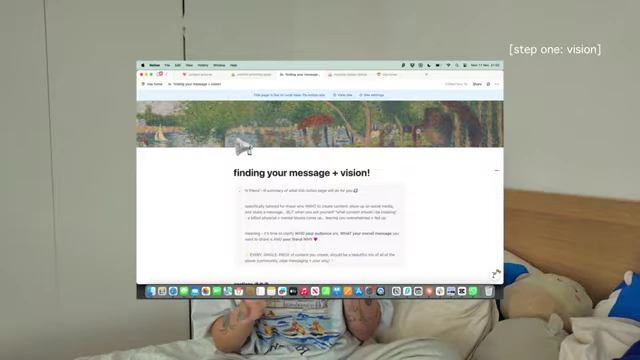
Vision Check-in: "Finding Your Message + Vision" Notion Page [ 00:17:46 ] 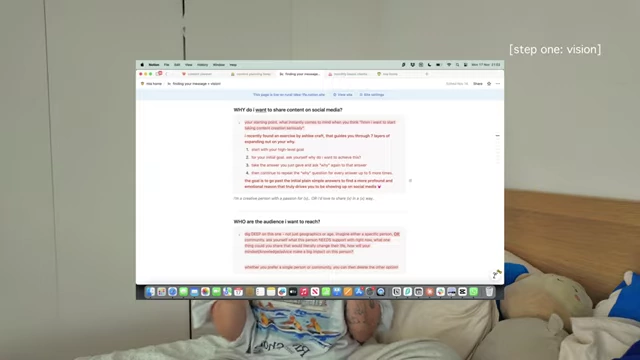
Defining Your Audience and Why in the Vision Template [ 00:17:53 ]
Step 2: Priority Brain Dump [18:41]
- Purpose: Identify content priorities for the upcoming month.
- Process: Brainstorm any essential events, industry trends, personal life updates, product launches, or service promotions that need to be incorporated into content.
- Outcome: This step helps prioritize what content should be created first.
Step 3: Ideas [19:36]
- Purpose: Access and draw from your accumulated content ideas.
- Process: Open your content brainstorming space (or other idea repositories) and consider visual inspiration (e.g., Pinterest) to expand on concepts.
- Benefit: Having ideas readily available prevents starting from zero each planning session.
Step 4: Filling Your Monthly Schedule [20:37]
- Purpose: Populate the Notion planner with your selected content concepts.
- Process:
- Refer back to your predetermined posting schedule (e.g., two posts a week means eight rows for a month).
- Drag and drop ideas from your brainstorming space into these blank rows.
- Fill in the content format, status (initially "not started"), type (e.g., talking head, vlog, carousel), associated content pillar, and target posting date.
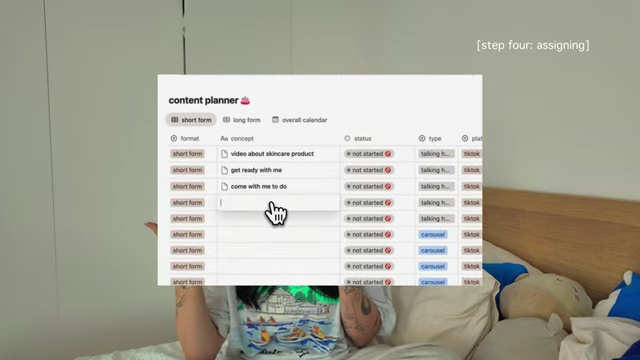
Populating the Content Planner with Ideas [ 00:21:16 ]
Step 5: Defining Everything [22:03]
- Purpose: Flesh out each content concept to prevent overwhelm during creation.
- Process:
- Click on each concept in the planner to open an expanded page.
- Brainstorm: Briefly outline what you want to achieve, discuss, or where you'll film.
- Script/Talking Points: Write a full script or bulleted talking points for voice-over or direct-to-camera segments.
- Shot List: For intricate videos, detail specific shots to capture (e.g., "posing in front of mirror," "making tea") to ensure productivity during filming. - Mood Board (Optional): Collect visual inspiration to better understand the desired aesthetic and communicate the vision.
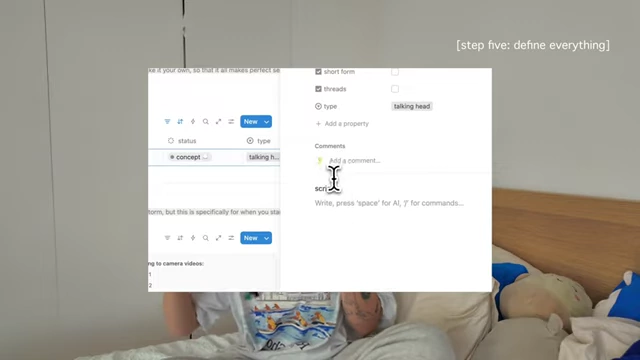
Expanded Content Concept Page for Scripting [ 00:22:15 ] 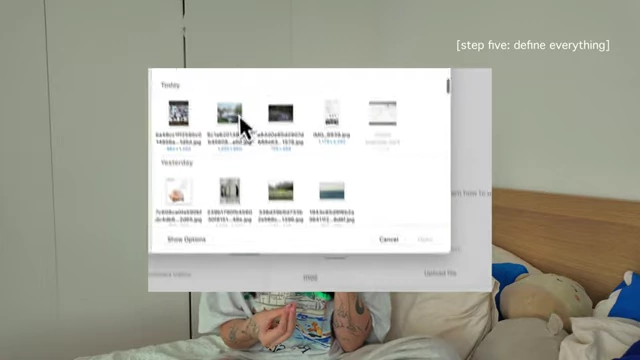
Uploading Images for a Mood Board within a Content Concept [ 00:23:30 ] - Benefit: Deeper understanding of each content piece leads to better performance and viewer comprehension.
Closing Thoughts [24:30]
Mia acknowledges that the system may seem extensive but emphasizes that it saves significant time and reduces stress in the long run. It provides clarity and direction, making the content creation journey much more manageable and enjoyable. She encourages users to find a template that works for them and to ask questions in the comments.