Chris Brockhurst's YouTube Video Production Workflow: Gear, AI, and Backup Strategies
Summary:
Chris Brockhurst details his complete YouTube video production setup and workflow, covering hardware, software, and AI tools for efficiency.
- He uses a Sony FX2 camera with the Monitor & Control app and a Manfrotto tripod that easily switches between horizontal and vertical shooting.
- A portable power bank ensures his camera and iPad stay charged for longer recording sessions.
- The Elgato Prompter allows him to read notes or scripts while looking directly at the camera.
- AI tools like ChatGPT are integrated into pre-production for generating ideas, scripts, titles, tags, and chapter markers. Artlist's Nano Banana Pro is used for generating high-quality YouTube thumbnails.
- He emphasizes robust data management using ProGrade SD cards, an 8TB ProGrade SSD for editing, and an OWC RAID for long-term storage, all backed up to Backblaze cloud.
- His editing setup includes Final Cut Pro and Resolve, enhanced by a vertical secondary monitor and a Tourbox for custom shortcuts.
- The entire process is streamlined to accelerate content creation and upload, supported by daily note-taking in physical notebooks and an EDC pouch for portable drives.

Camera and teleprompter setup with iPad showing live camera feed [ 00:00:46 ]
Introduction to the Workflow [0:00]
Chris Brockhurst provides an honest, "raw" look at his entire video production setup, including all the gear on his desk, hard drives, backup methods, and the use of a secondary screen. His goal is to share tools and techniques that make his content creation process more efficient and potentially assist others.
Camera and Monitoring Setup [0:43]
- Primary Camera System
- The main camera used is a Sony FX2 [0:59], though he notes that most Sony cameras from the past five years are excellent for content creation and B-roll.
- He emphasizes comfort with the camera brand as the most important factor.
- Monitoring and Control App
- A key feature for Sony users is the "Monitor & Control" app [1:25], which connects tethered via USB-C or wirelessly to his iPad.
- This app provides a live view of the camera feed and allows full control over camera settings, including starting and stopping recording, directly from the iPad.
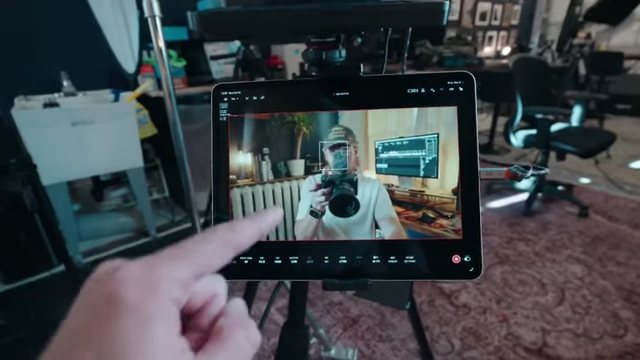
Sony "Monitor & Control" app on iPad, showing live camera feed and controls [ 00:01:50 ]
Tripod and Vertical Shooting [2:04]
- Manfrotto Tripod Features
- He uses a Manfrotto tripod, highlighting its ability to quickly switch between horizontal and vertical shooting orientations.
- A specific button on the tripod allows the camera and teleprompter to rotate 90 degrees instantly, facilitating quick transitions for different video formats like reels.
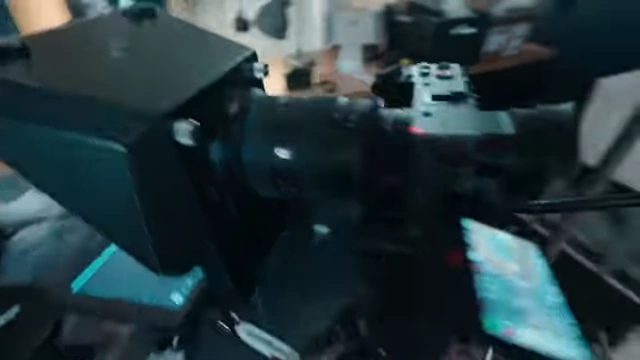
Manfrotto tripod head rotating for quick vertical shooting [ 00:02:10 ]
- iPad Mounting
- The iPad monitor is attached via a 1/4"-20 screw using Mafage magic arms and a DJI iPad mount.
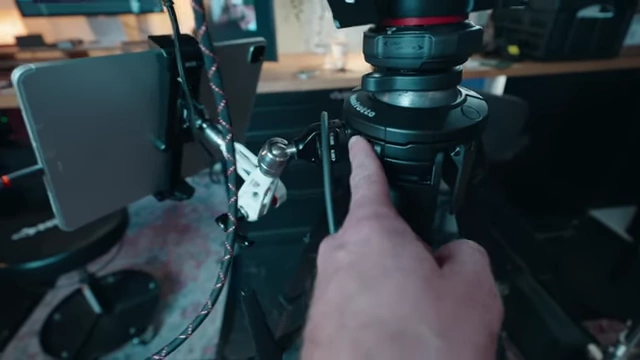
1/4"-20 screw mount on the Manfrotto tripod for attaching accessories like the iPad [ 00:03:12 ]
- The iPad monitor is attached via a 1/4"-20 screw using Mafage magic arms and a DJI iPad mount.
Portable Power [3:26]
- EcoFlow Portable Power Bank
- A small portable power bank (EcoFlow) is attached to the tripod via a super clamp.
- This provides a power solution for both the camera and iPad when their internal batteries run low, allowing for extended recording times.

EcoFlow portable power bank attached to the tripod for extended camera and iPad power [ 00:03:30 ]
Teleprompter for Scripting [4:01]
- Elgato Prompter
- He recently acquired the Elgato Prompter, which costs approximately $400.
- Unlike traditional teleprompters, it has a built-in monitor that connects directly to the computer via a single USB-C cable for power and video feed.
- It displays notes or scripts directly in front of the lens, enabling him to maintain eye contact with the camera while referencing content.
- The monitor acts as a window from his computer, allowing him to drag any application (e.g., ChatGPT for notes) onto it.
- It integrates seamlessly with his rotatable tripod setup, allowing vertical or horizontal display as needed.
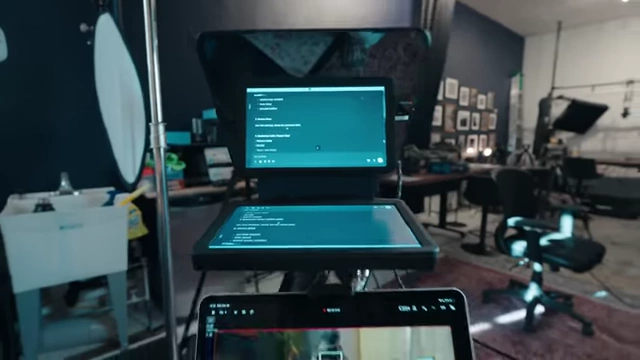
Elgato Prompter displaying notes from the computer, integrated with the camera setup [ 00:04:04 ] - The teleprompter notes can be scrolled using a mouse wheel for easy navigation.
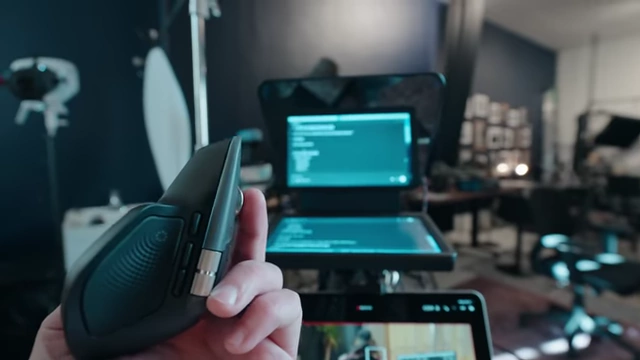
Mouse scroll wheel being used to control the teleprompter notes [ 00:05:29 ]
AI Tools for Pre-Production [5:41]
- Leveraging AI for Efficiency
- He heavily utilizes AI tools to streamline pre-production, saving significant time.
- ChatGPT is used for:
- Generating video ideas and concepts.
- Assisting with scripting and outlining content.
- Crafting video titles and descriptions.
- Generating tags for videos.
- Creating chapter markers by analyzing video content.
- Acting as a voice recorder for mind-dumping ideas while on the go, which can later be compiled into notes or scripts.
- He also mentions another app, Manis, for research, finessing details, and fact-checking.
- AI for Visuals
- AI text-to-image generators, specifically Artlist's Nano Banana Pro, are employed for creating high-quality YouTube thumbnails.
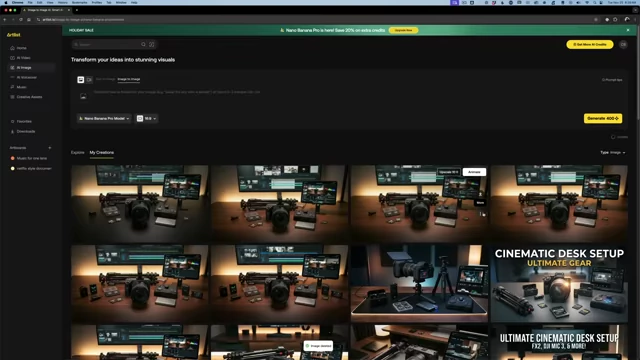
Artlist's Nano Banana Pro interface displaying AI-generated images for video thumbnails [ 00:08:49 ] - He uses ChatGPT to generate specific prompts based on his video content, which are then fed into the image generator to produce multiple, slightly different thumbnail options.
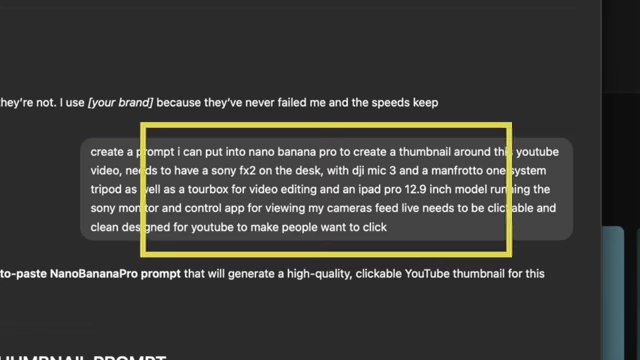
ChatGPT generated prompt for creating high-quality YouTube thumbnails [ 00:09:17 ] - The Nano Banana Pro model also allows for image-to-image creation, enabling users to modify specific aspects within an existing image without extensive Photoshop knowledge.
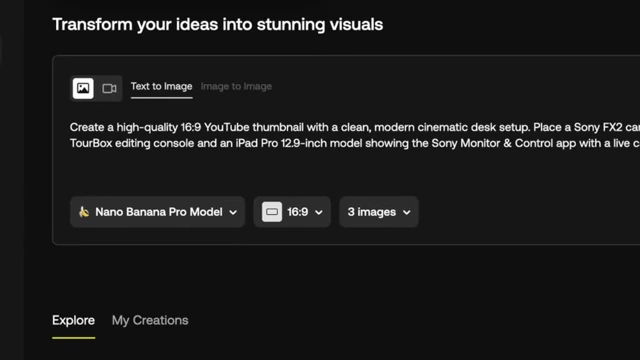
Nano Banana Pro text-to-image interface for generating visuals based on prompts [ 00:09:27 ] - This process is crucial for quick turnaround times without needing a graphic designer or extensive Photoshop skills.
- AI text-to-image generators, specifically Artlist's Nano Banana Pro, are employed for creating high-quality YouTube thumbnails.
Notebooks for Idea Generation [10:17]
- Field Notes Books
- He uses Field Notes books for traditional note-taking and "mind dumping."
- These small notebooks fit easily in a pocket, providing a portable way to jot down ideas, project notes, and "close circles" (i.e., externalize thoughts to reduce mental clutter).
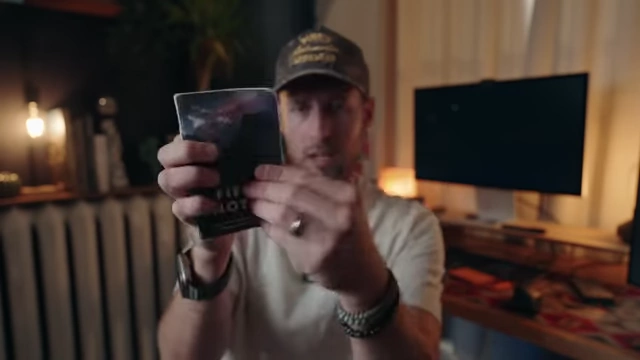
Field Notes notebook for capturing spontaneous ideas and project notes [ 00:10:28 ]
Data Storage and Backup Strategy [11:00]
- Importance of Data Management
- Emphasizes the critical need to invest in reliable data storage and backup systems upfront to protect content in the long term.
- SD Cards
- Relies on ProGrade SD cards and CompactFlash cards (CFexpress Type A and B) for camera recording, citing their long-term reliability.
- Uses a multi-card reader (Optex Black) with a built-in USB-C cable for on-the-go data transfer.
- Editing SSD
- Edits directly off a fast external SSD, specifically an 8TB ProGrade SSD with USB 4 Thunderbolt support.
- This allows for a smaller internal computer drive, as the editing performance comes from the external SSD.
- The drive is magnetic, allowing for stacking or attachment to a computer.
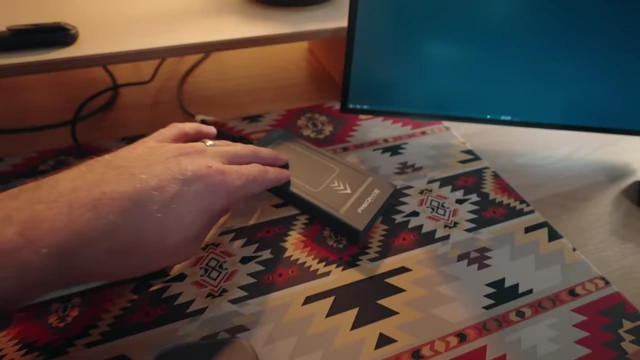
ProGrade 8TB SSD, a fast external drive used for direct video editing [ 00:12:52 ]
- Cloud Backup (Backblaze)
- All data from the editing SSD and other connected drives is automatically backed up to Backblaze.
- Backblaze offers unlimited cloud backup for any drive attached to the computer at a low monthly cost.
- It functions as a remote server, allowing access and download of files when away from the office.
- Provides options to download files or have a physical hard drive shipped in case of major data loss or corruption.
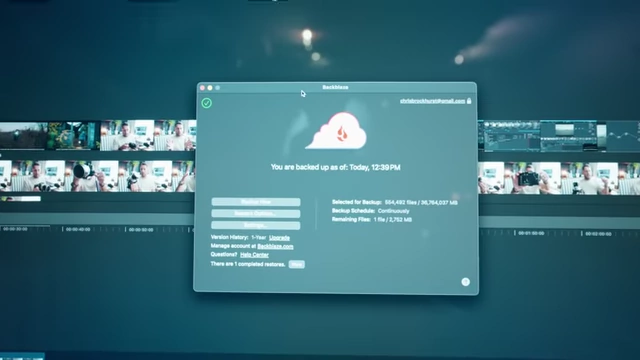
Backblaze cloud backup status, showing continuous and unlimited data protection [ 00:13:28 ]
- OWC RAID for Archival Storage
- Uses an OWC RAID system for long-term storage of completed videos.
- The RAID setup (e.g., RAID 5) has 80TB raw capacity, providing 60TB of usable storage, with the remaining 20TB dedicated to redundancy.
- If one of the four spinning drives fails, the system can rebuild the data using the remaining drives, preventing data loss.
- This RAID is also backed up to Backblaze.
Battery Charging and Portable Carry [16:30]
- Tilta Battery Charger
- Uses a Tilta charger for Sony Z batteries, which has four slots and charges quickly.
- LED indicators show charging status (green for charged, orange for partial, red for uncharged).
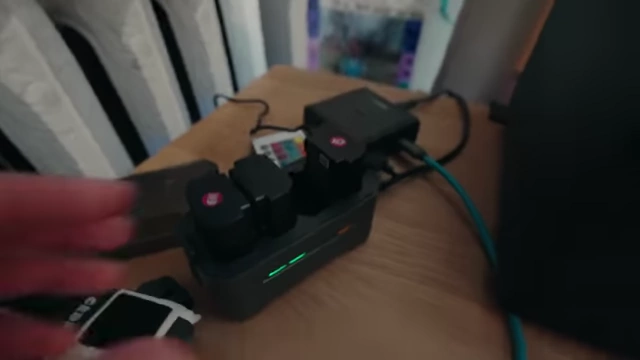
Tilta four-slot charger for Sony Z-batteries with LED indicators [ 00:16:37 ]
- EDC Pouch
- A Cordback "Ninja Turtle" zip bag serves as his Every Day Carry (EDC) pouch.
- He uses it to transport his editing SSD and necessary cables between his office and home for flexible work.
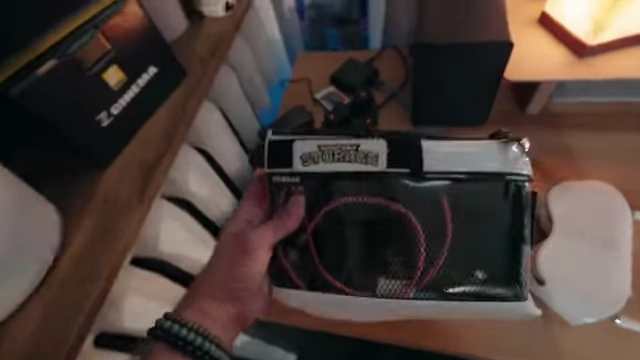
Cordback "Ninja Turtle" EDC pouch for securely carrying external drives and cables [ 00:17:27 ]
Editing Software and Workflow Enhancements [17:32]
- Editing Software
- Primarily uses Final Cut Pro for YouTube videos and reels due to its speed for cutting and exporting.
- Also uses DaVinci Resolve, especially for its powerful coloring capabilities, but finds Final Cut faster for typical YouTube content.
- Secondary Vertical Monitor
- A secondary monitor, oriented vertically, significantly speeds up his workflow.
- During editing, it's used for playing back vertical reels.
- When not editing, it displays productivity apps like WhatsApp, messages, and email, allowing him to separate work tasks from creative editing.
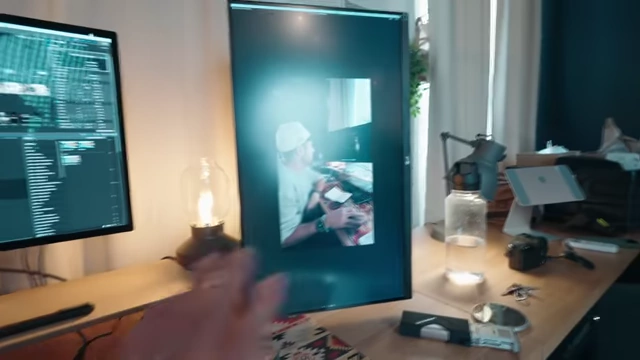
Secondary monitor in vertical orientation, used for reviewing vertical video content and productivity [ 00:18:10 ]
- Tourbox Editing Console
- The Tourbox is a custom controller that assigns keyboard shortcuts to its buttons and dials.
- This tool dramatically increases editing speed by allowing him to perform complex actions with single presses, streamlining the cutting and export process.
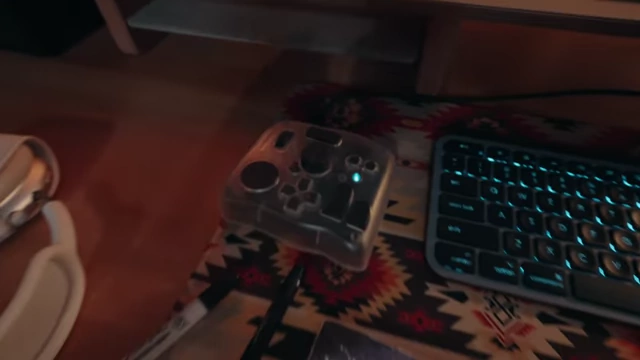
Tourbox custom editing console for faster workflow [ 00:18:55 ]
Streamlined Video Upload Process [19:22]
- Efficiency from Pre-Production
- The video uploading process is much easier and faster thanks to the pre-production work done with AI tools.
- Tags, title ideas, and thumbnail concepts are already prepared, minimizing the effort required during upload.
Office Ambiance [19:41]
- Lighting Preference
- He expresses a preference for lamps and warm ambient lighting in his office, combined with cooler front lighting, to create a comfortable atmosphere.