Insta360 GO Ultra vs. DJI Osmo Nano: A Comprehensive Comparison for Easy Vlogging
This video offers a detailed comparison of the Insta360 GO Ultra and DJI Osmo Nano, two detachable mini cameras for vlogging, to help users decide which best suits their needs.
- Design and Build: The GO Ultra features a foldable screen and a minimalist, logo-free design, ideal for low-key filming. The Osmo Nano has a stackable body with extra magnets for flexible mounting.
- Ease of Use: The GO Ultra is more intuitive with a larger screen and direct settings. The Nano requires a slight learning curve for its buttons and menu navigation, and stabilization needs to be manually enabled.
- Hidden Features: The GO Ultra offers unique advantages like pausing recordings, canceling clips, 2x 4K zoom, simultaneous charging and data transfer, a level line, wireless footage review, and an auto-rotating interface.
- Image Quality: Both shoot 4K 60fps with wide fields of view. The GO Ultra produces vibrant, skin-flattering tones and brighter low-light footage. The Nano offers a neutral, realistic look with 10-bit color and a flat profile for more post-production control, and 4K 120fps for slow motion.
- Audio and Durability: The GO Ultra has mono audio with voice enhancement. The Nano provides mono and stereo audio for immersive environmental sound. Both feature wind noise reduction. They are robust, but the Nano tends to overheat faster.
- Ecosystem & Price: The Nano leverages existing DJI accessories. The GO Ultra has a wide range of specialized accessories. The Nano is more affordable, offering better value out of the box, while the GO Ultra, despite a higher price, justifies it with enhanced convenience and flexibility.

Comparison of Insta360 GO Ultra and DJI Osmo Nano for various shots [ 00:00:40 ]
Introduction [00:00]
The video aims to help viewers choose between the Insta360 GO Ultra and the DJI Osmo Nano by comparing their features, performance, and practicality, focusing on which camera makes filming easier and more enjoyable. The speaker emphasizes that the real difference lies not in similar specs but in user experience.
Design and Build Comparison [01:11]
The design and build of these cameras significantly impact their usability and aesthetics.
- Insta360 GO Ultra:
- Resembles a mini digital camera with a foldable screen.
- Features a rubbery edge for a better grip.
- Has a larger 2.5-inch display for easier framing and more on-screen settings.
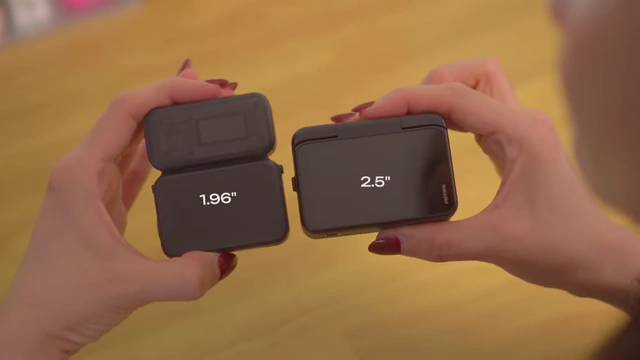
Screen size comparison between DJI Osmo Nano (1.96") and Insta360 GO Ultra (2.5") [ 00:01:40 ] - Faster to switch to selfie mode due to its flip mechanism.
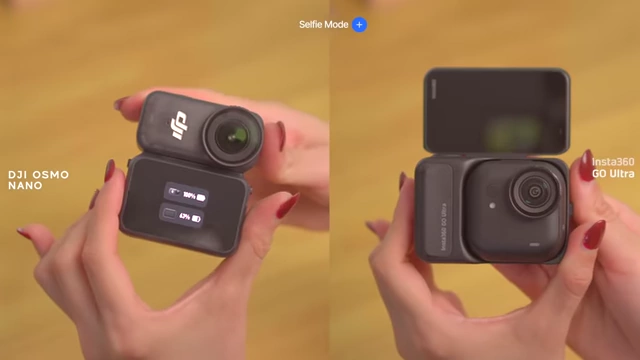
DJI Osmo Nano and Insta360 GO Ultra in selfie mode, showing their different flip mechanisms [ 00:01:56 ] - Smaller, logo-free design is less noticeable and more comfortable to wear, ideal for low-key filming.
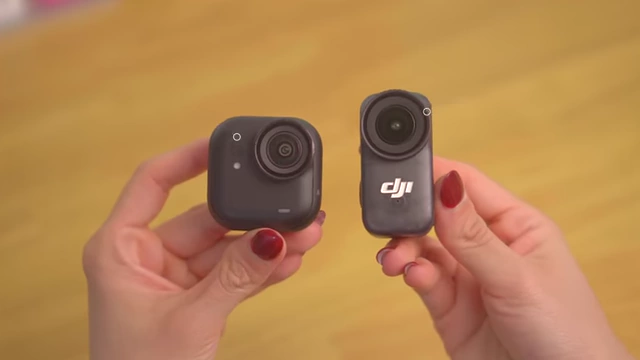
Insta360 GO Ultra's logo-free design vs. DJI Osmo Nano's visible logo [ 00:02:11 ] 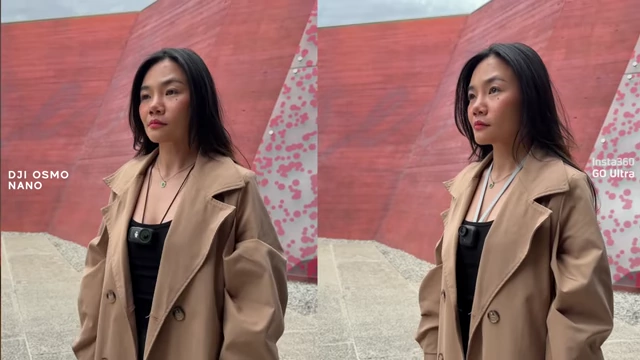
Insta360 GO Ultra (right) appearing less noticeable when worn compared to DJI Osmo Nano (left) [ 00:02:15 ] - Feels modern, compact, and minimal.
- DJI Osmo Nano:
- Features a stackable, non-folding body that is still comfortable to hold but requires mindfulness not to cover the screen or side microphone.
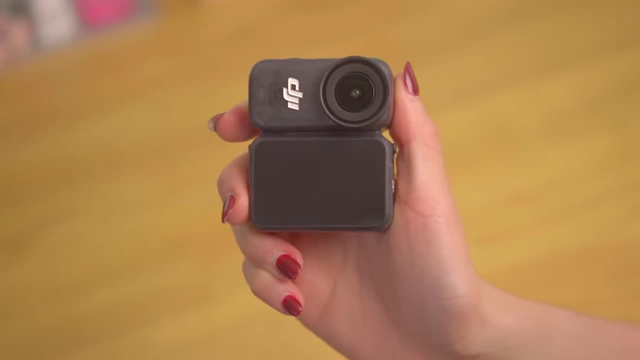
DJI Osmo Nano's stackable body held in hand [ 00:01:30 ] - The 1.96-inch screen is placed at the bottom, which is clever as looking at it instead of the lens is less noticeable.
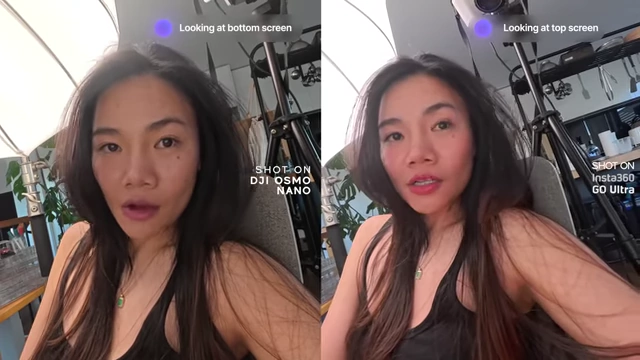
Comparison of direct eye contact when looking at the screen during selfie vlogging [ 00:01:47 ] - Detaching, rotating, and re-clipping for selfie mode takes a few extra seconds, and the latch can be finicky.
- Rectangular shape provides more structure and stands more firmly on surfaces.
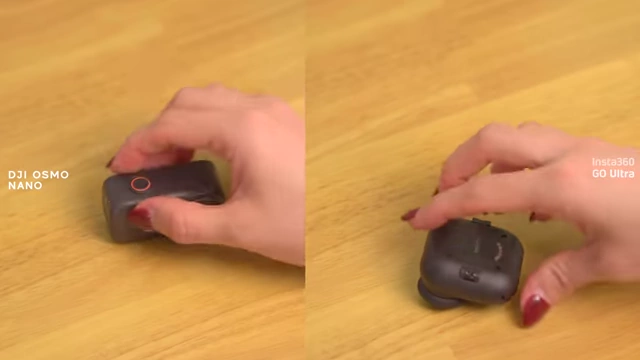
DJI Osmo Nano's rectangular shape allows it to stand more firmly than the Insta360 GO Ultra [ 00:02:21 ] - Includes extra magnets on the bottom for versatile mounting options, allowing for overhead or low-angle shots without additional accessories.
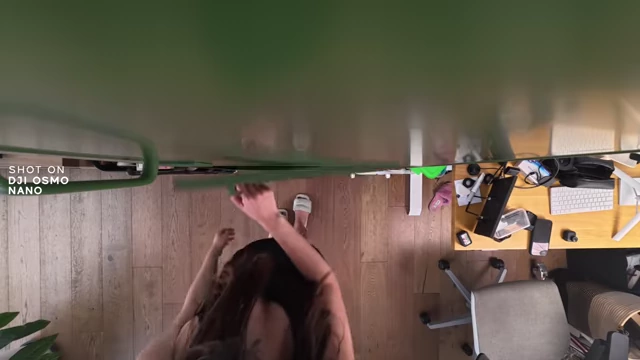
DJI Osmo Nano magnetically mounted for an overhead shot [ 00:02:30 ] 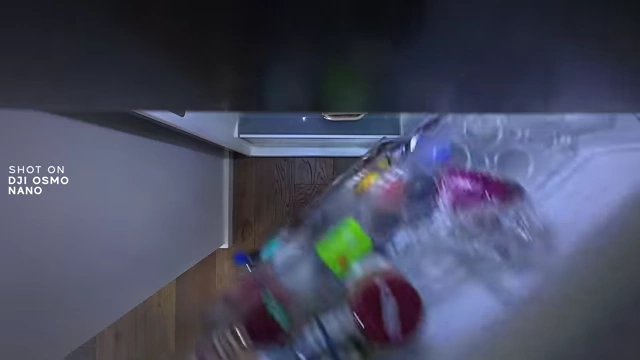
DJI Osmo Nano magnetically mounted for a low-angle shot [ 00:02:33 ]
- Features a stackable, non-folding body that is still comfortable to hold but requires mindfulness not to cover the screen or side microphone.
Ease of Use and Beginner Experience [02:51]
Both cameras are generally simple for beginners, but there are differences in the initial learning curve.
- Insta360 GO Ultra:
- Felt familiar immediately, being similar to the GO 3S.
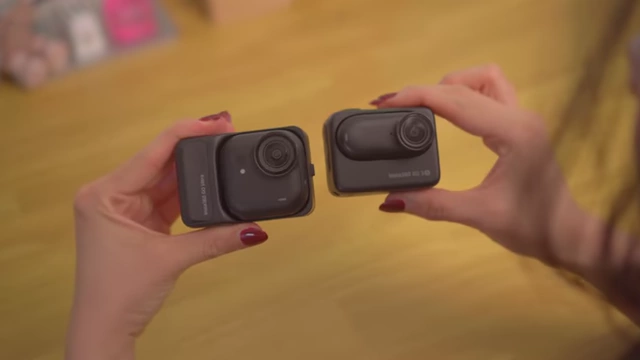
Insta360 GO Ultra (left) resembling the GO 3S (right) in design [ 00:03:03 ] - Ready to record out of the box without changing settings.
- Larger screen provides more on-display settings, and buttons are intuitive.
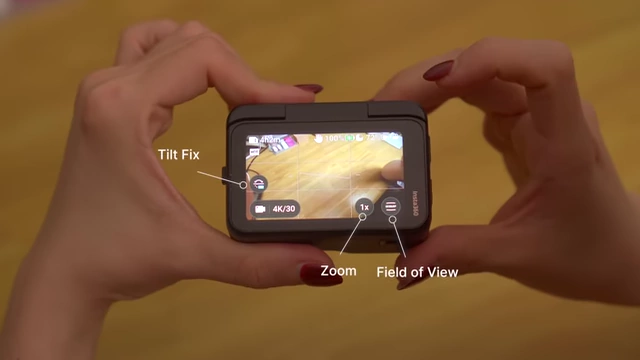
Insta360 GO Ultra's screen showing easily accessible settings like Tilt Fix, Zoom, and Field of View [ 00:03:10 ] 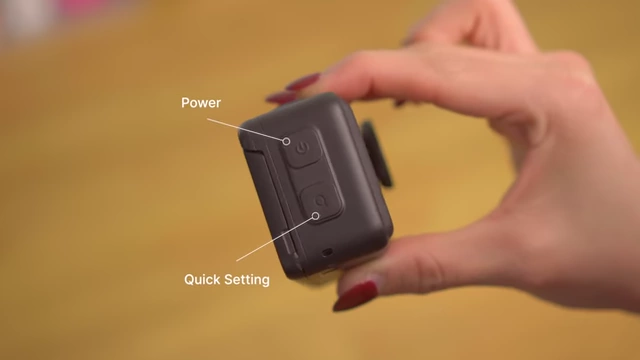
Insta360 GO Ultra's clearly labeled Power and Quick Setting buttons [ 00:03:14 ] - Offers diverse mode selections like interval recording, star-lapse, and macro shooting.
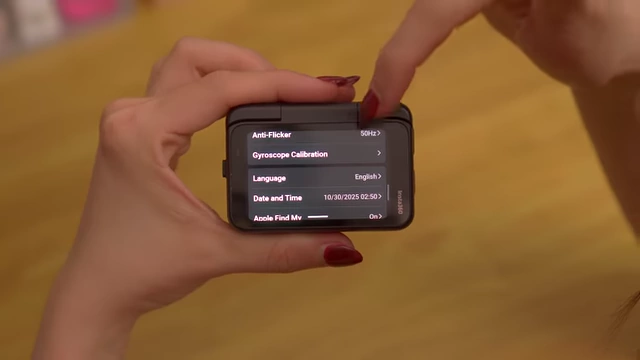
Insta360 GO Ultra's menu showcasing diverse mode selections like interval recording and macro shooting [ 00:03:27 ]
- Felt familiar immediately, being similar to the GO 3S.
- DJI Osmo Nano:
- Took longer to get used to due to button layout (two record buttons, no dedicated power button, power requires holding a button).
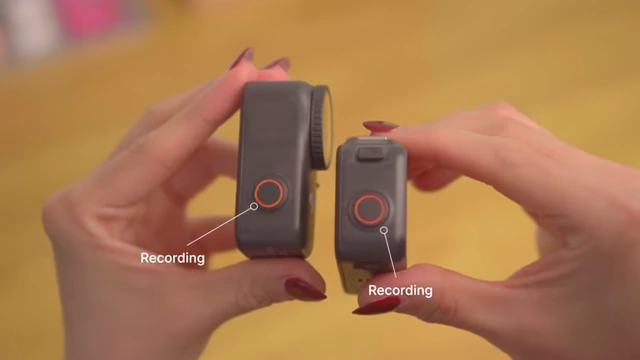
DJI Osmo Nano's two record buttons, lacking a dedicated power button [ 00:03:41 ] 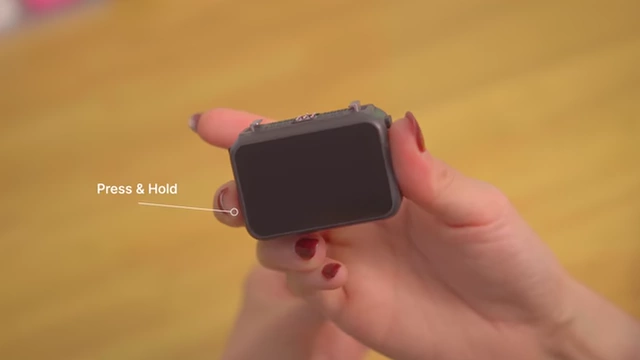
DJI Osmo Nano requires pressing and holding a button for power [ 00:03:51 ] - Smaller screen requires deeper menu navigation to adjust settings like field of view or stabilization.
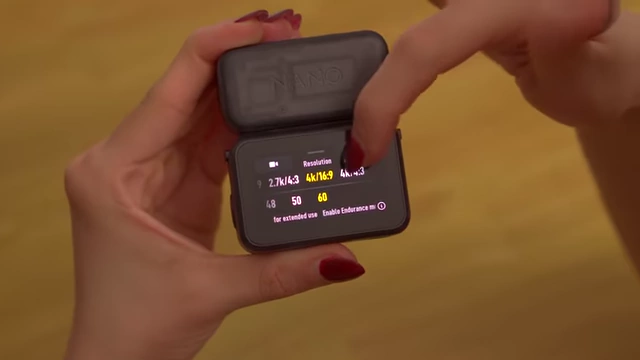
DJI Osmo Nano's smaller screen requires deeper menu navigation for settings like resolution and stabilization [ 00:04:00 ] - Default stabilization is turned off and needs to be manually enabled.
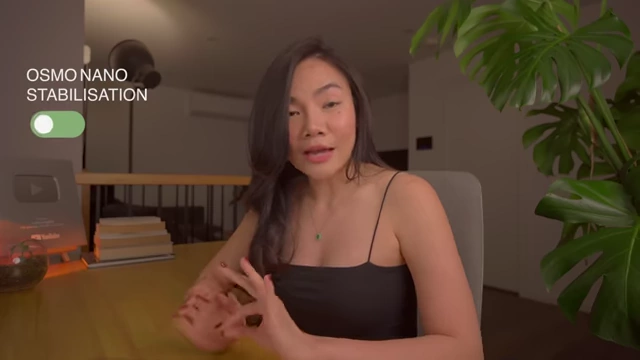
DJI Osmo Nano's stabilization is off by default and needs manual activation [ 00:04:08 ]
- Took longer to get used to due to button layout (two record buttons, no dedicated power button, power requires holding a button).
Hidden Features that Actually Matter [04:34]
The GO Ultra includes several thoughtful features that enhance the filming experience, which the Osmo Nano lacks.
- Insta360 GO Ultra's Key Features:
- Pause Recording: Allows pausing and resuming recordings, ideal for talking head clips and saving storage space. This feature also works after a clip is saved, allowing continued filming in the same file.
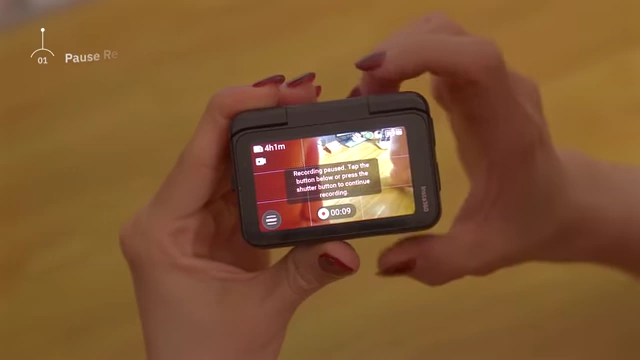
Insta360 GO Ultra's screen displaying the 'Pause Recording' feature [ 00:04:50 ] 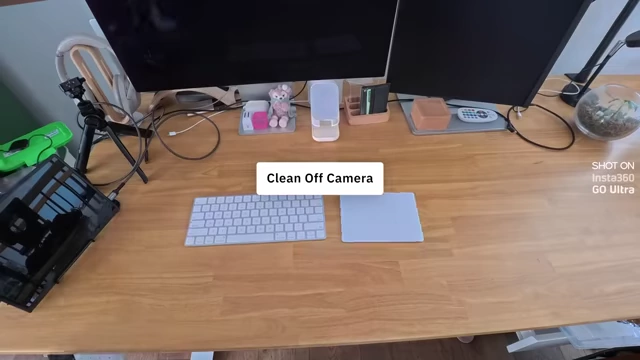
Insta360 GO Ultra allows continuing recording onto an existing clip from the media library [ 00:05:13 ] - Cancel Recording: Holding the record button discards the current clip, useful for mistakes or unwanted takes.
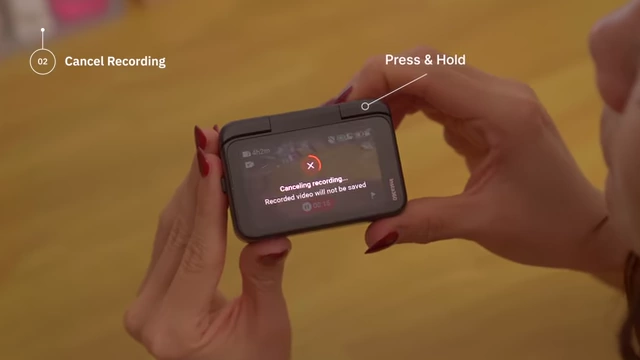
Insta360 GO Ultra's 'Cancel Recording' feature, preventing accidental clips from saving [ 00:05:22 ] - 2x 4K Clarity Zoom: Provides zoom functionality without significant quality loss, helpful for reframing shots.
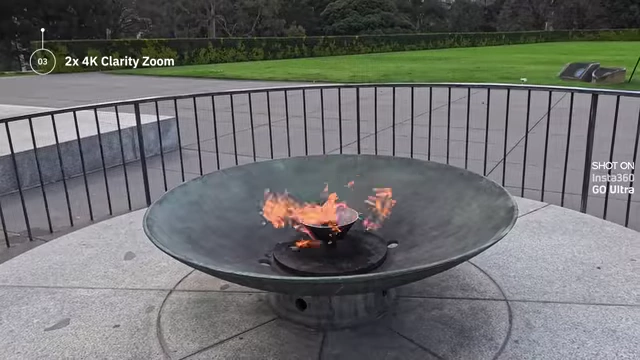
Insta360 GO Ultra's 2x 4K clarity zoom on a fire pit [ 00:05:47 ] - Simultaneous Charge & Data Transfer: Conveniently charges while transferring data.
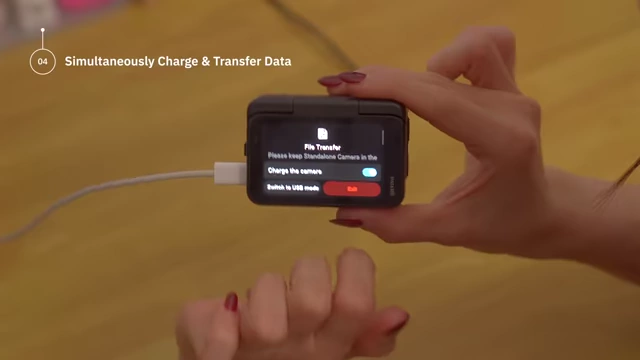
Insta360 GO Ultra allows simultaneous charging and data transfer [ 00:05:54 ] - Green Level Line: A built-in display grid feature that helps keep shots straight.
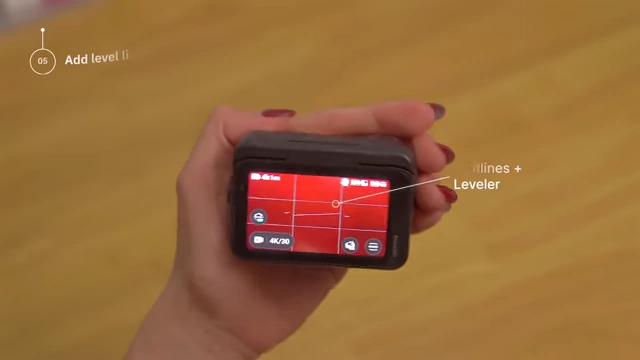
Insta360 GO Ultra's display grid with an added green level line for straight shots [ 00:06:15 ] - Wireless Footage Review: Allows reviewing footage wirelessly.
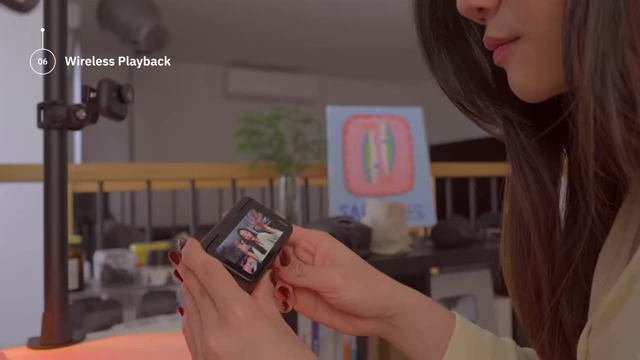
Insta360 GO Ultra demonstrating wireless footage playback [ 00:06:24 ] - Flexible Interface Orientation: The interface automatically rotates based on how the screen is held.
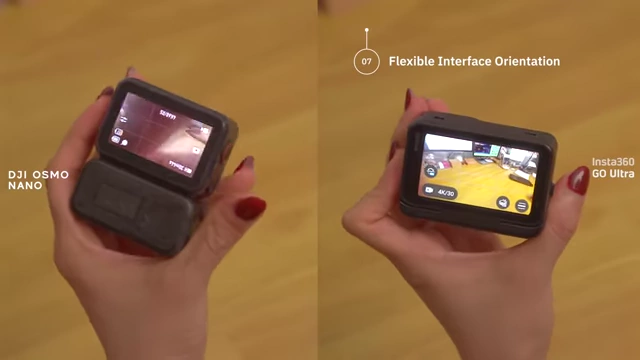
Insta360 GO Ultra's flexible auto-rotating interface (right) compared to DJI Osmo Nano's fixed orientation (left) [ 00:06:33 ] - Auto Pure Video Mode: Automatically switches between regular and low-light video modes based on the environment.

Insta360 GO Ultra's Auto Pure Video Mode automatically adjusts for low light (middle) or bright light (right) [ 00:09:19 ]
- Pause Recording: Allows pausing and resuming recordings, ideal for talking head clips and saving storage space. This feature also works after a clip is saved, allowing continued filming in the same file.
- DJI Osmo Nano's Limitations:
- Cannot pause or cancel recordings directly.
- Cannot zoom during recording.
- Can only charge or transfer data, not both simultaneously.
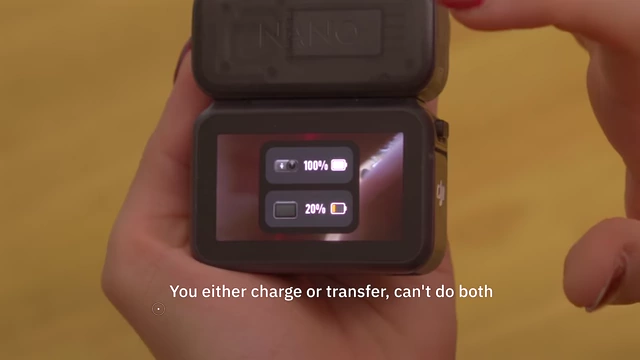
DJI Osmo Nano can only charge or transfer data, not both simultaneously [ 00:06:00 ] - Requires camera module to face away from the screen for proper data transfer.
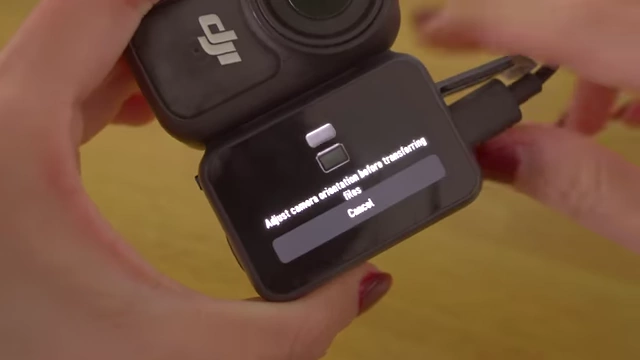
DJI Osmo Nano requires camera orientation adjustment for file transfer [ 00:06:03 ] - Does not have a level line.
- Lacks wireless footage review.
- Interface orientation is fixed.
- Does not have an auto mode for low-light video.
Image Quality and Color Tone Comparison [06:42]
Both cameras offer 4K 60fps video and wide fields of view, but differ in color rendition and low-light performance.
- Field of View:
- GO Ultra generally has the widest field of view, including "mega" and "action view" settings.
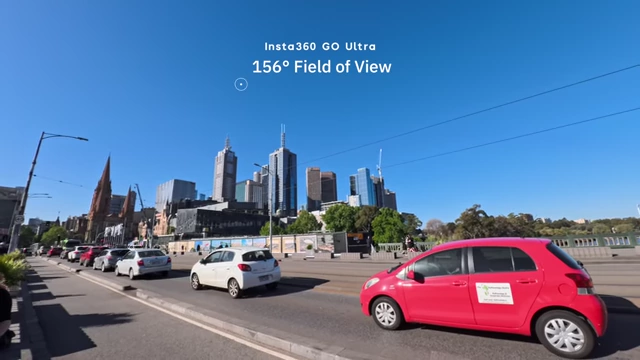
Field of view comparison between DJI Osmo Nano (143°) and Insta360 GO Ultra (156°) [ 00:06:51 ] - Nano's field of view can appear wider at 60fps with stabilization on, but shows slight distortion at the edges in ultra-wide settings.
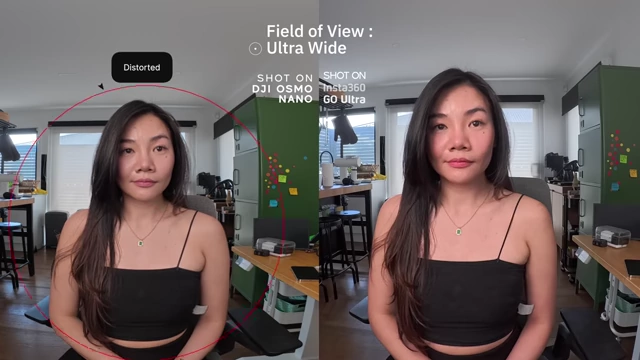
Ultra-wide field of view comparison, showing distortion on DJI Osmo Nano (left) [ 00:07:16 ] - GO Ultra's "Action View" provides an even wider perspective.
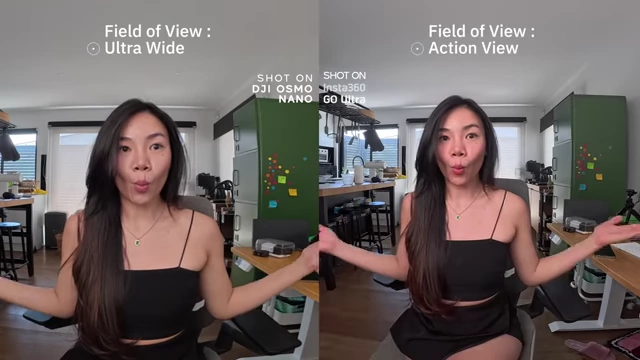
Insta360 GO Ultra's Action View (right) offering a wider perspective compared to Ultra Wide (left) [ 00:07:28 ]
- GO Ultra generally has the widest field of view, including "mega" and "action view" settings.
- Color Tone (Daylight):
- DJI Osmo Nano: Produces a more neutral, realistic look with a slight green-yellow tint, true-to-life tones. Suitable for landscapes, architecture, and food.
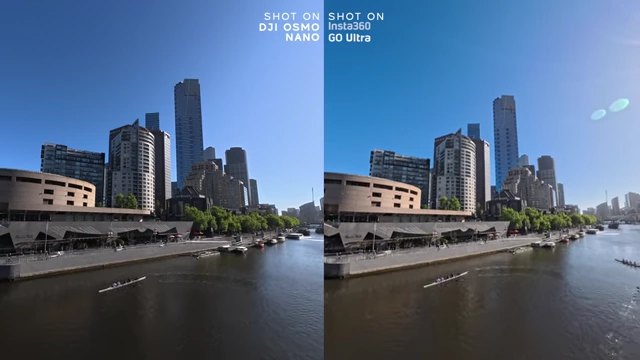
Daylight color tone comparison: DJI Osmo Nano (left) with neutral tones vs. Insta360 GO Ultra (right) with vibrant saturation [ 00:07:51 ] 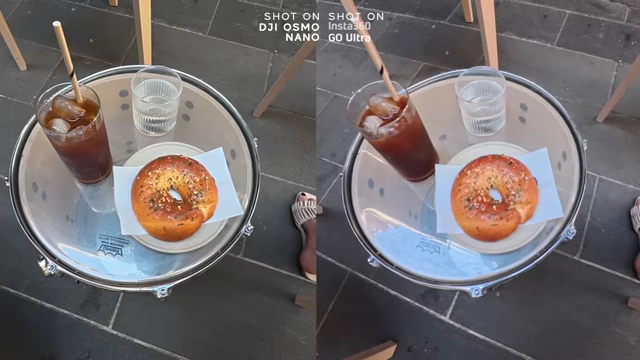
Daylight food shot comparison: DJI Osmo Nano (left) for natural tones vs. Insta360 GO Ultra (right) for richer colors [ 00:08:00 ] - Insta360 GO Ultra: Leans towards brighter exposure, richer saturation, and more red/blue hues, which flatter skin tones better. Results in a more polished, vibrant look straight out of the camera.
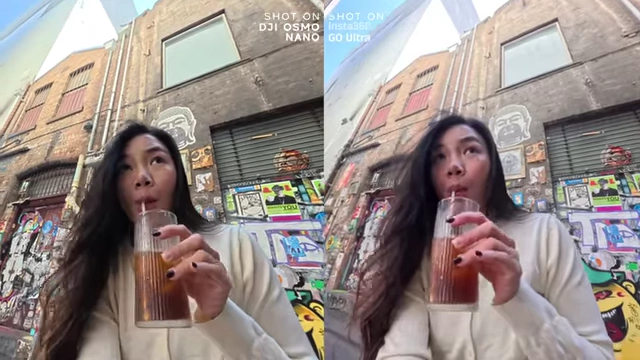
Daylight skin tone comparison, highlighting Insta360 GO Ultra's flattering red/blue hues [ 00:07:58 ]
- DJI Osmo Nano: Produces a more neutral, realistic look with a slight green-yellow tint, true-to-life tones. Suitable for landscapes, architecture, and food.
- Color Tone (Low Light):
- Both have night modes to boost exposure.
- GO Ultra: Generally brighter and cleaner, even without "pure video" mode, and tends to boost reds under warm lights.
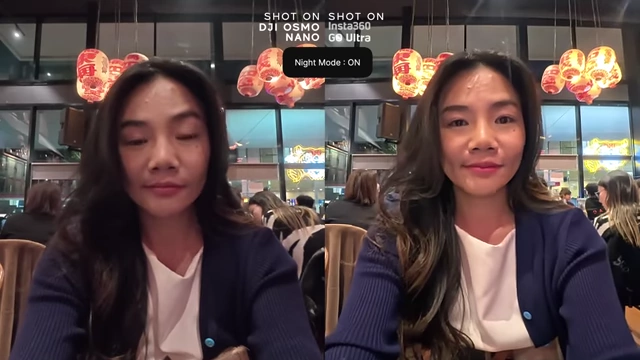
Low-light comparison with Night Mode ON: Insta360 GO Ultra (right) provides brighter and cleaner footage [ 00:08:24 ] - Osmo Nano: Relies more on auto night mode, can lean slightly yellow and flat under warm lights.

Low-light skin tone comparison: DJI Osmo Nano (left) can appear yellowish, while Insta360 GO Ultra (right) boosts reds [ 00:08:40 ]
- Creative Flexibility:
- DJI Osmo Nano: Offers 10-bit color and a flat color profile for extensive post-production grading. Can shoot 4K at 120fps for slow-motion footage.
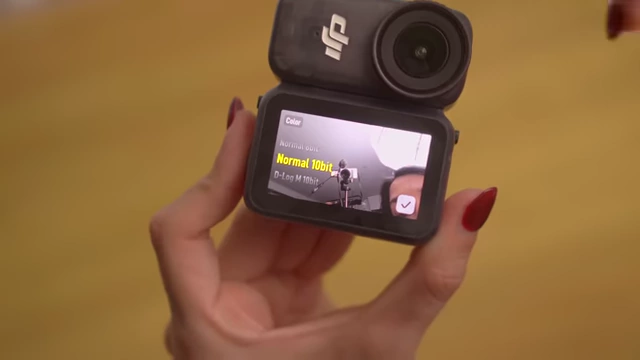
DJI Osmo Nano offers 10-bit color and D-Log M flat profile for creative flexibility [ 00:09:29 ] 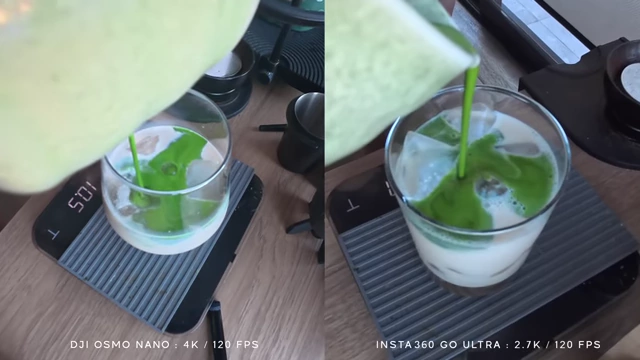
Slow-motion video comparison: DJI Osmo Nano (4K/120fps) vs. Insta360 GO Ultra (2.7K/120fps) [ 00:09:40 ] - Insta360 GO Ultra: Lacks 10-bit color or a flat profile but can still be color graded effectively. Shoots 2.7K at 120fps.
- DJI Osmo Nano: Offers 10-bit color and a flat color profile for extensive post-production grading. Can shoot 4K at 120fps for slow-motion footage.
Photo Performance [10:15]
Both cameras can capture stills, but the GO Ultra offers more advanced photography features.
- Megapixels: Osmo Nano up to 37MP, GO Ultra up to 50MP.
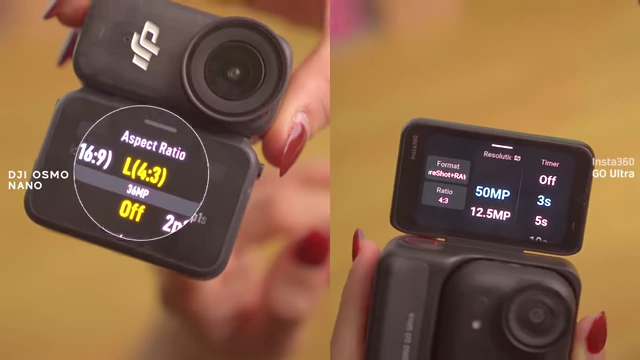
Megapixel comparison: DJI Osmo Nano (up to 37MP) and Insta360 GO Ultra (up to 50MP) [ 00:10:24 ] - Insta360 GO Ultra's Photo Features:
- Live Photo: Captures a 3-second motion clip after taking a shot, similar to iPhone's Live Photos, useful for candid moments.
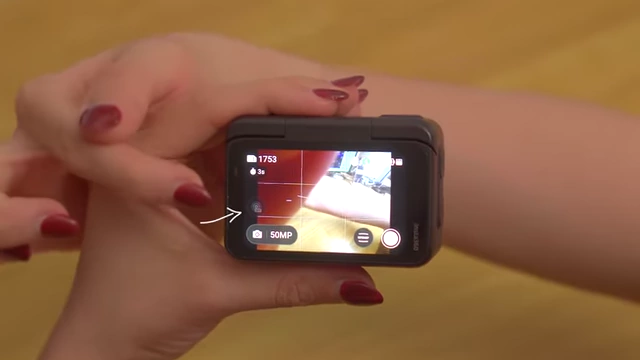
Insta360 GO Ultra's Live Photo feature, capturing a 3-second motion clip with the photo [ 00:10:34 ] - 2x Lossless Zoom: Maintains image quality even with tighter framing.
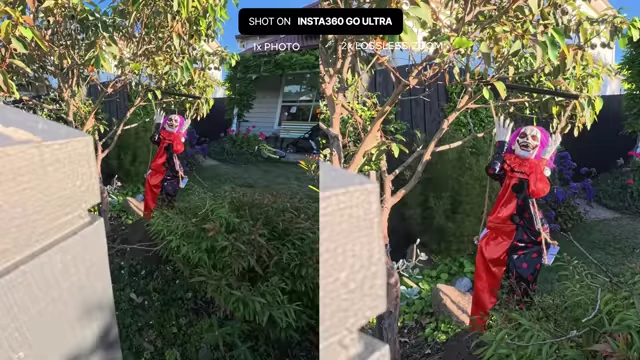
Insta360 GO Ultra's 2x lossless zoom maintains image quality for tighter framing [ 00:10:47 ] - Burst Photography: Captures up to 30 photos per second.
- Live Photo: Captures a 3-second motion clip after taking a shot, similar to iPhone's Live Photos, useful for candid moments.
- DJI Osmo Nano's Photo Features:
- Captures around 9 photos within 3 seconds for burst.
Practicality and Portability in Daily Use [11:10]
Both cameras are highly portable, but the GO Ultra offers extra practical advantages.
- Portability: Both are compact and fit into small bags. Boot-up time is roughly the same.
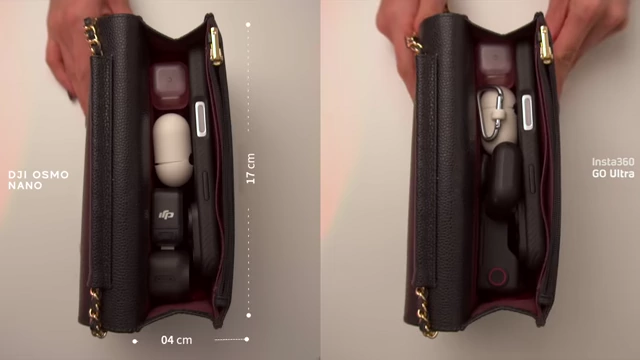
Portability comparison showing DJI Osmo Nano and Insta360 GO Ultra fitting into a small bag [ 00:11:25 ] 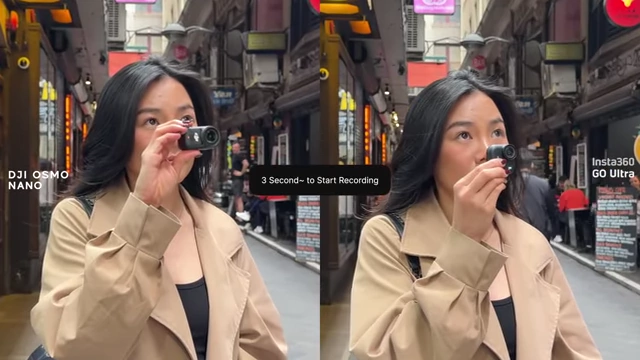
Boot-up time comparison between DJI Osmo Nano and Insta360 GO Ultra (approx. 3 seconds) [ 00:11:30 ] - Insta360 GO Ultra's Practicality:
- Haptic Feedback: Provides vibrations when starting and stopping recordings, giving clear feedback without needing to see the screen.
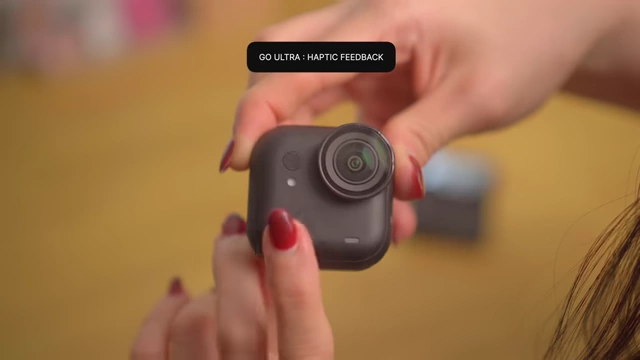
Insta360 GO Ultra provides haptic feedback for recording status when used standalone [ 00:11:49 ] - Find My Integration: Allows tracking the camera and making it beep individually, useful for locating it, especially outdoors.
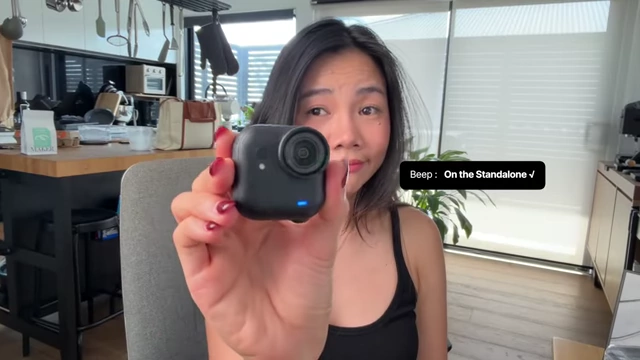
Insta360 GO Ultra features Find My integration, allowing the camera to be tracked and beeped [ 00:12:20 ]
- Haptic Feedback: Provides vibrations when starting and stopping recordings, giving clear feedback without needing to see the screen.
- DJI Osmo Nano's Practicality:
- Lacks haptic feedback; recording status must be checked on the vision dock.
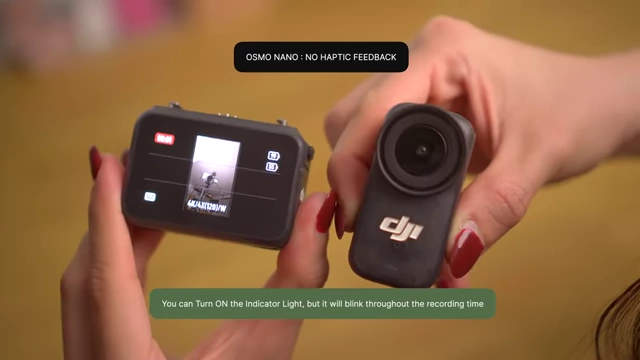
DJI Osmo Nano lacks haptic feedback; indicator light blinks during recording [ 00:12:00 ] - Offers a limited "beep" function via the app within 10 meters, but no full tracking.
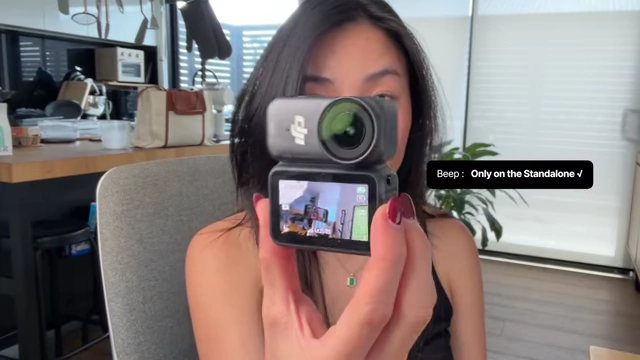
DJI Osmo Nano's app offers a limited 'play sound' function within 10m to locate the camera [ 00:12:31 ]
- Lacks haptic feedback; recording status must be checked on the vision dock.
Audio Test and External Mic Setup [12:50]
Audio capabilities differ significantly between the two cameras.
- Internal Microphone:
- Insta360 GO Ultra: Records in mono with a front-positioned microphone. Features a voice enhancement mode to isolate speech, saving post-production time.
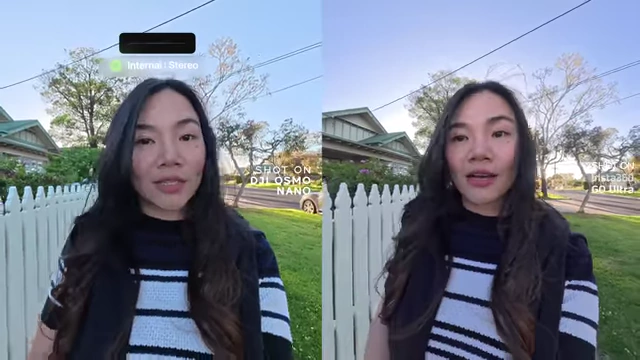
Internal audio comparison (mono vs. stereo) from DJI Osmo Nano (left) and Insta360 GO Ultra (right) [ 00:13:17 ] 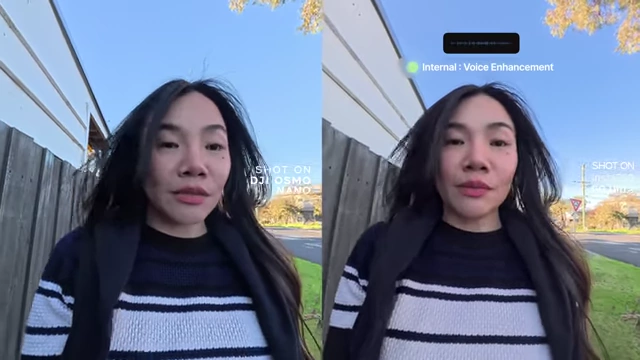
Insta360 GO Ultra's voice enhancement mode isolates speech for clearer vocals (right) [ 00:13:35 ] - DJI Osmo Nano: Records in both mono and stereo with microphones in the front and on the side, capturing more immersive environmental sound.
- Insta360 GO Ultra: Records in mono with a front-positioned microphone. Features a voice enhancement mode to isolate speech, saving post-production time.
- Wind Noise Reduction: Both cameras have built-in wind noise reduction, performing well in breezy conditions.
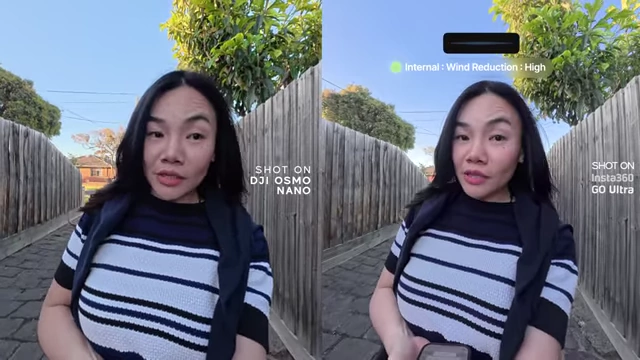
Wind noise reduction comparison between DJI Osmo Nano (left) and Insta360 GO Ultra (right) [ 00:13:55 ] - External Microphone Setup:
- Insta360 GO Ultra: Tested with Insta360 Mic Air, which is thin and light, offering a noise reduction option.
- DJI Osmo Nano: Tested with DJI Mic 2 (previously used on Pocket 3), offering an intelligent noise-canceling option to focus on voice.
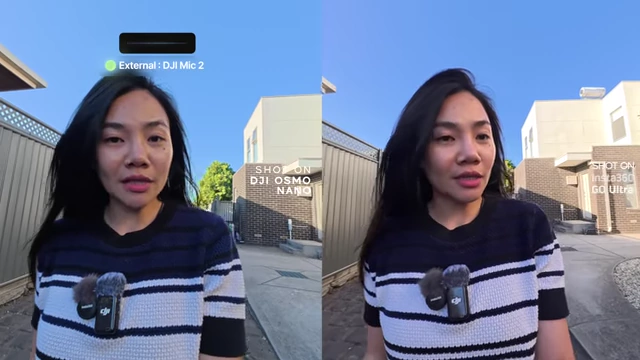
External microphone comparison: DJI Mic 2 on Nano (left) and Insta360 Mic Air on GO Ultra (right) [ 00:14:22 ] 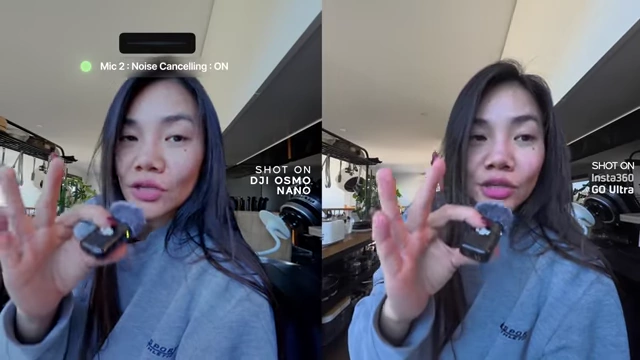
Noise reduction comparison: Insta360 Mic Air (right) offers noise reduction, while DJI Mic 2 (left) has intelligent noise canceling [ 00:14:44 ]
Battery Life and Overheating Test [15:02]
Both cameras are capable for short to medium sessions but may struggle with extended recording, especially the Nano with overheating.
- Durability: Both cameras are robust and waterproof up to 10m (standalone), with IPX4 splash resistance for their docks.
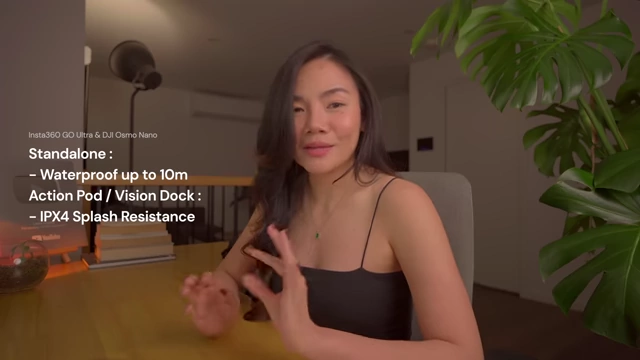
Waterproof and splash resistance specifications for both cameras and their docks [ 00:15:11 ] - Standalone Performance (20°C, Indoor, 4K/30fps):
- GO Ultra: Lasted ~38 minutes before battery exhaustion.
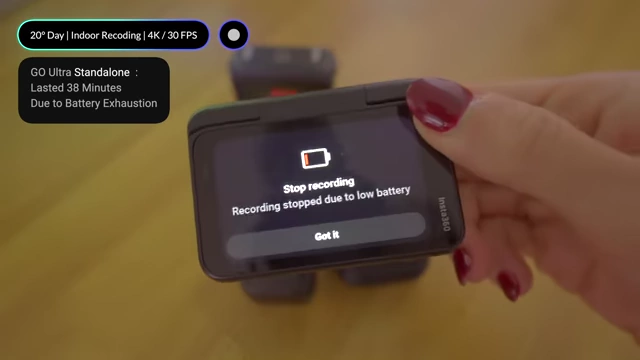
Insta360 GO Ultra Standalone lasted 38 minutes due to battery exhaustion in indoor 4K/30fps recording [ 00:15:30 ] - Osmo Nano: Lasted ~41 minutes but overheated near the end.
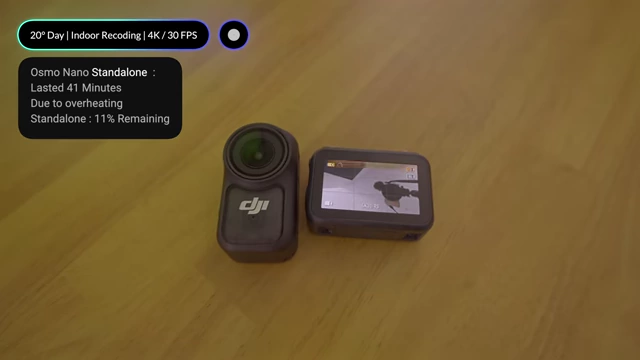
DJI Osmo Nano Standalone lasted 41 minutes but overheated in indoor 4K/30fps recording [ 00:15:35 ]
- GO Ultra: Lasted ~38 minutes before battery exhaustion.
- Docked Performance (20°C, Indoor, 4K/30fps):
- GO Ultra (with Pod): Lasted ~1 hour and 8 minutes before overheating.
- Osmo Nano (with Vision Dock): Lasted ~40 minutes before overheating.
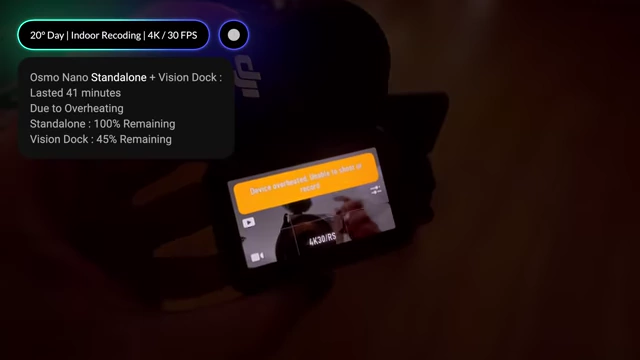
Docked recording comparison: Insta360 GO Ultra lasted 1 hour 8 minutes before overheating; DJI Osmo Nano overheated after 40 minutes [ 00:15:50 ]
- Storage:
- GO Ultra: Supports external memory up to 2TB and records directly to it.
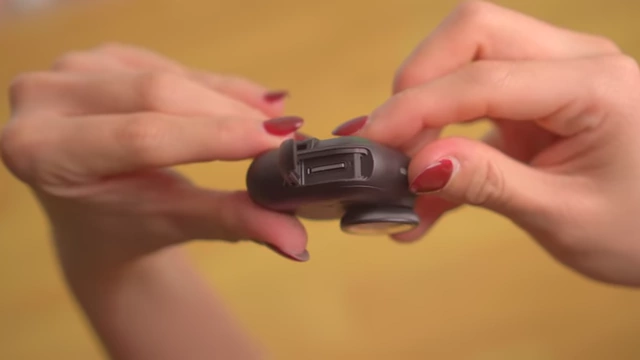
Insta360 GO Ultra's external memory card slot, supporting up to 2TB and direct recording [ 00:16:10 ] - Osmo Nano: Supports internal and external storage, but requires saving clips internally first and then manually transferring them to external drives.
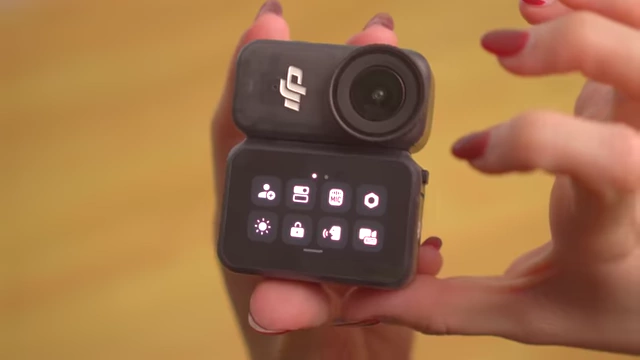
DJI Osmo Nano's internal storage interface, requiring manual transfer to external drives [ 00:16:20 ]
- GO Ultra: Supports external memory up to 2TB and records directly to it.
Ecosystem and Accessories Breakdown [16:50]
The choice between cameras can be influenced by existing gear or the desire for accessory flexibility.
- DJI Osmo Nano:
- Uses the same mounting system as other DJI gear (Osmo Action, 360 cameras), allowing users to reuse existing mounts and tripods.
- Its magnet lanyard feels strong and its thin black strap blends with black outfits.

Comparison of Insta360 GO Ultra's magnet pendant (left) and DJI Osmo Nano's magnet lanyard (right) [ 00:17:53 ] - The bundled ball joint adapter only tilts in one direction.
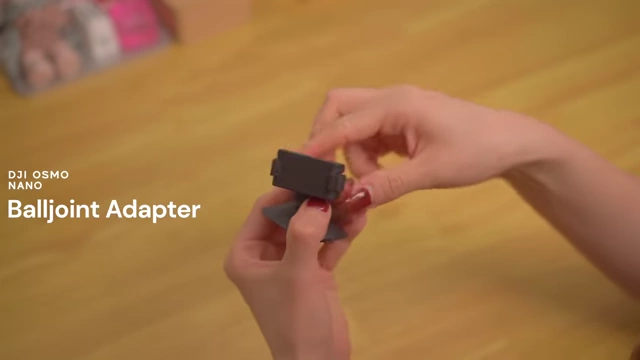
DJI Osmo Nano's ball joint adapter only tilts in one direction [ 00:18:20 ] - The base uses suction, which works only on perfectly smooth surfaces.
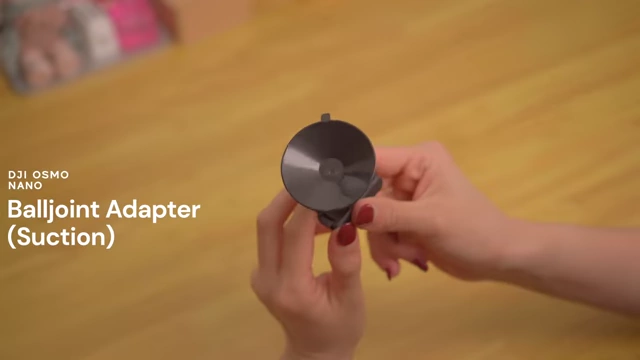
DJI Osmo Nano's ball joint adapter features a suction base [ 00:18:30 ] - The bundled clip has a magnetic back, allowing direct attachment to the lanyard for easy chest POV angle adjustment.
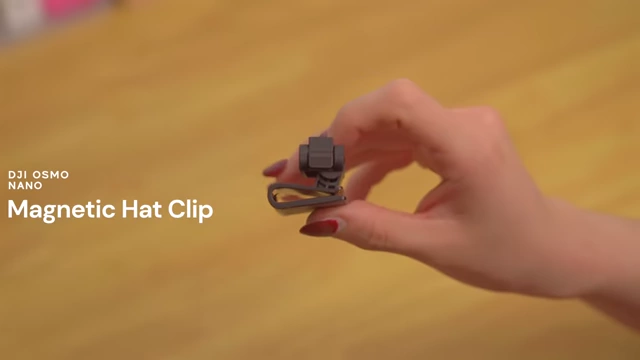
DJI Osmo Nano's magnetic hat clip allows direct attachment to the lanyard for POV adjustments [ 00:18:53 ]
- Insta360 GO Ultra:
- Doesn't share much compatibility with previous Insta360 models but offers an extensive range of dedicated accessories.
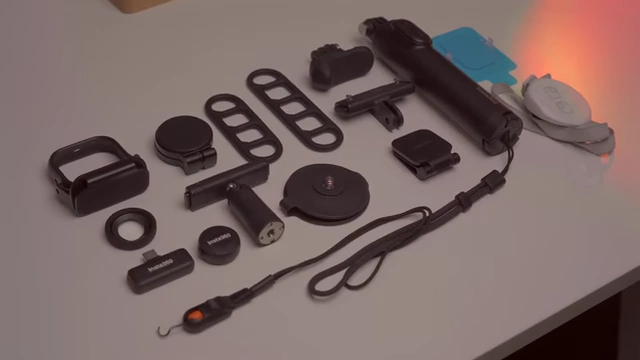
A wide array of specialized accessories available for the Insta360 GO Ultra [ 00:17:25 ] - Examples include a wearable ring remote and an easy clip headband.
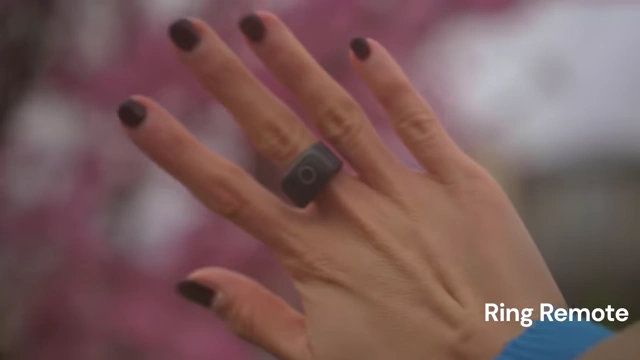
Insta360 GO Ultra's wearable ring remote for discreet control [ 00:17:30 ] 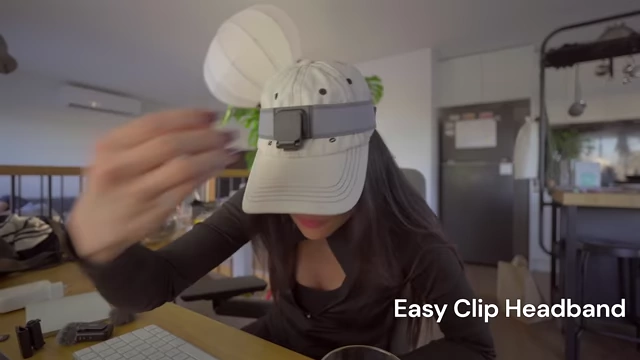
Insta360 GO Ultra's easy clip headband for outdoor activities [ 00:17:32 ] - The magnet pendant has a wider strap for comfort, with magnetic adjustment pieces for tidiness.
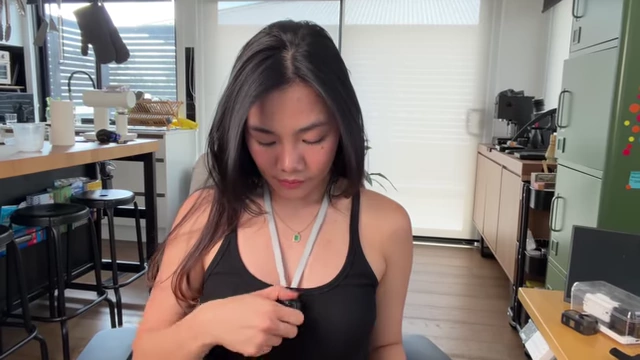
Insta360 GO Ultra's magnet pendant with a wider strap and magnetic adjustment pieces for comfort and tidiness [ 00:18:00 ] - The pivot stand moves freely in every direction.
- The base uses a sticky pad, which grips more surfaces and is more reliable than suction.
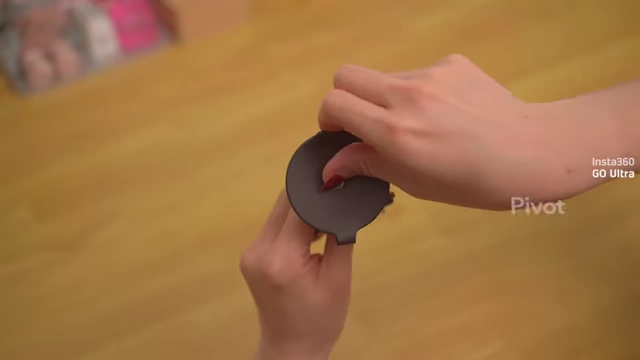
Insta360 GO Ultra's pivot stand uses a sticky pad for a more reliable grip [ 00:18:31 ] - The bundled clip is not magnetic, but a magnetic version is sold separately.
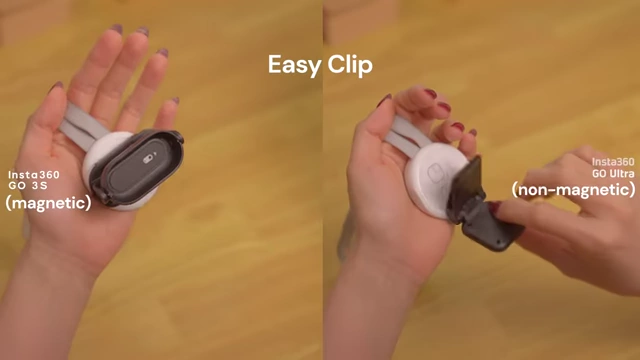
Insta360 GO Ultra's bundled clip (right) is non-magnetic, unlike the older GO 3S magnetic clip (left) [ 00:19:05 ]
- Doesn't share much compatibility with previous Insta360 models but offers an extensive range of dedicated accessories.
Price and Value for Money [19:36]
Price is often a deciding factor, and each camera offers different value propositions.
- DJI Osmo Nano:
- More affordable option, offering good value out of the box.
- Standard bundle includes a protective case.
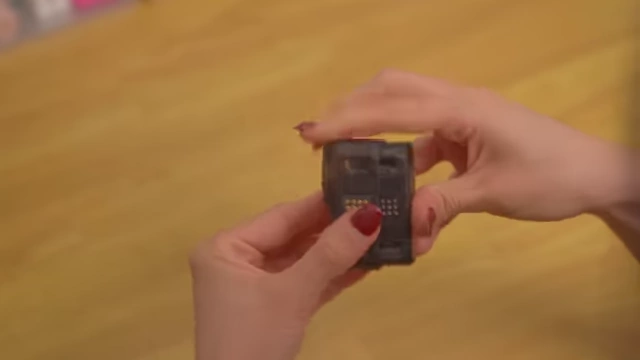
DJI Osmo Nano's standard bundle includes a protective case [ 00:19:50 ] - Flexible bundle options allow buying just the camera and vision dock, ideal if users already own compatible DJI accessories.
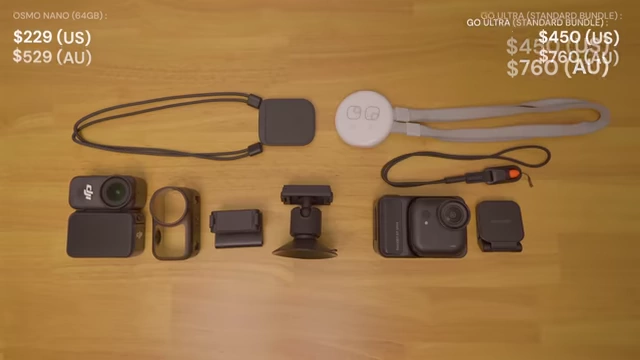
Price and bundle comparison: DJI Osmo Nano (64GB) vs. Insta360 GO Ultra Standard Bundle [ 00:20:06 ]
- Insta360 GO Ultra:
- Sits at a higher price point.
- Standard bundle doesn't include all "must-have" accessories, requiring an upgrade to a more expensive creator bundle for the full experience.
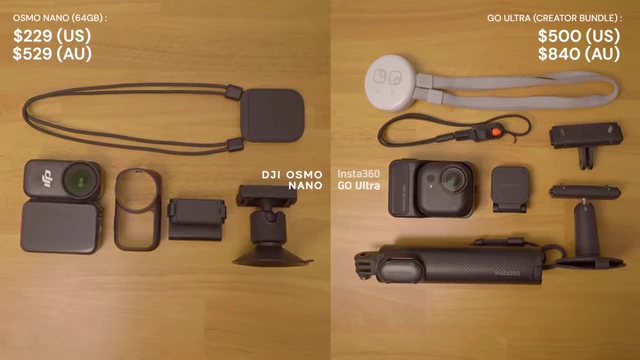
Price and bundle comparison: DJI Osmo Nano (64GB) vs. Insta360 GO Ultra Creator Bundle [ 00:20:15 ]
Final Thoughts [20:45]
Both are solid choices, but the speaker personally prefers the GO Ultra.
- Reasons for preferring Insta360 GO Ultra:
- Tone: Naturally gives a rosy, flattering look to skin tones, reducing the need for makeup filters.
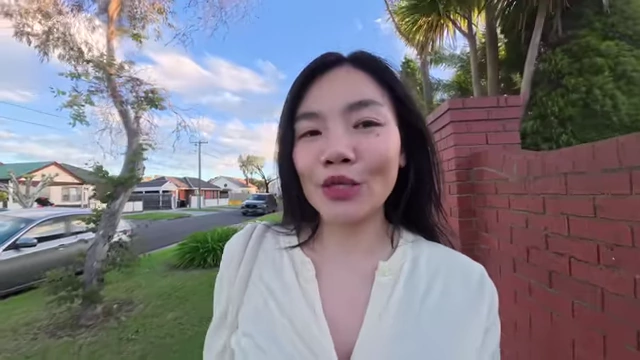
Insta360 GO Ultra's flattering color tone for skin, providing a rosy and vibrant look [ 00:21:30 ] - Wider Field of View: Provides a more expansive perspective.
- Night Vlogging: Offers better low-light performance, making night vlogging more feasible.
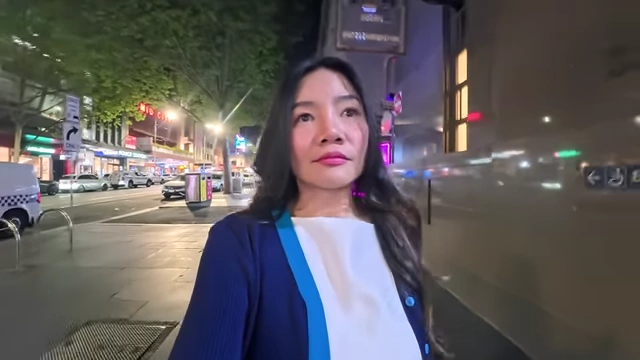
Examples of night vlogging footage captured with the Insta360 GO Ultra [ 00:21:36 ] - Thoughtful Features: Appreciates the small, convenient features like pause recording and haptic feedback that simplify the filming process without overthinking editing.
- Allows for creative filming without needing extensive post-production color controls.
- Tone: Naturally gives a rosy, flattering look to skin tones, reducing the need for makeup filters.